We’ve spent the better part of this year quietly building the next evolution of swivl. A new Contact Center where your team manages every interaction in one place. Real-time AI coaching that gives live agents the right answer before they have to ask. A smarter, faster Voice agent. New reports that tell you at a glance what’s happening with your tenants. A redesigned widget with an account portal. Task & Ticketing. SMS notifications. Outbound calling. The works.
We were excited to showcase all of it at SSA in Las Vegas last month - if you weren’t there, here's more information. We’ve been giving customers access since the show and we’re moving fast. Reach out to support@tryswivl.com if you want to know where your account stands.
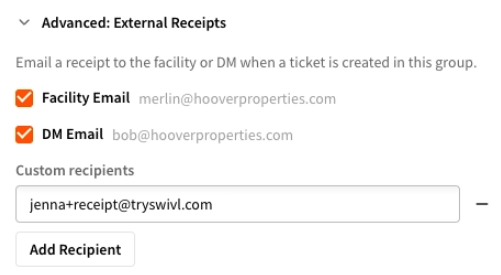
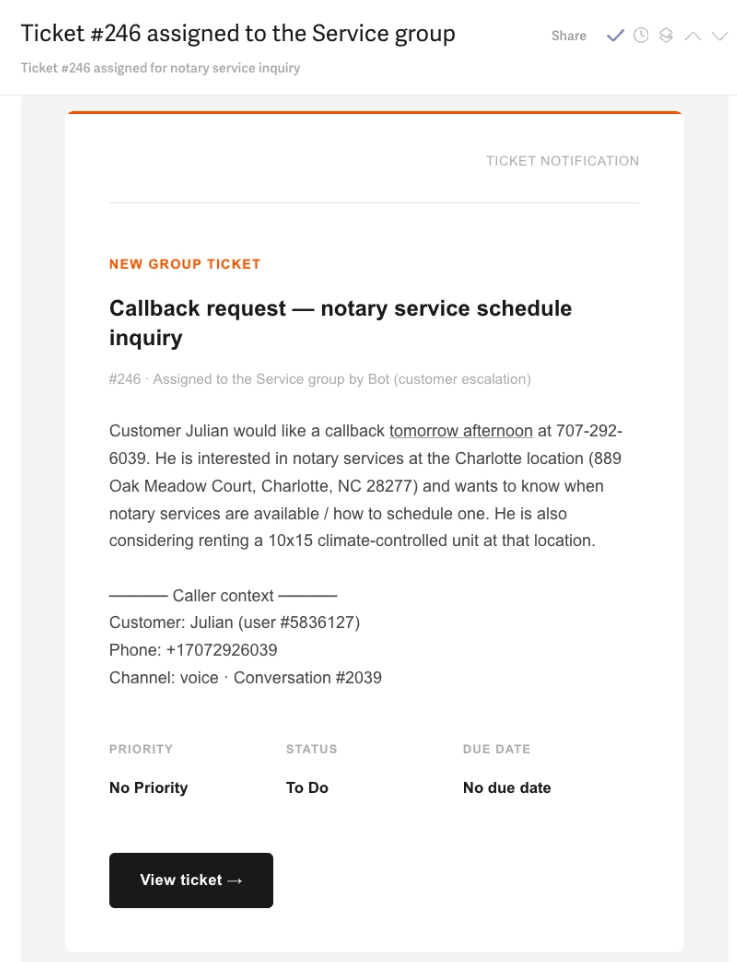
When a ticket is created in swivl, you can now control exactly who gets notified - and it's no longer limited to people with swivl logins.
For each group (Sales, Service, Retention, etc.) in the Escalation & Ticketing section, you can configure tickets to go to: the location's email address, a district manager, one or more custom email addresses, or any combination of these. Each email includes the ticket details, customer information, and a "View ticket" button that opens the ticket directly - no login required.
👉 Head to Escalation & Ticketing and open any group to configure email receipts.
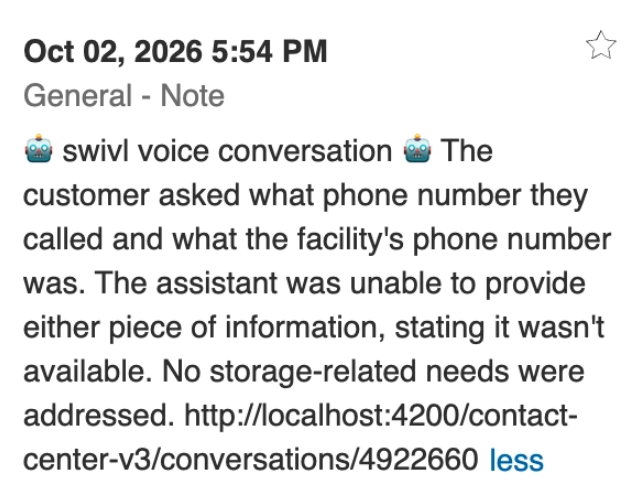
When a conversation ends, swivl now automatically creates a note in the tenant's FMS account with a summary of what happened - where they chatted (voice, SMS, or webchat), what they needed, and what the outcome was. No manual logging, no copy-pasting from a transcript.
This means anyone on your team who pulls up a tenant's account will see the full picture of their last interaction with swivl, right alongside everything else in the FMS.
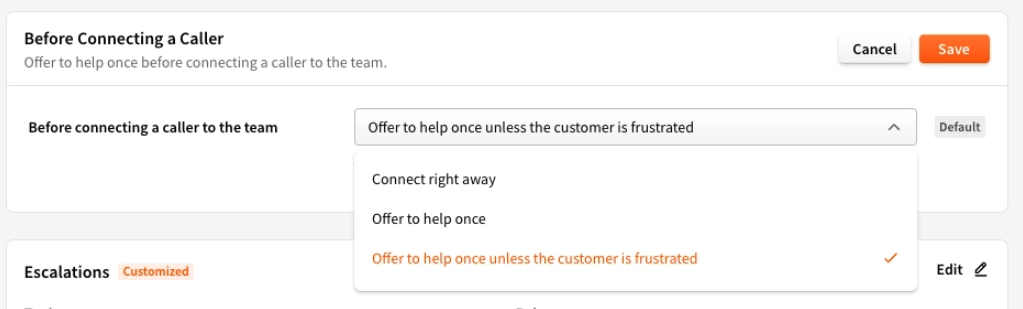
By default, when someone asks to speak with a person, your bot now offers to help resolve the issue first before connecting. If the customer insists on speaking with a team member, or the situation calls for it, we skip the offer and connect to your team immediately. If they still want a person after the offer, they get one - no runaround.
Operators can adjust this per group in Escalation & Ticketing.
swivl has always followed up with leads that came through our channels directly. Now it goes further - for operators on StorEdge, Sitelink, SSM Cloud, QuikStor, Cubby, Monument, and Hummingbird, we can now follow up with every prospect in your FMS who browsed but didn't book, regardless of how they got there.
If a lead came in through your website, a listing site, or anywhere else and landed in your FMS without converting, swivl can now reach out automatically via SMS, email, or voice. No lead left behind.
👉 Head to Cortex > Sequences > Abandoned Cart and enable the Follow up with all leads toggle to get started.
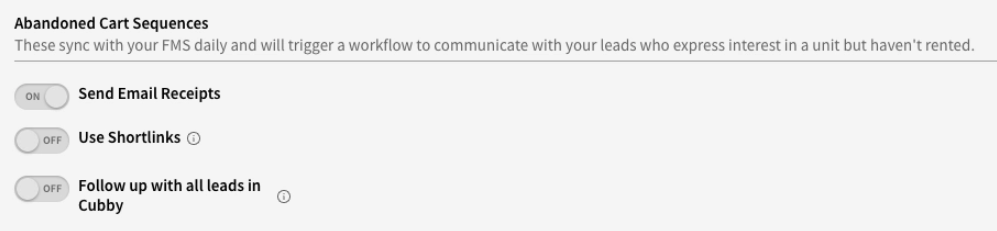
Note: If you don't yet see this option, reach out to support@tryswivl.com - a short activation step may be needed on your account.
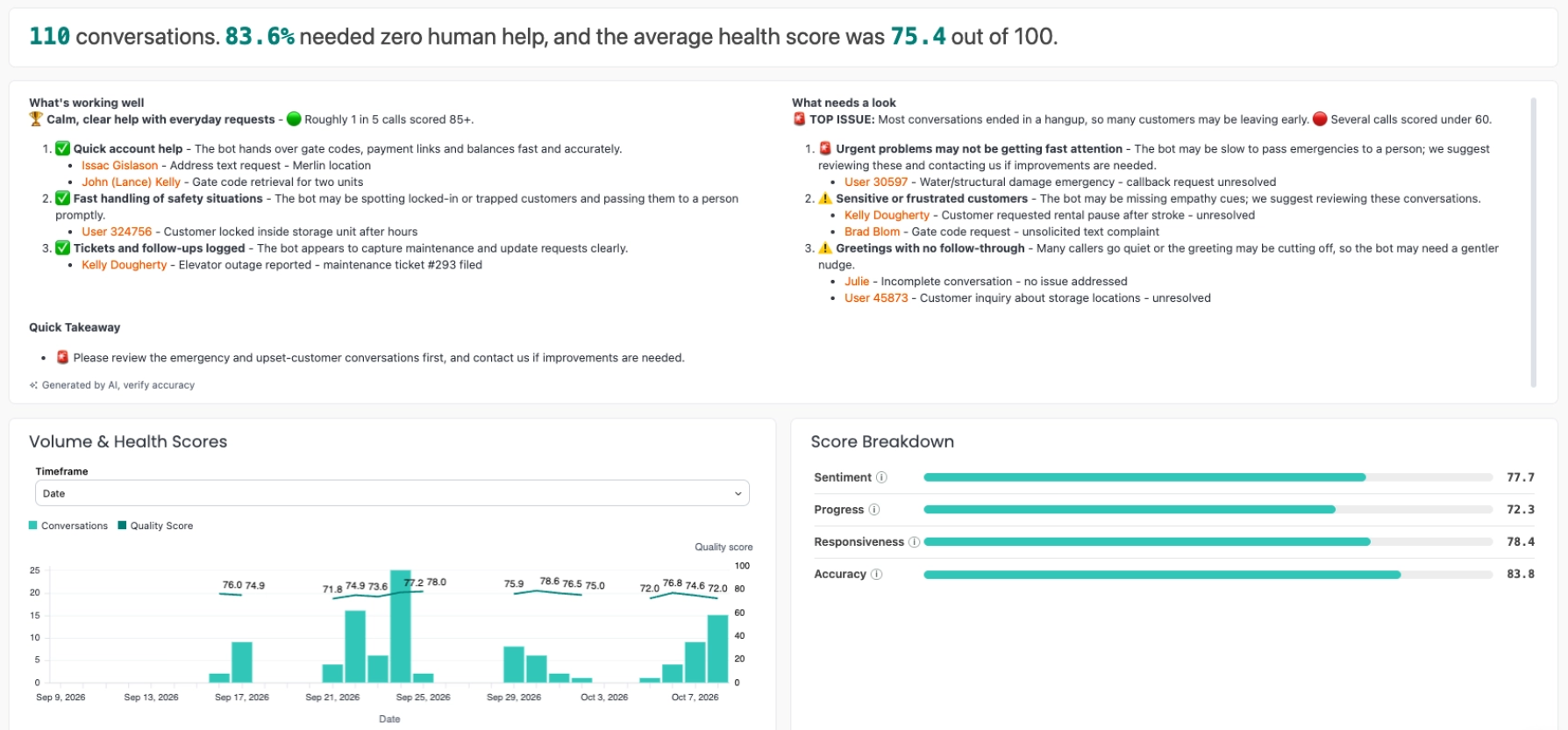
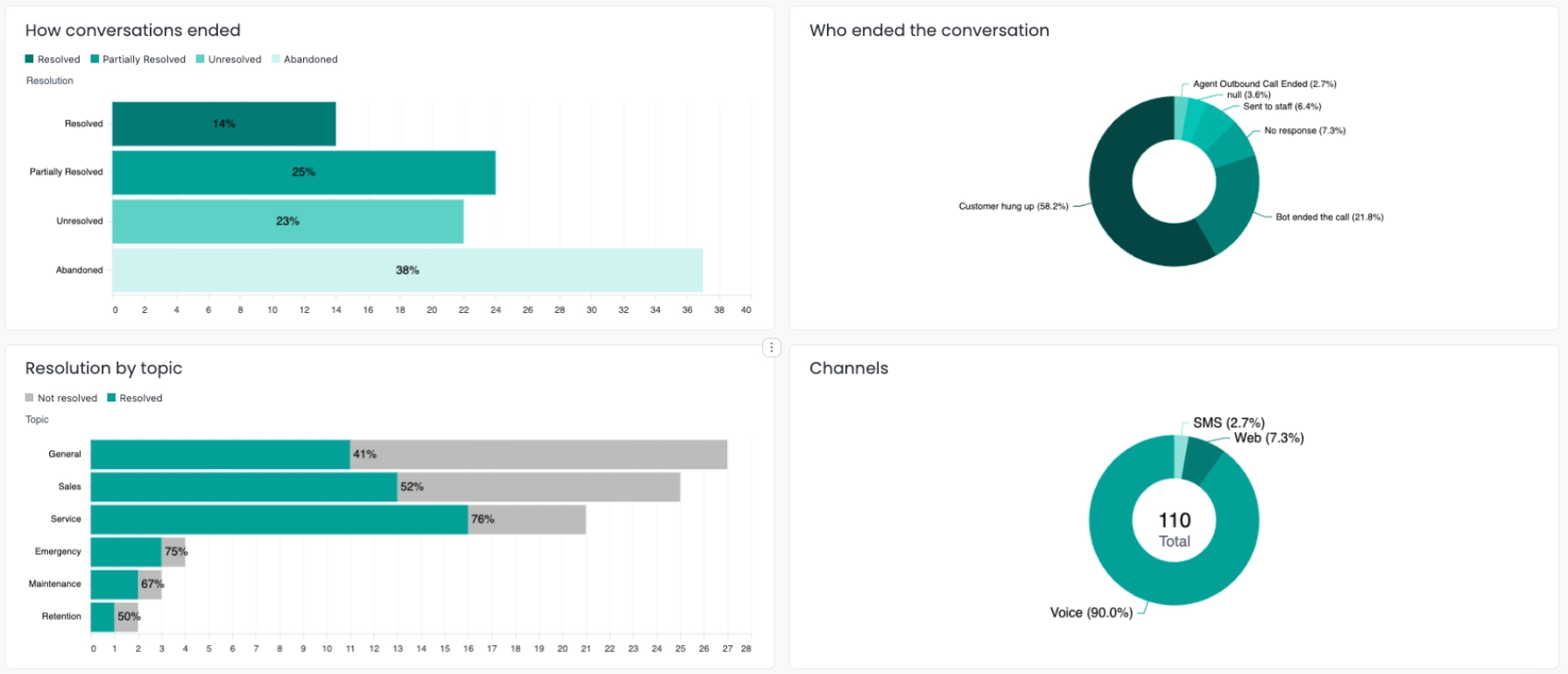
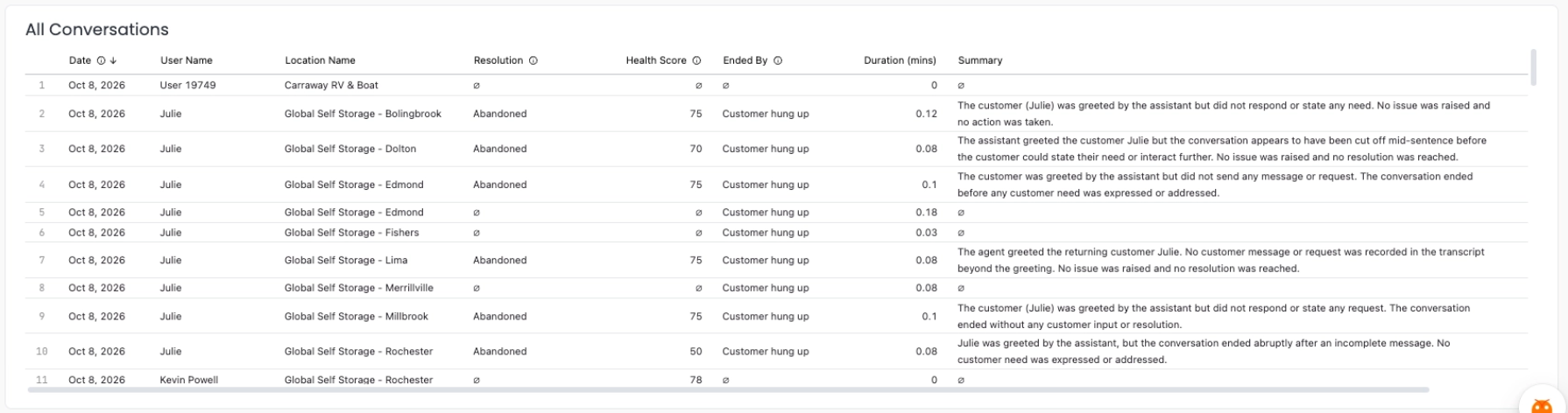
We’ve been upgrading swivl’s reporting around new data - and the first report is ready to preview.
The new Conversations report surfaces what’s happening across your locations. Volume and health scores over time, how interactions ended and who ended them, outcomes broken down by topic, and an AI-generated summary that calls out what’s working and what needs attention. Scroll down and every individual interaction is listed with a summary of exactly what happened (remember - this can be sent to you daily, weekly, or monthly via email).
Various bug fixes and improvements were included in this release.

