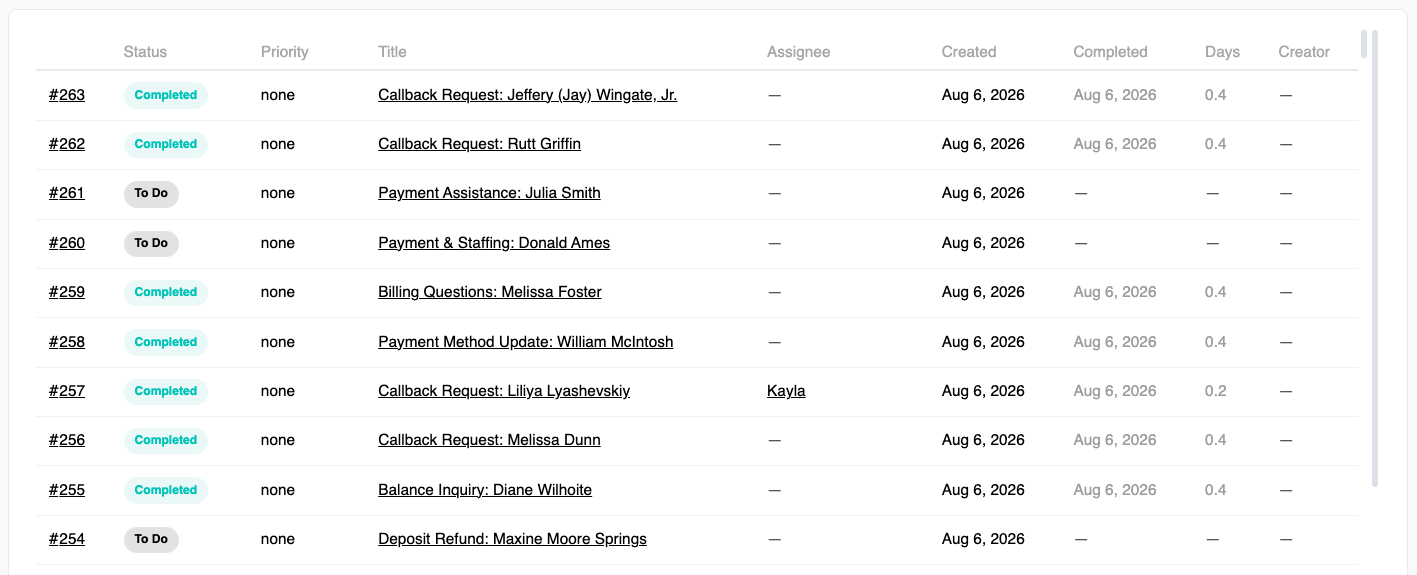
Ticketing is swivl's latest way to manage tenant follow-up, staff collaboration, and internal task tracking all directly inside swivlStudio. Instead of chasing down conversations across texts, emails, and phone calls, your whole team works out of one place where tickets can be assigned, commented on, and closed.
Whether it's a maintenance request that came in after hours, a tenant who needed help but didn't reach anyone, or a sales lead worth following up on - Ticketing gives your team the visibility and accountability to make sure nothing falls through the cracks.
Note: Ticketing is currently rolling out to select accounts. Reach out to support@tryswivl.com if you’re interested in testing it out.
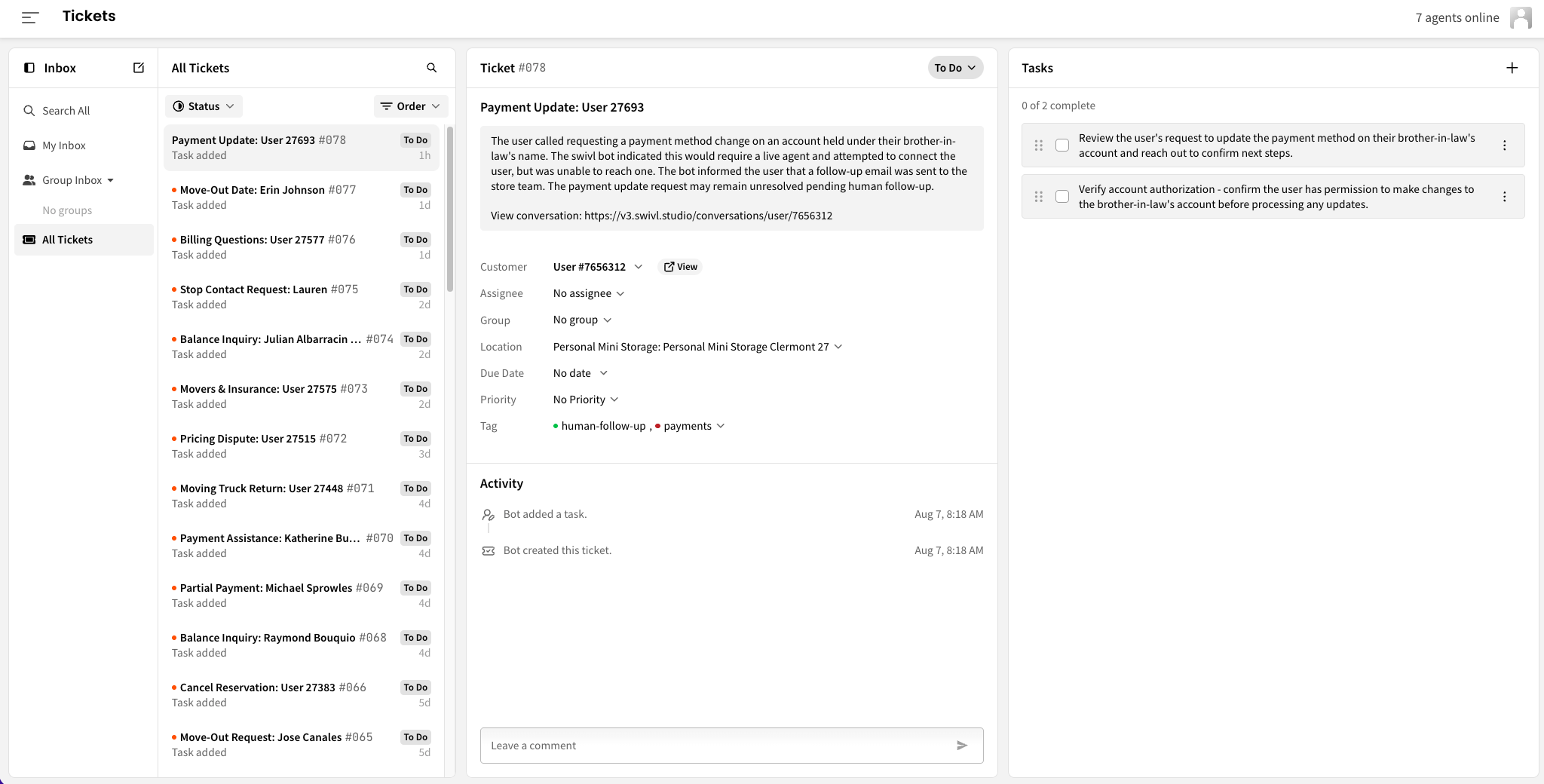
👉 Once enabled, head to Ticketing in the main nav.
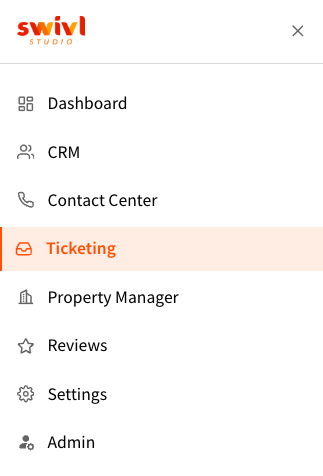
swivl can now automatically create tickets based on what happens in your bot conversations across voice, chat, and SMS. When a conversation ends without a resolution, when a tenant needed a human and didn't get one, or when something flagged as urgent went unaddressed, we place a ticket automatically so your team can follow up.
No more manually reviewing transcripts to find the ones that slipped. Your team wakes up to a prioritized list of what needs attention, can assign tickets to each other, leave notes, and close things out - all without leaving swivl. It's the difference between reacting to complaints and proactively managing your tenant experience.
This is currently in beta. Reach out to support@tryswivl.com to get it enabled.
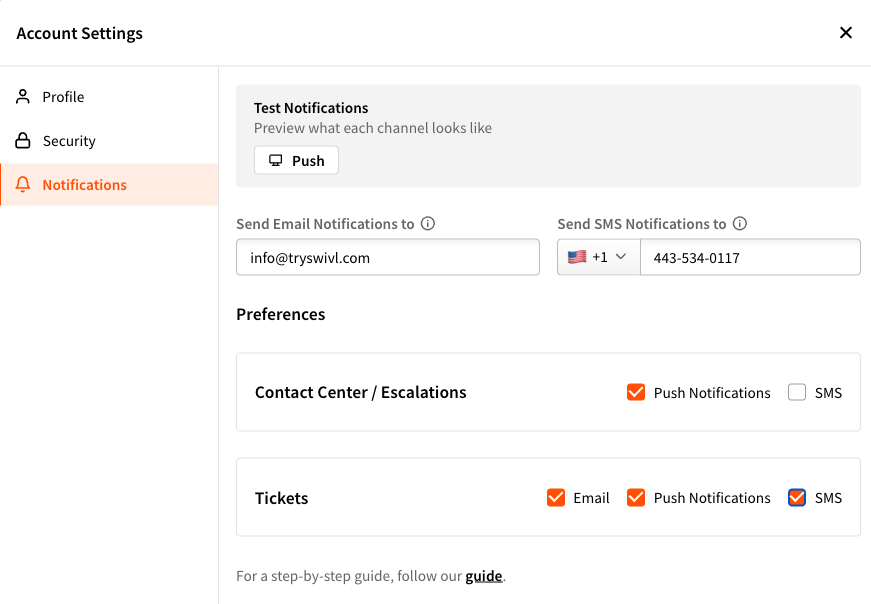
Note: Make sure Account Settings > Notifications > Tickets > Email, Push Notifications, and/or SMS are enabled so your team gets alerted when new tickets arrive.
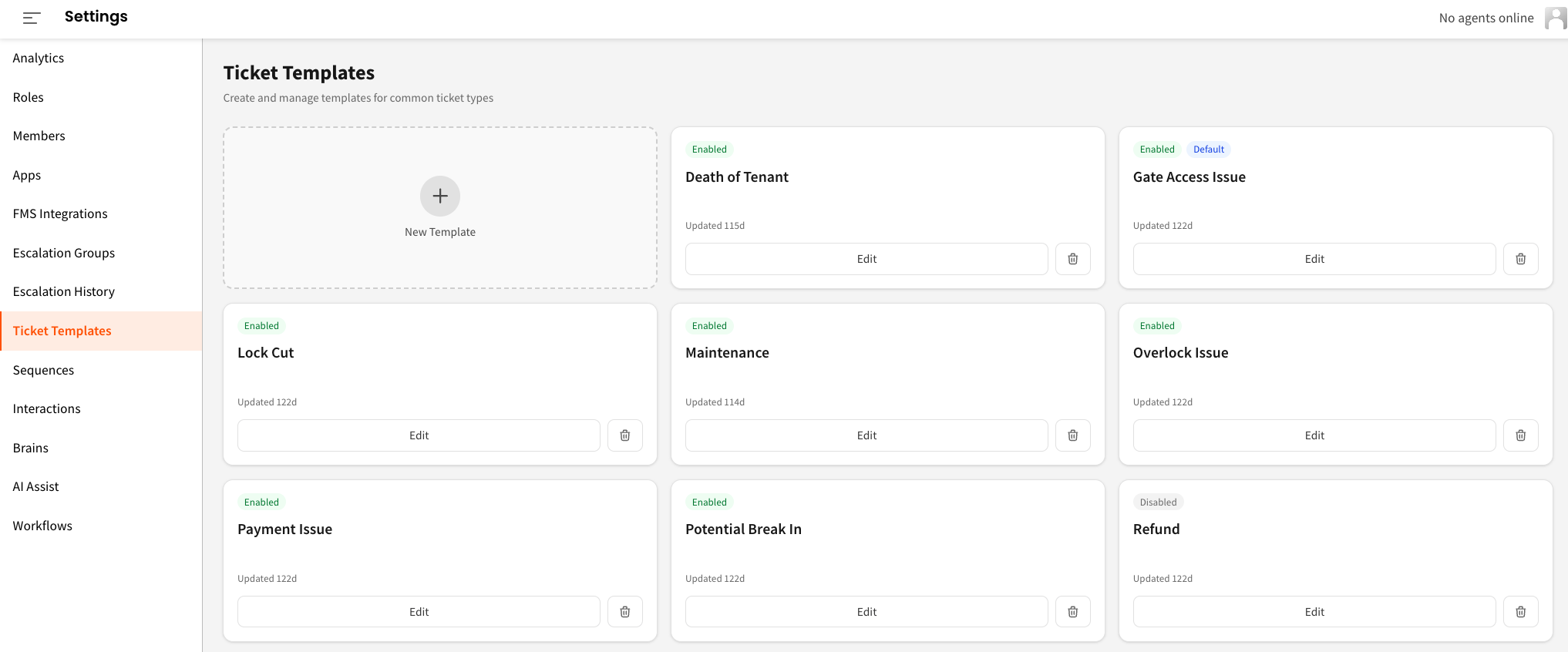
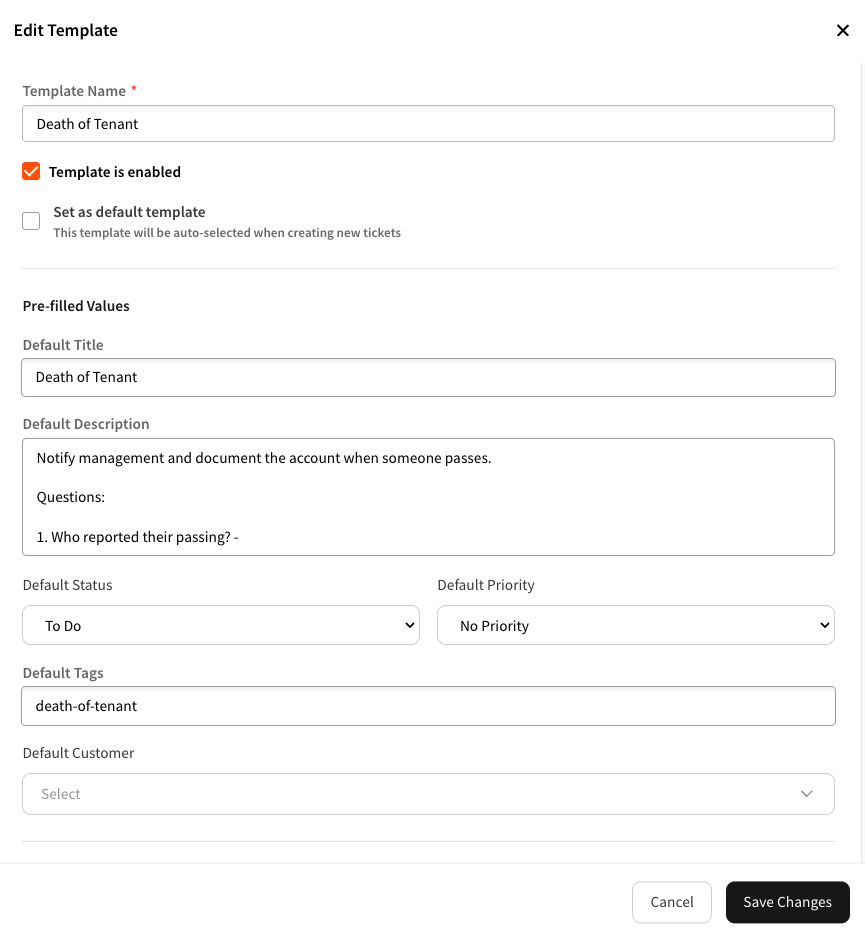
Tired of your team filling out the same fields over and over? Ticket Templates let you pre-define the details for your most common ticket types - the title, priority, description, and any other fields your team always fills in the same way. So when a gate access issue comes in, your team isn't hunting for what to write. They pick a template, add any specifics, and it's done in seconds.
A few ideas to get you started: a Maintenance template that auto-sets priority to Medium, a Gate Access template set to High priority with a description prompt reminding your team to ask for the tenant's unit number, or a Lock Cut template with your standard authorization language pre-filled.
Set up templates for whatever your facility needs. Each one can be enabled, disabled, or updated at any time.
👉 Head to Settings > Ticket Templates to get started.
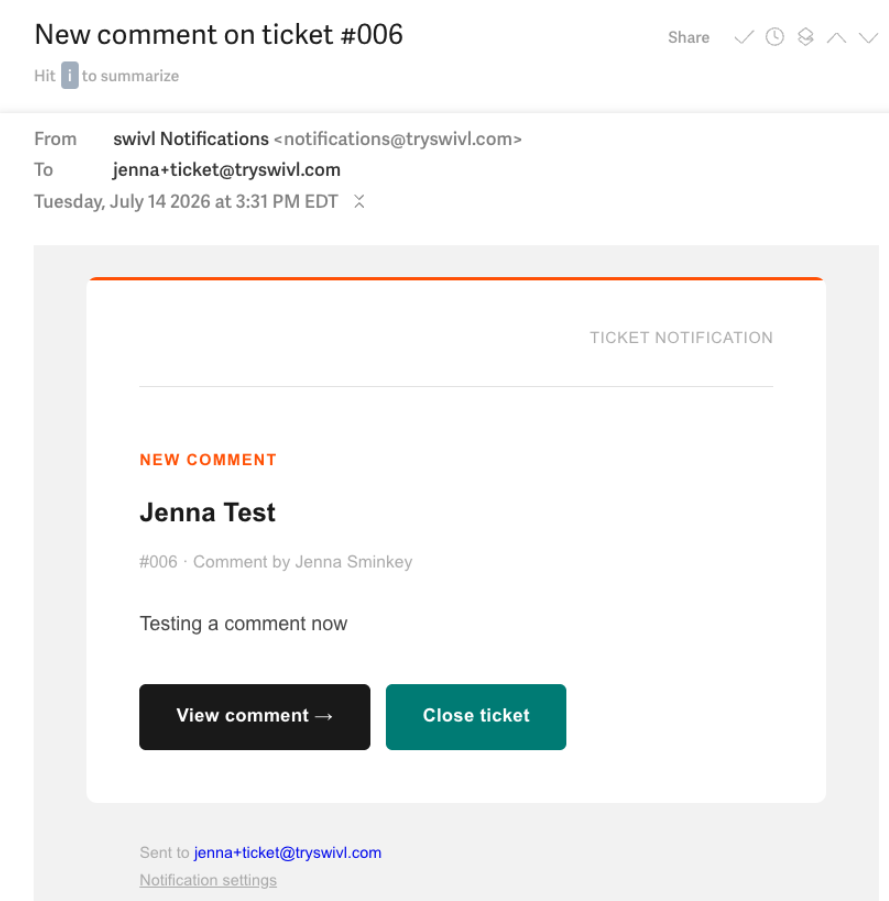
When you receive a ticket notification by email, simply select “Close Ticket” to close it. No need to log back into swivl. One click and it's done.
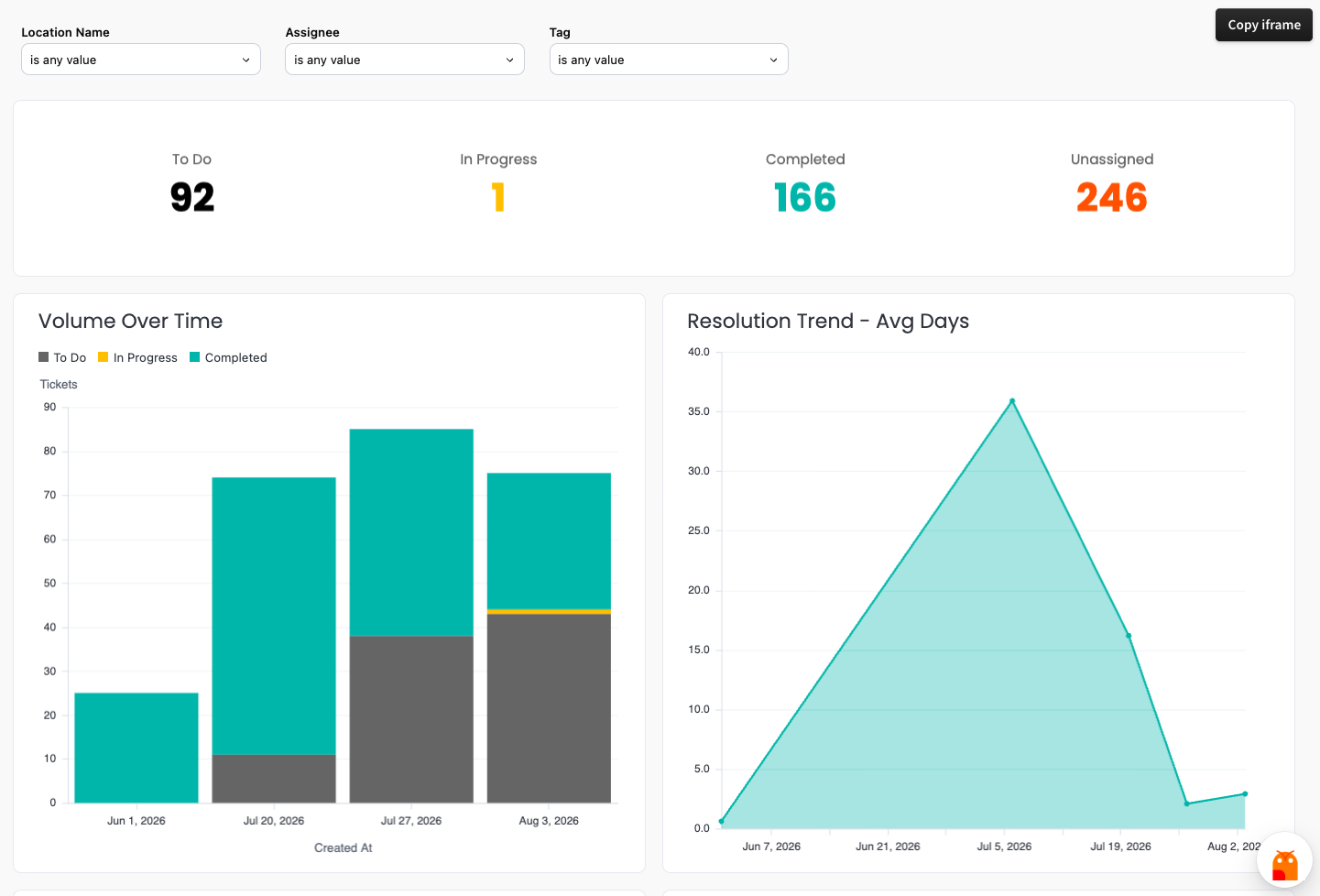
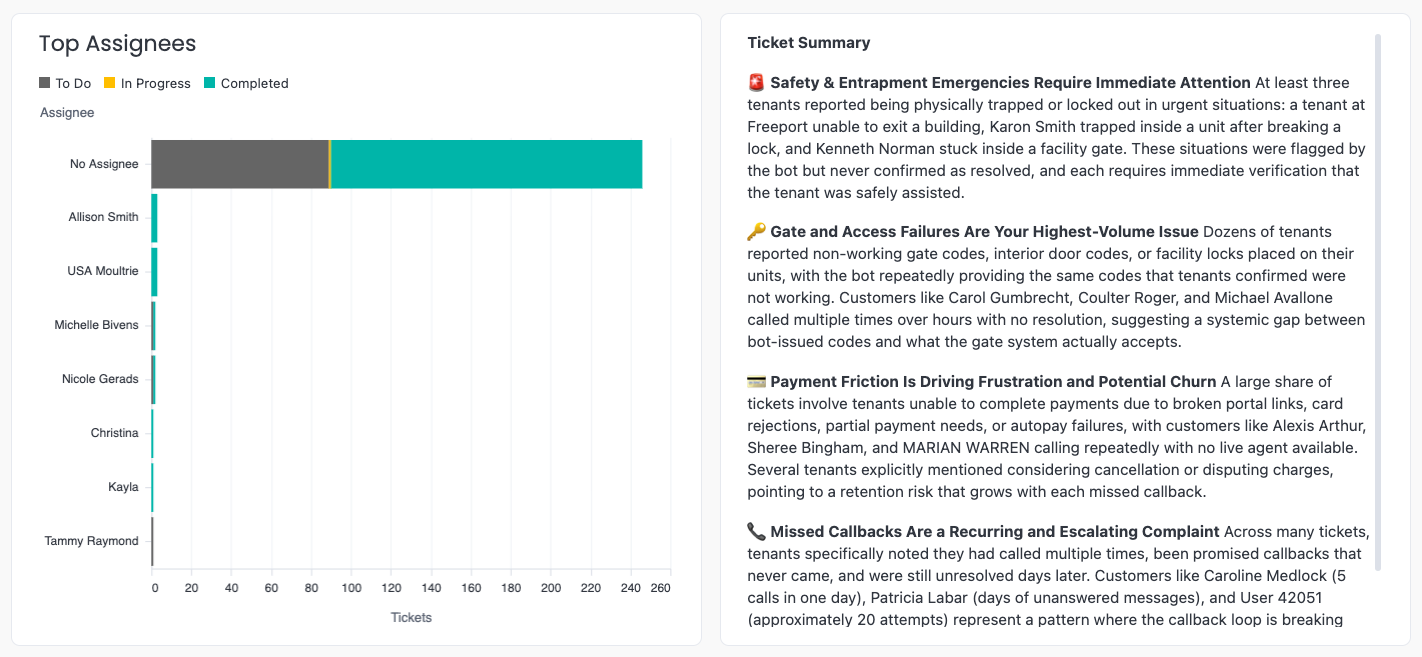
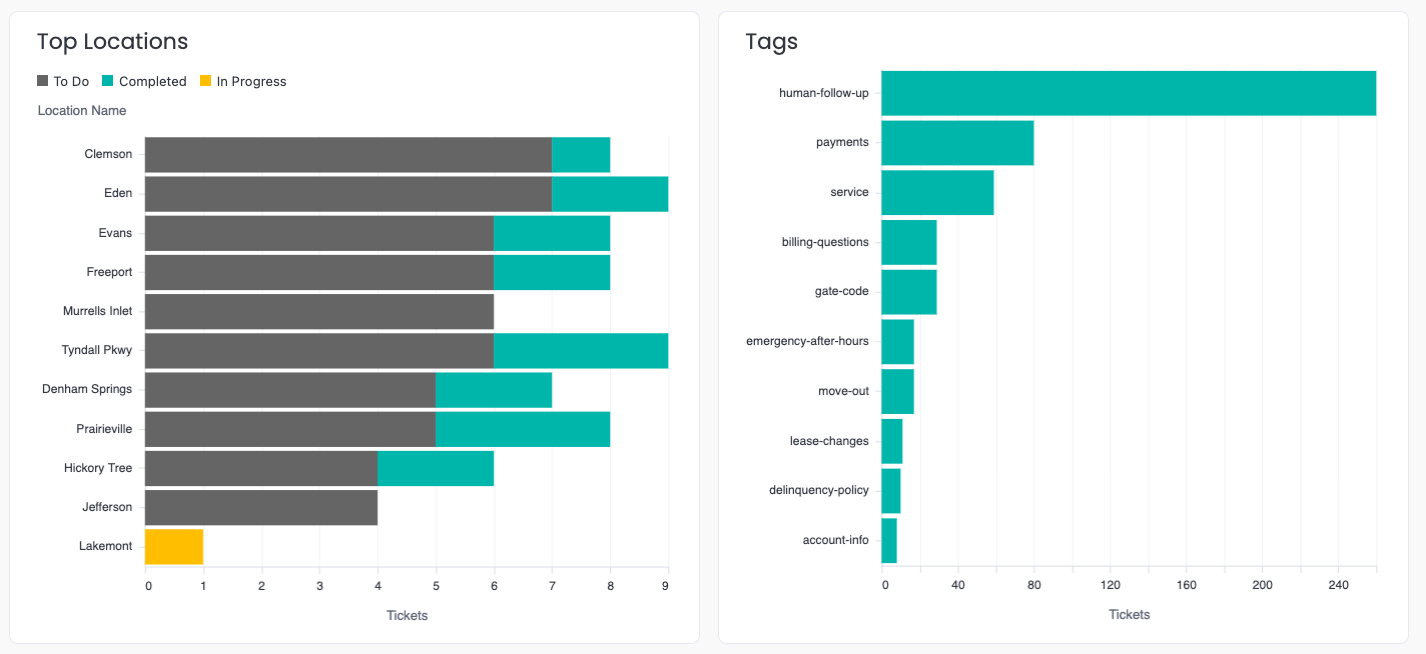
Your ticket data is now part of our reporting suite. See ticket volume, response times, a human-readable summary of your most common ticket types, and more - filterable by location, assignee, and tag. Closed and archived tickets stay searchable, so historical context is never lost when an issue comes back around.
Reminder: Chat with Hoover in the bottom right of any report if you have additional questions.
👉 Head to Reports and look for the Tickets section.
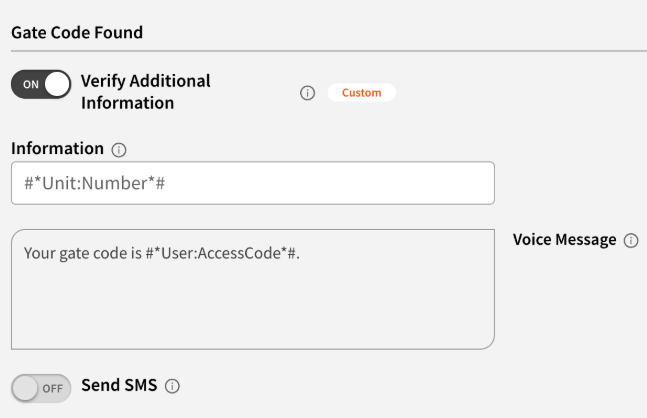
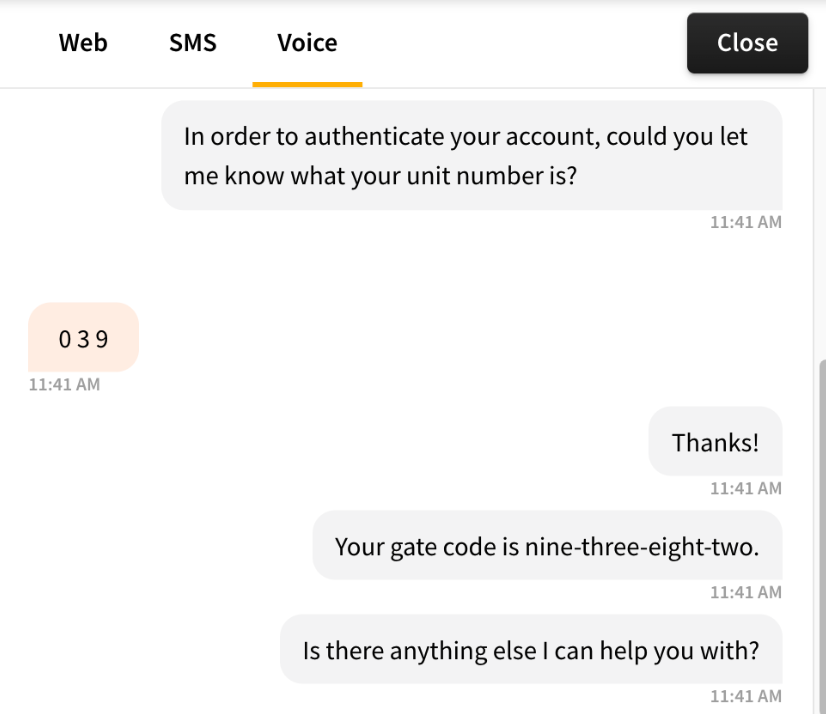
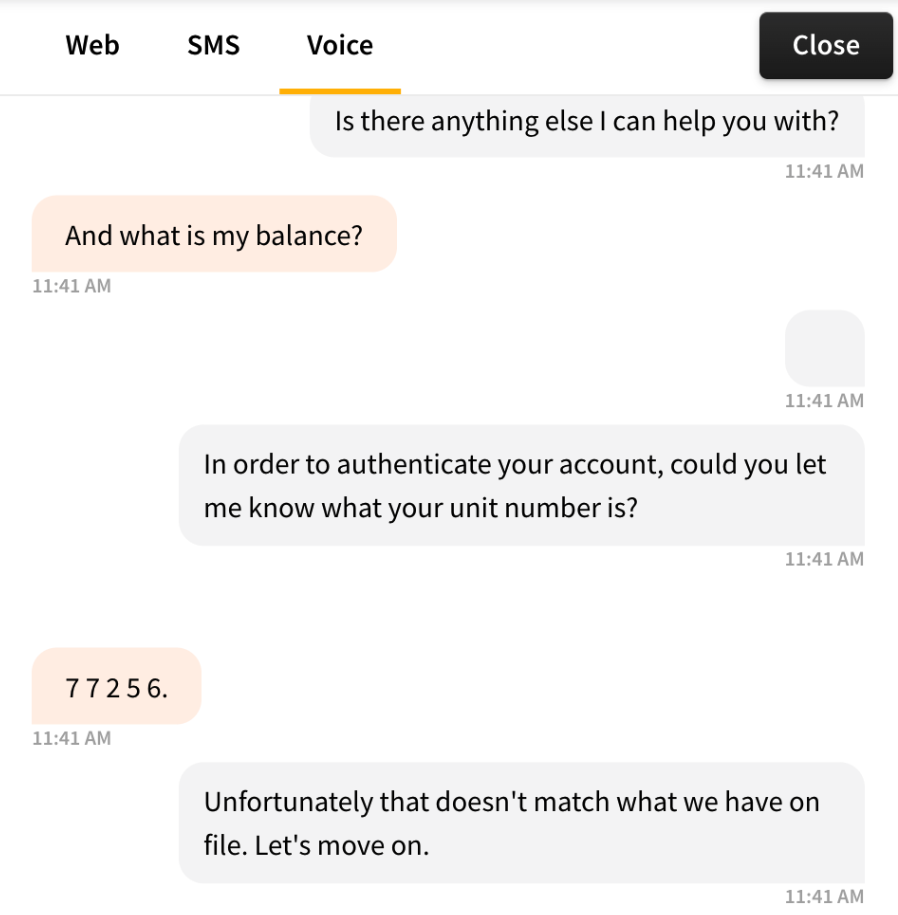
swivl Voice has always confirmed who's calling before sharing sensitive information. Now you can go one step further. When enabled, the bot will ask the caller to confirm a piece of information on file before reading out a gate code or account balance. If they can't confirm it, the bot holds back the sensitive info and lets the caller know where else they can find the information.
It's a small extra step for the tenant, and a meaningful layer of protection for your facility.
👉 Enable it for gate codes here: Voice > Gate Code Settings
👉 Enable it for account balances here: Voice > Account Balance Settings
Example of a successful retrieval:
Example of a failed retrieval:
If you've tried to send a one-off SMS or generate a spot payment link for a past due tenant and they didn't show up in the SMS Campaigns modal - that bug is now fixed.
Previously, tenants who were behind on payments but still actively renting were invisible in SMS Campaigns. Now, as long as a tenant has an active lease, they'll appear regardless of payment status.
👉 spot payment links in SMS Campaigns were announced earlier this year. Now they work for every tenant they should.
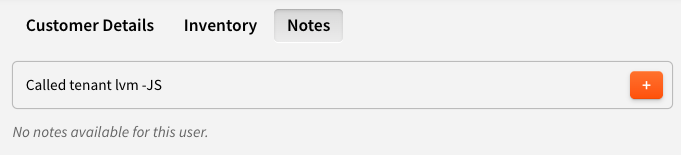
When your team leaves a note on a conversation (context about a call, a follow-up flag, anything worth logging) that note now syncs automatically to the tenant's record in your FMS.
This works for StorEdge, SiteLink, SSM Cloud, Monument, and QuikStor. One less thing to copy between systems.
💡 Tip: Make sure your team signs their notes with their name or initials so it's clear who left the note when it lands in the FMS.
👉 To leave a note, open any Conversation and use the Notes field in the right panel.
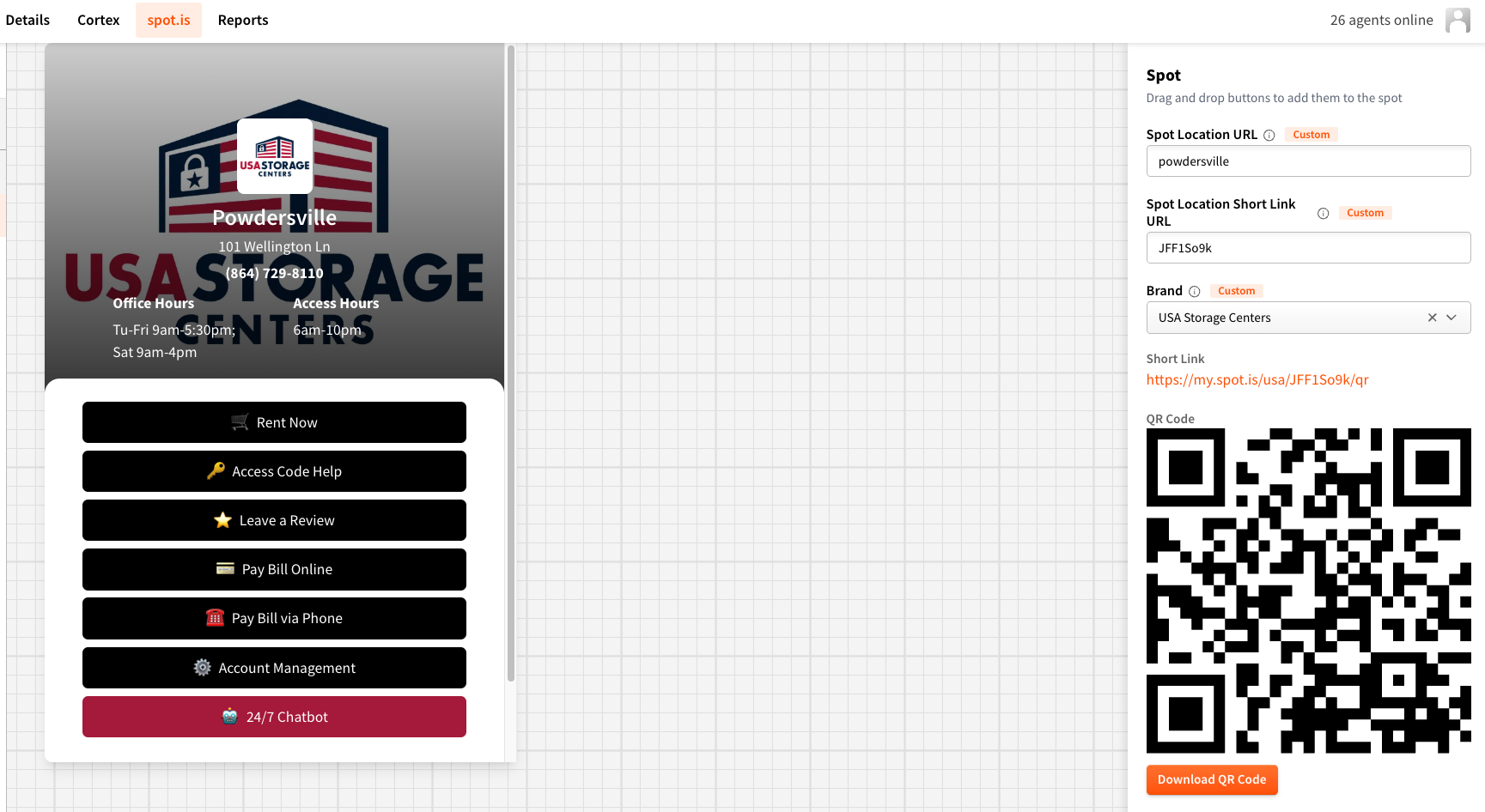
When a new location is added to your swivl account, all spot.is information is now auto-generated automatically - no manual setup step required. Previously this was easy to miss, and a missed step could silently break QR codes or payment links weeks later.
No action needed on your end. It's just handled the moment a location is created.
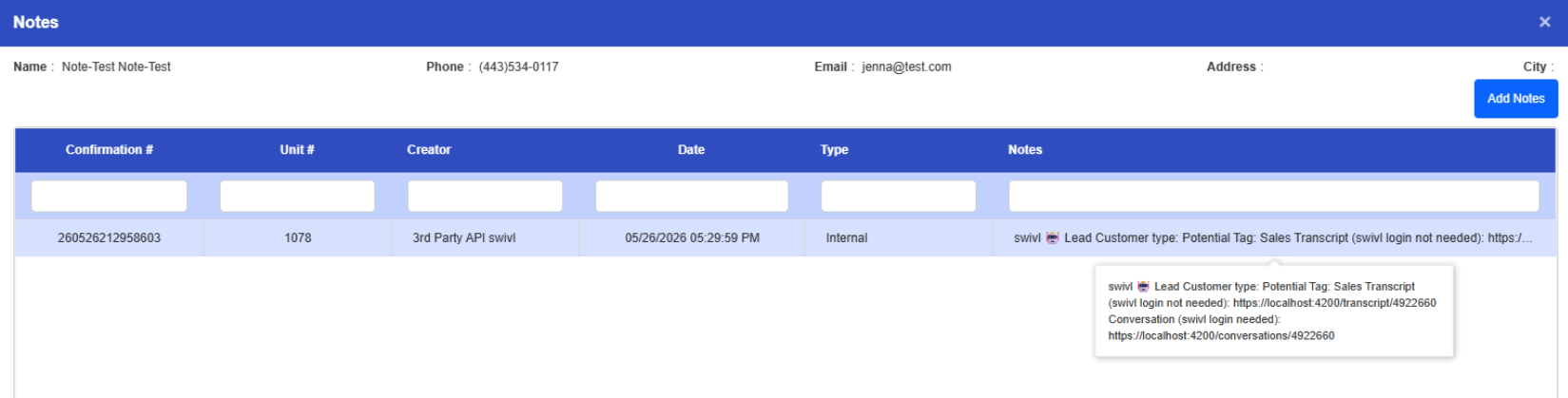
When swivl created a lead in SSM Cloud, the notes field was being dropped entirely meaning your team had no context in the FMS about what the tenant said, what they needed, or how they got there. SSM Cloud leads now carry the full picture, including a link back to the swivl transcript for your team's review.
When an agent was actively handling an escalation, new ones were still routing to them, leaving tenants waiting longer than they should. This has been resolved. Agents will only receive a new escalation once they've finished their current one. Note: if an agent is working solo with no one else online, they may still receive multiple in a row.
Andy Maisch runs 13 Smartlock facilities across 3 states with a lean team and no dedicated collections staff. He put swivl on the 2 jobs that scale the worst - answering every call and chasing every past due balance - and the results speak for themselves.
👉 Read the full Smartlock case study to see how Andy thinks about AI, what he still keeps human, and how he's using swivl to skip auction ads for tenants who were going to pay anyway.
Joel Patterson has spent 20+ years in Florida self storage. He wasn't going to hand his phones to AI on a promise - so he ran a 3-location pilot first, made 2 or 3 dozen test calls himself, and only rolled it out portfolio-wide after the answers held up.
The moment Joel knew it would hold? A Sunday with the office closed. An existing tenant needed a second unit, called in, got a size recommendation, completed the rental, signed the lease in SSM, and received a working gate code. Zero human involvement.
👉 Read the full Personal Mini Storage case study - including how Joel thinks about what AI should handle, what he protects for his team, and what the numbers looked like month over month.

