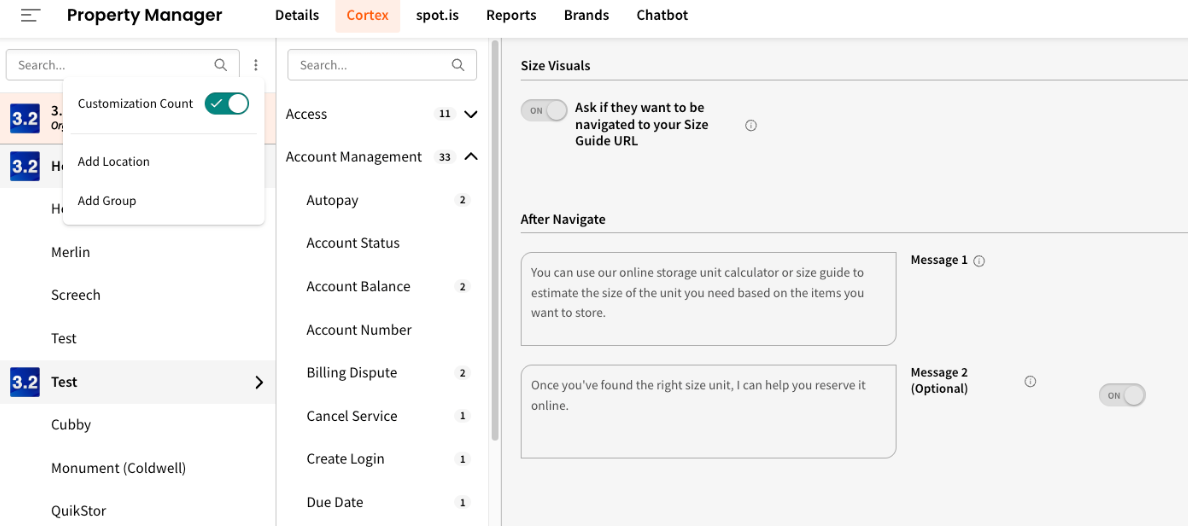
You can now see at a glance how many customizations have been applied to your org's setup as well as each group or location's in Property Manager. If a location has any active customizations, it's now called out directly in the swivlStudio - including a count and which worksheet the customizations live under (e.g., Details > Location Info, Cortex > Customer Profile, etc.)
No more guessing whether a location has been set up or not - it's all visible right from the top-level Property Manager view. To turn this on, click the three dots at the top right of your Location list and toggle "on" the Customization Count feature.
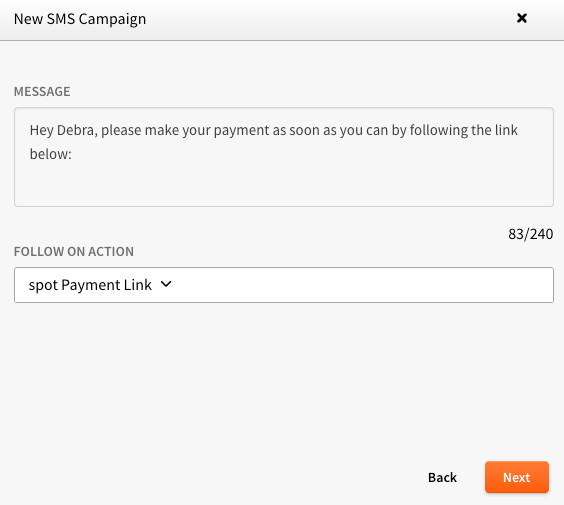
If your facility uses spot.is for online payments, you can now include personalized payment page links directly in your SMS Campaigns. Just add the spot payment link as your Follow On Action and swivl will automatically generate a unique payment URL for each tenant - no manual link-building needed.
It's an easy way to drive payments through your outreach campaigns without adding any extra steps for your team.
💡Tip: Send a mass text inviting tenants to reply “make a payment” anytime to instantly receive a one-time payment link.
Note: This feature requires active spot.is payment page enablement. View the how-to article to learn more and see how to easily turn these on!
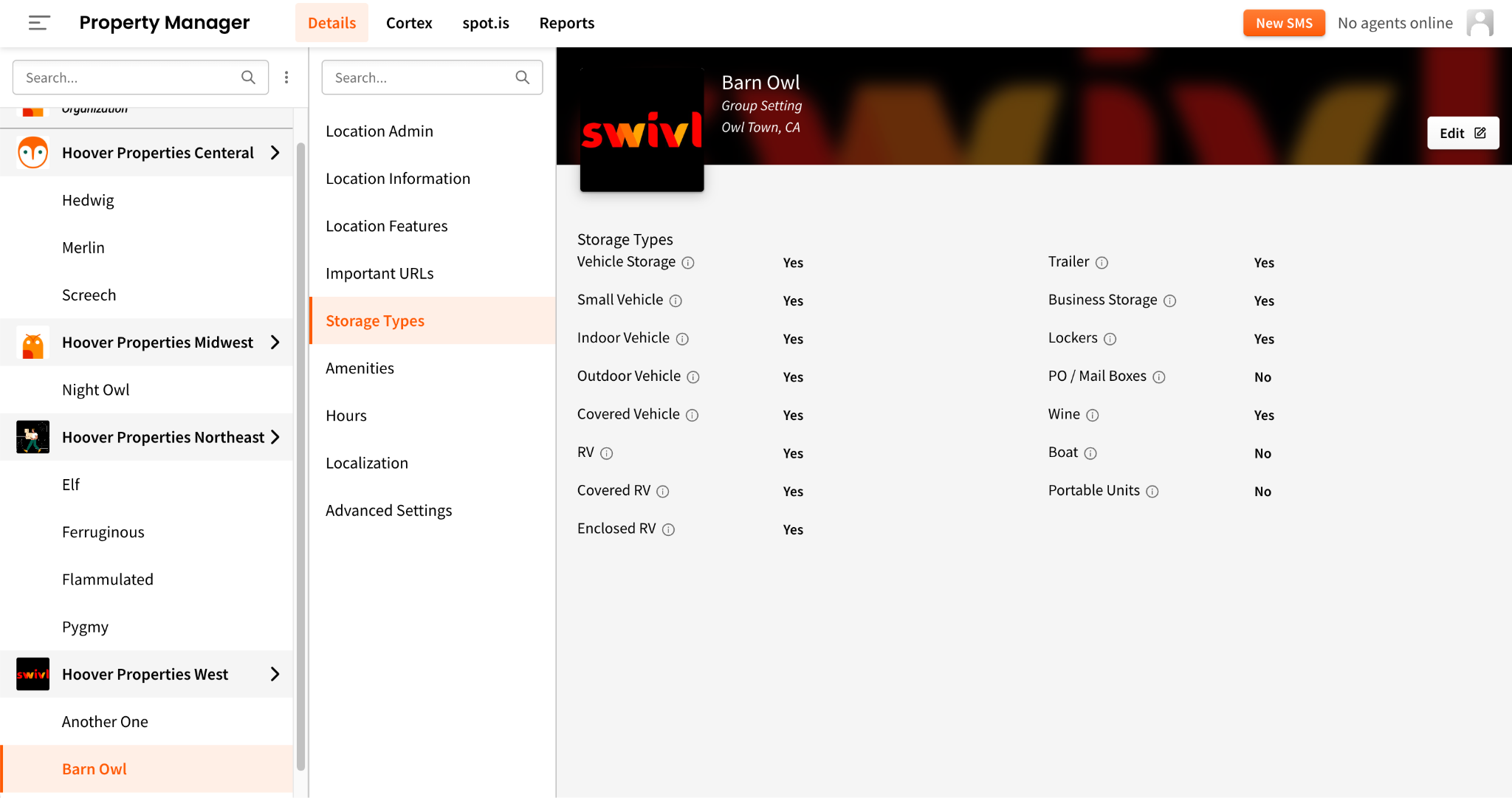
swivl now supports a wider range of what your facility has to offer - so users always get accurate, relevant information no matter what they're asking about.
These can be updated directly in Property Manager > Details > Storage Types and/or Amenities as needed. Once toggled on, you can also customize the messaging in the worksheet for each Amenity (Dump Station and/or Propane) as well as the new Storage Type (Portable Units).
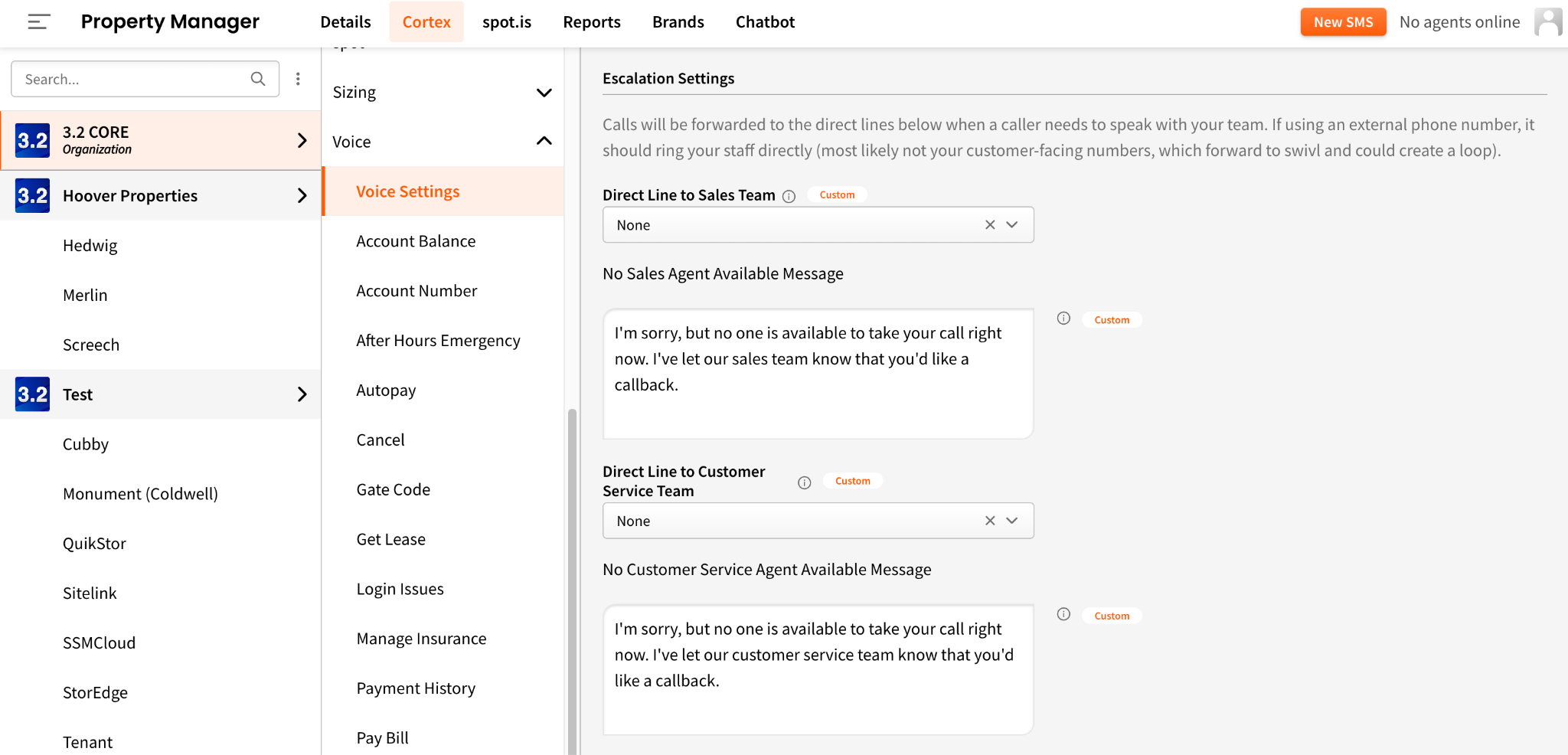
You can now choose None as your escalation option in Voice Settings > Escalation Settings - perfect for teams that don't have live agents available or simply prefer to handle callbacks on their own terms.
When this option is selected, callers who request a live person will hear a message that can be customized in Cortex, letting them know no one is available but they will receive a callback.
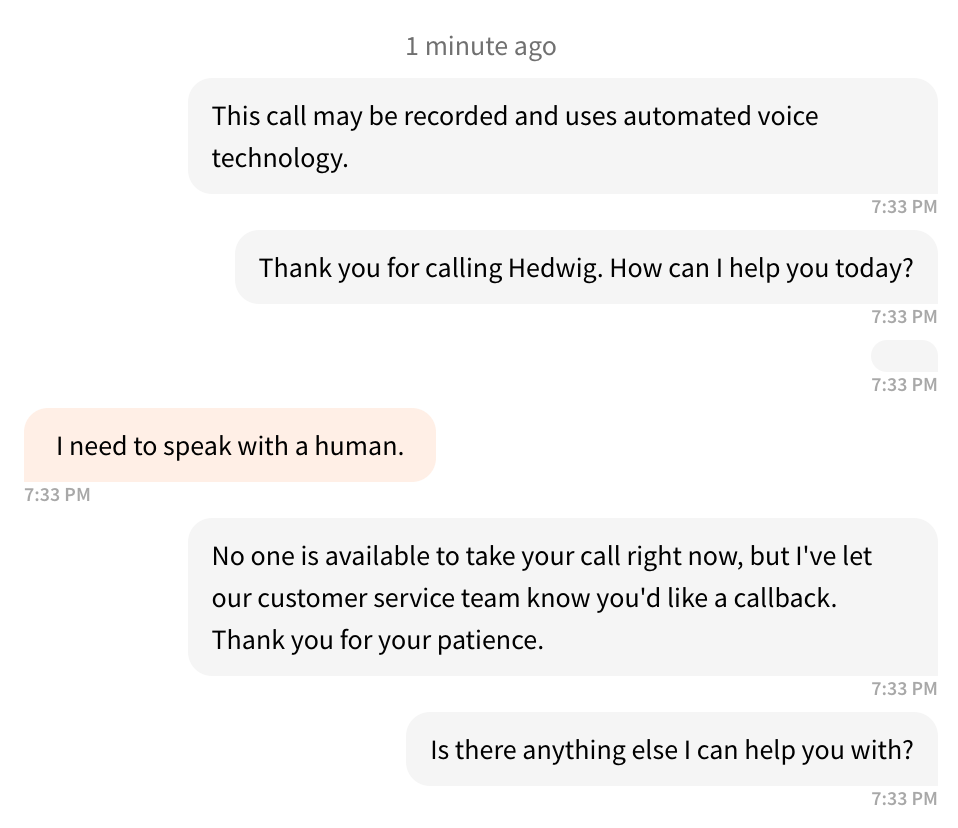
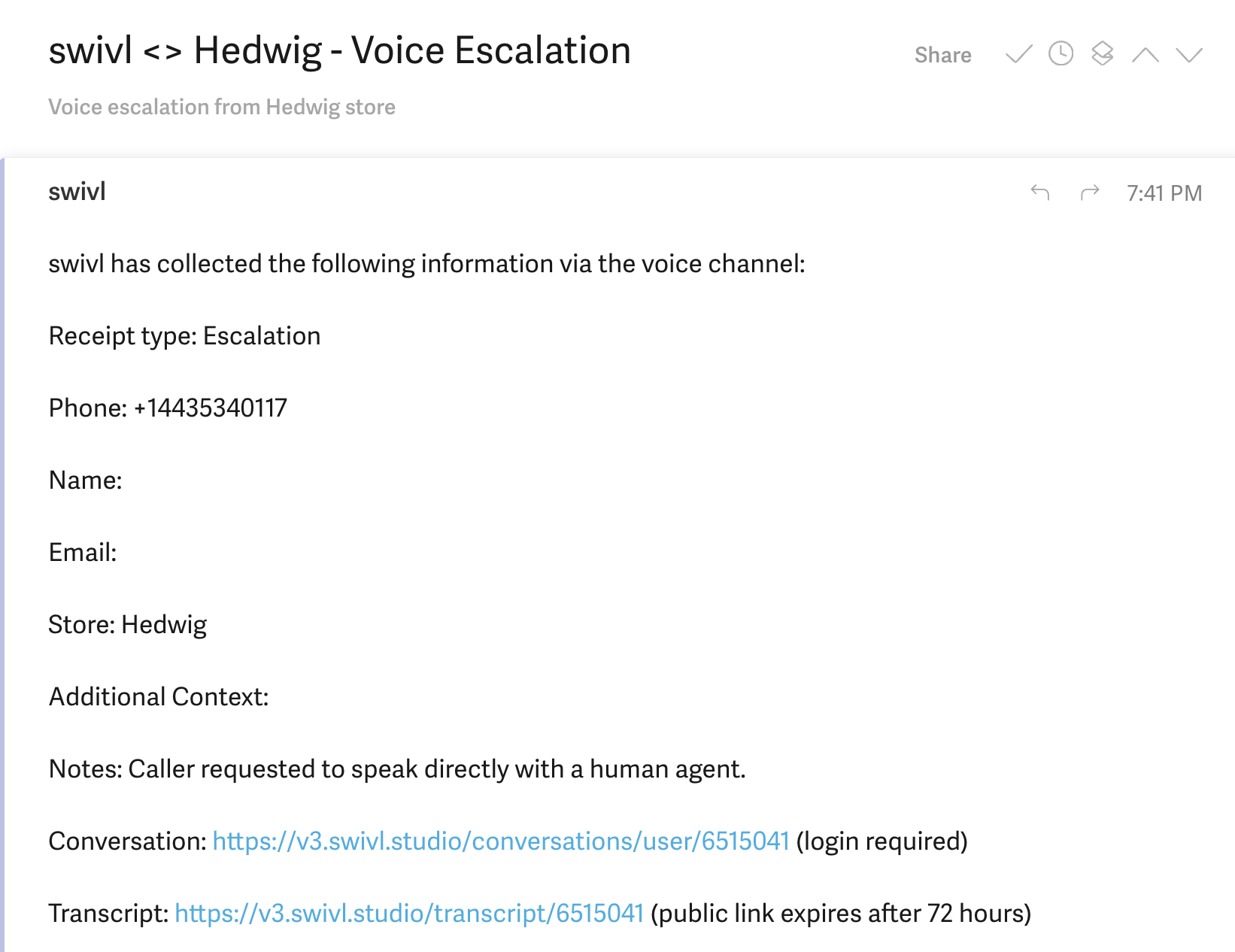
swivl will automatically generate a lead, notify your team, and include a full transcript of the conversation - so nothing falls through the cracks and you have everything you need to follow up.
Tenants with units at more than one location can now manage and pay all of their balances from a single spot payment page - no more navigating between locations or making separate transactions. The payment page automatically displays all eligible units tied to the tenant, grouped by location, for a clean and simple checkout experience.
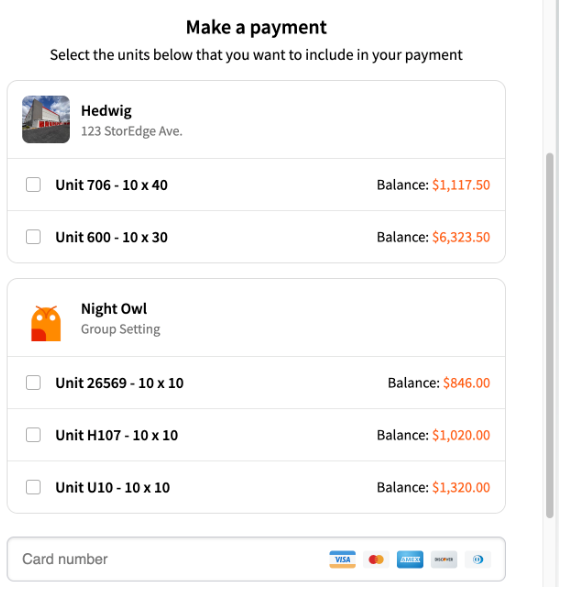
Tenants can:
This update reduces friction for tenants with more than one unit and makes managing payments across locations even more convenient.
Be sure to turn on spot.is payment pages if they are available with your integration! Learn more here.
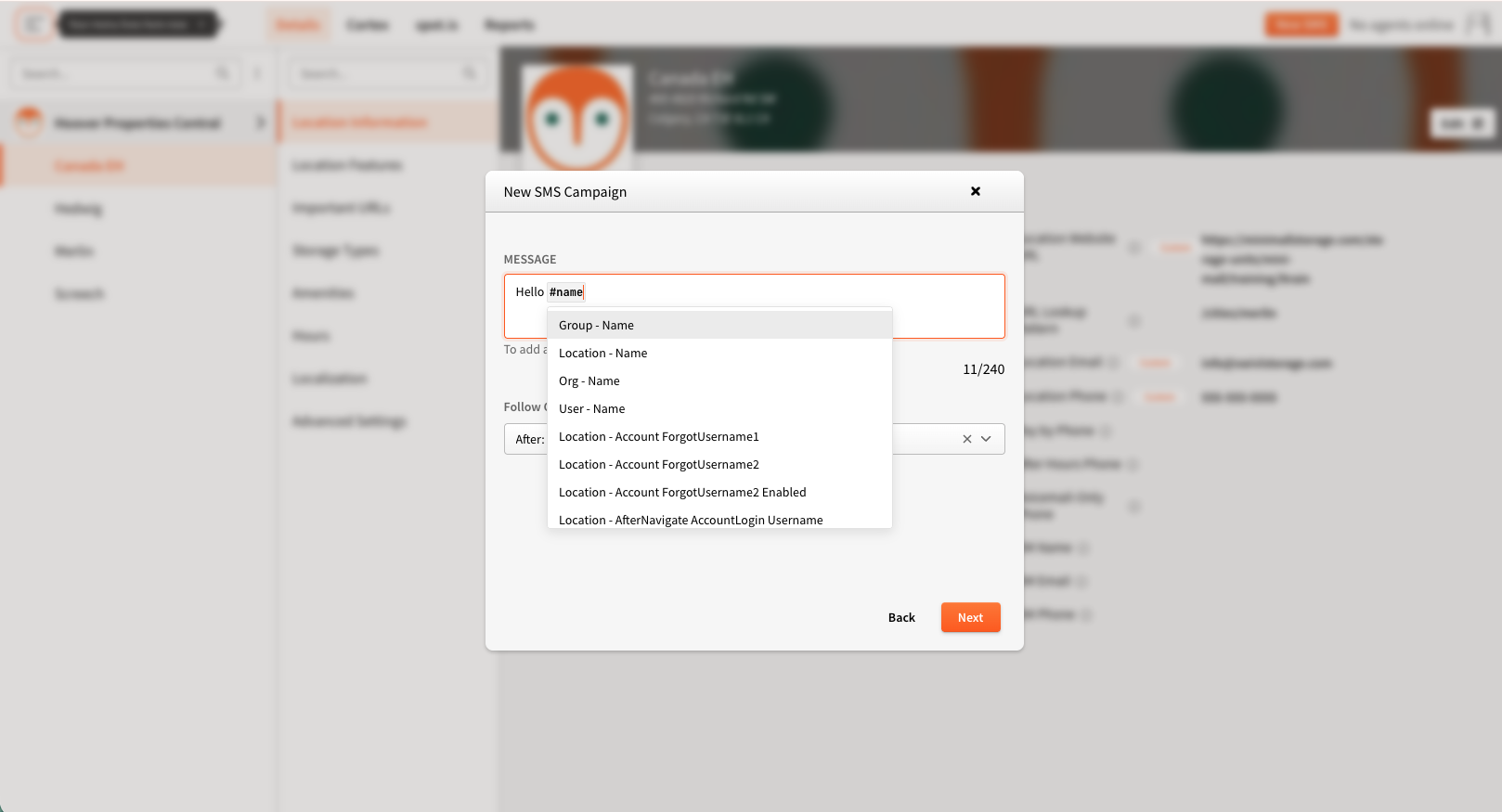
You can now use dynamic variables in your SMS Campaign messages - instead of manually customizing outreach for every location, you can build one template and let swivl do the work. Variables like facility name, phone number, and more are automatically populated for each recipient when the message is sent, keeping every communication accurate and on-brand - even when you're reaching hundreds of locations at once.
Outreach feels local without the manual lift.
We've been busy improving your reporting suite - from brand new dashboards to enhanced metrics across the board. Here's everything that's new this month.
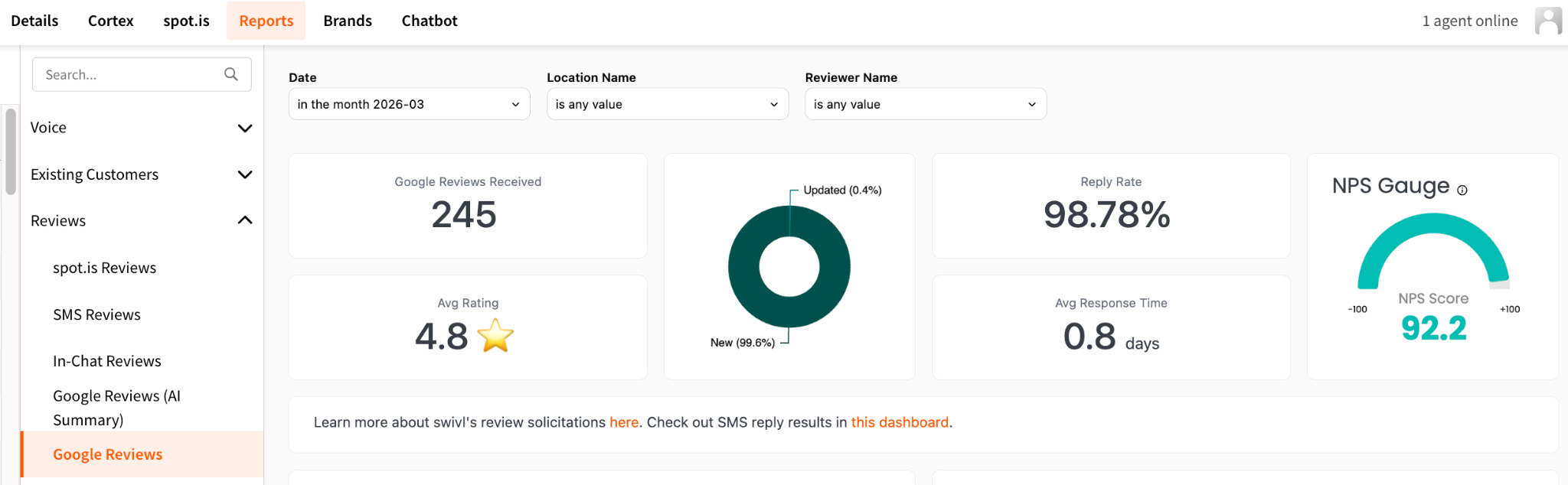
The Google Reviews Received metric now includes both new and updated reviews + a breakdown via the chart to the right of it into two categories: new reviews and updated reviews.
This makes it easy to spot trends - like a wave of tenants updating old reviews, which could signal a recent service change or a reputation management effort in action.
💡 Try asking Hoover:
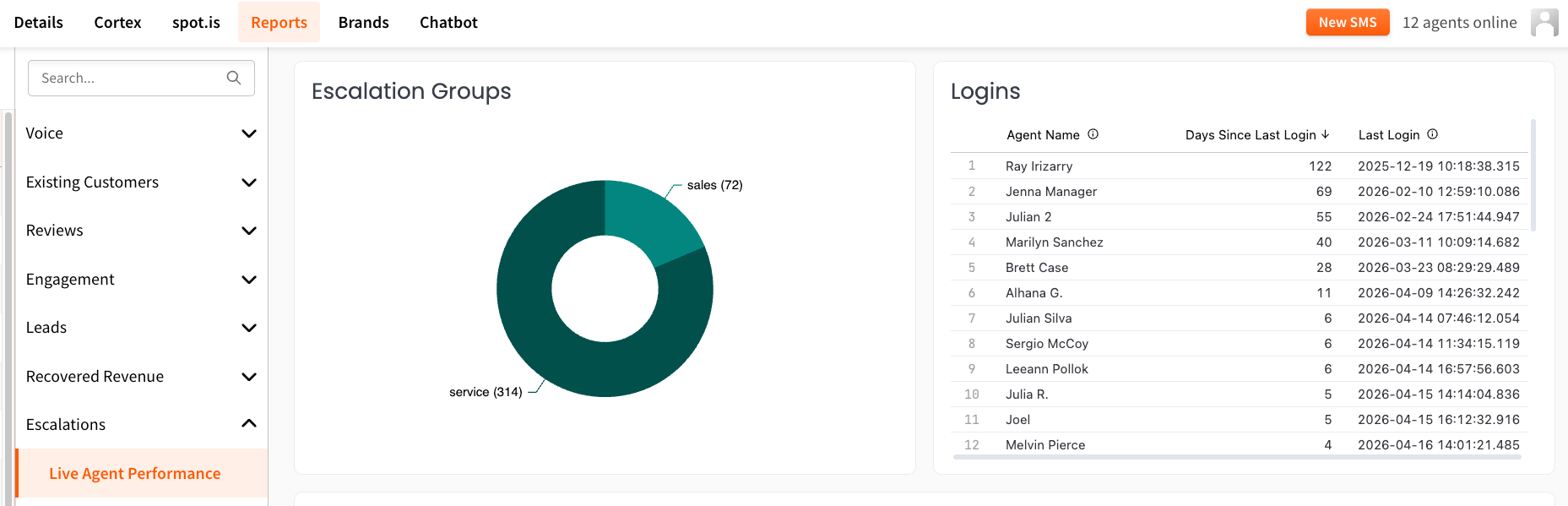
The Live Agent Performance report now includes a Logins section, showing how recently each agent has been active in swivl Studio.
The table ranks agents by days since their last login - longest inactive at the top - making it easy to spot stale accounts, flag access that may need to be revoked, or identify agents who should be logging in more regularly.
Note that this section reflects each agent's most recent login ever, not just the past 30 days, so it operates independently of the date filters elsewhere on the dashboard.
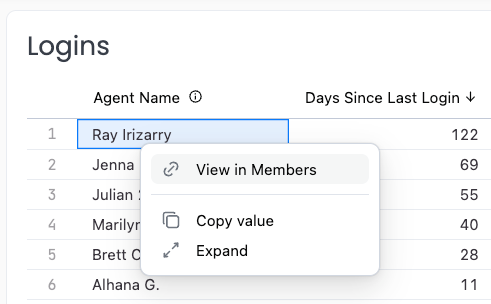
Surface a member account that's no longer active? Select the name then View in Members to easily edit or remove their membership.
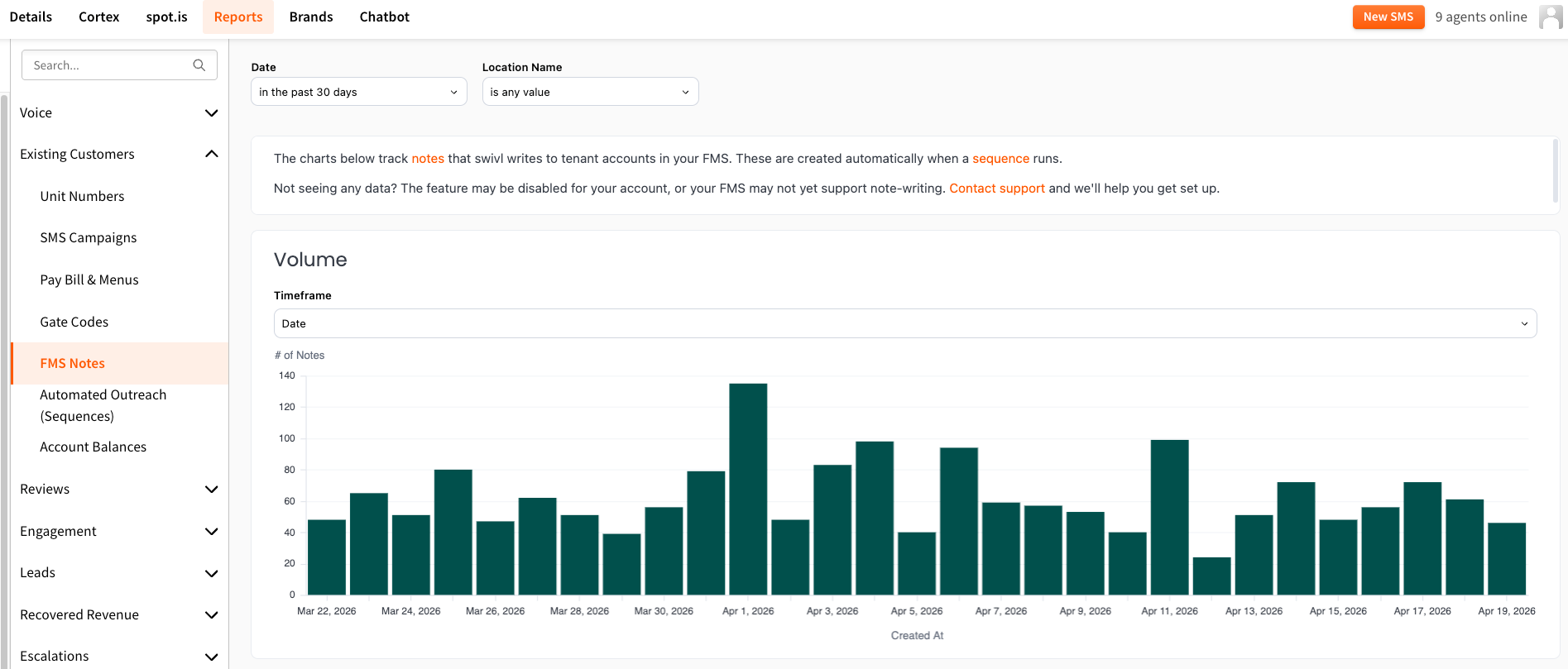
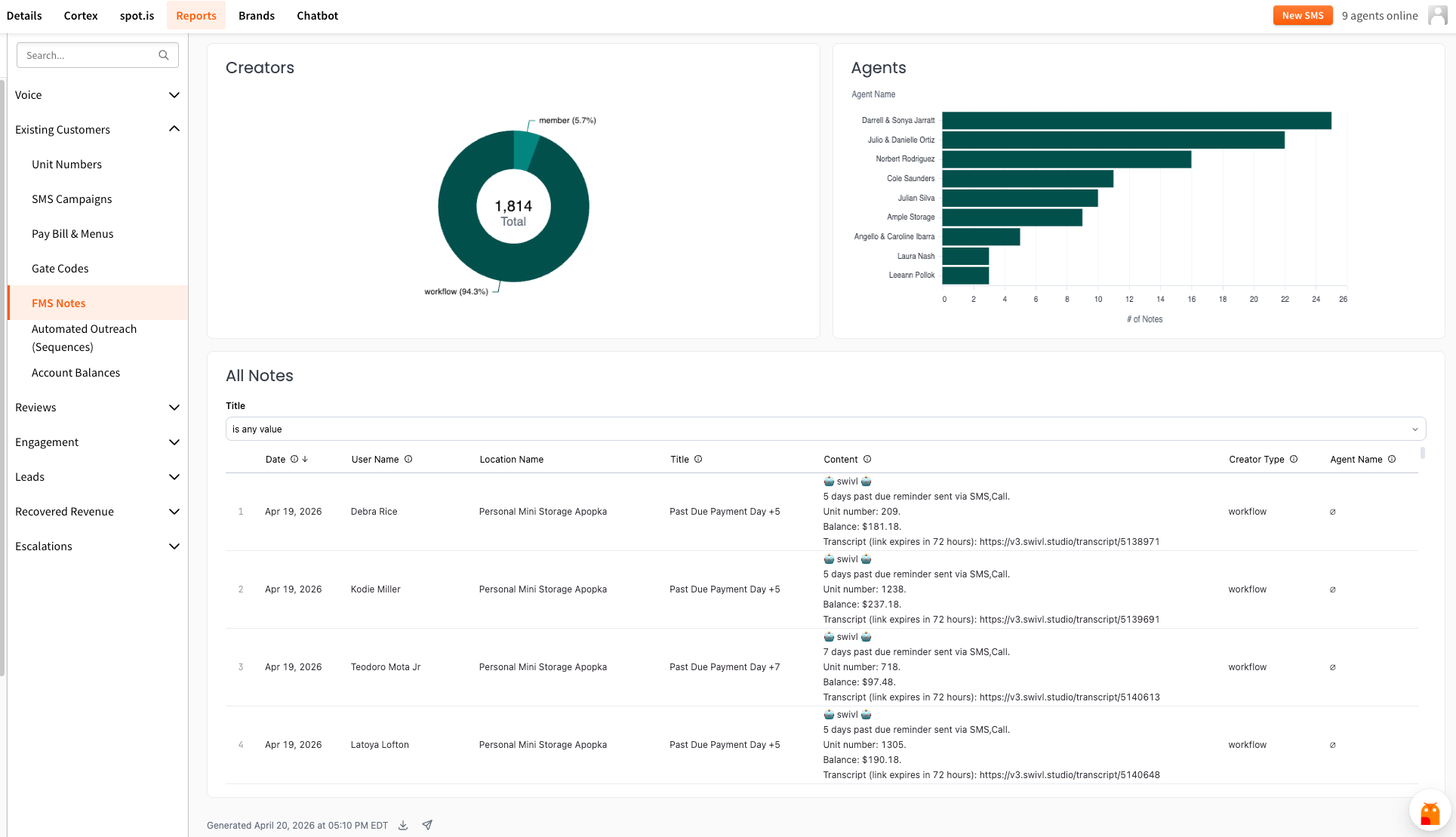
A new report is now available under Reports > Existing Customers > FMS Notes, giving you a window into note-taking activity on tenant profiles directly within your FMS.The report includes four views to help you dig in from different angles:
Whether you're auditing automated outreach, making sure your team is documenting tenant interactions, or just keeping an eye on overall activity trends - FMS Notes gives you the visibility to stay on top of it all.
💡 Tip: Click on any data bar or use the ⋮ menu on any card to drill down for more detail.
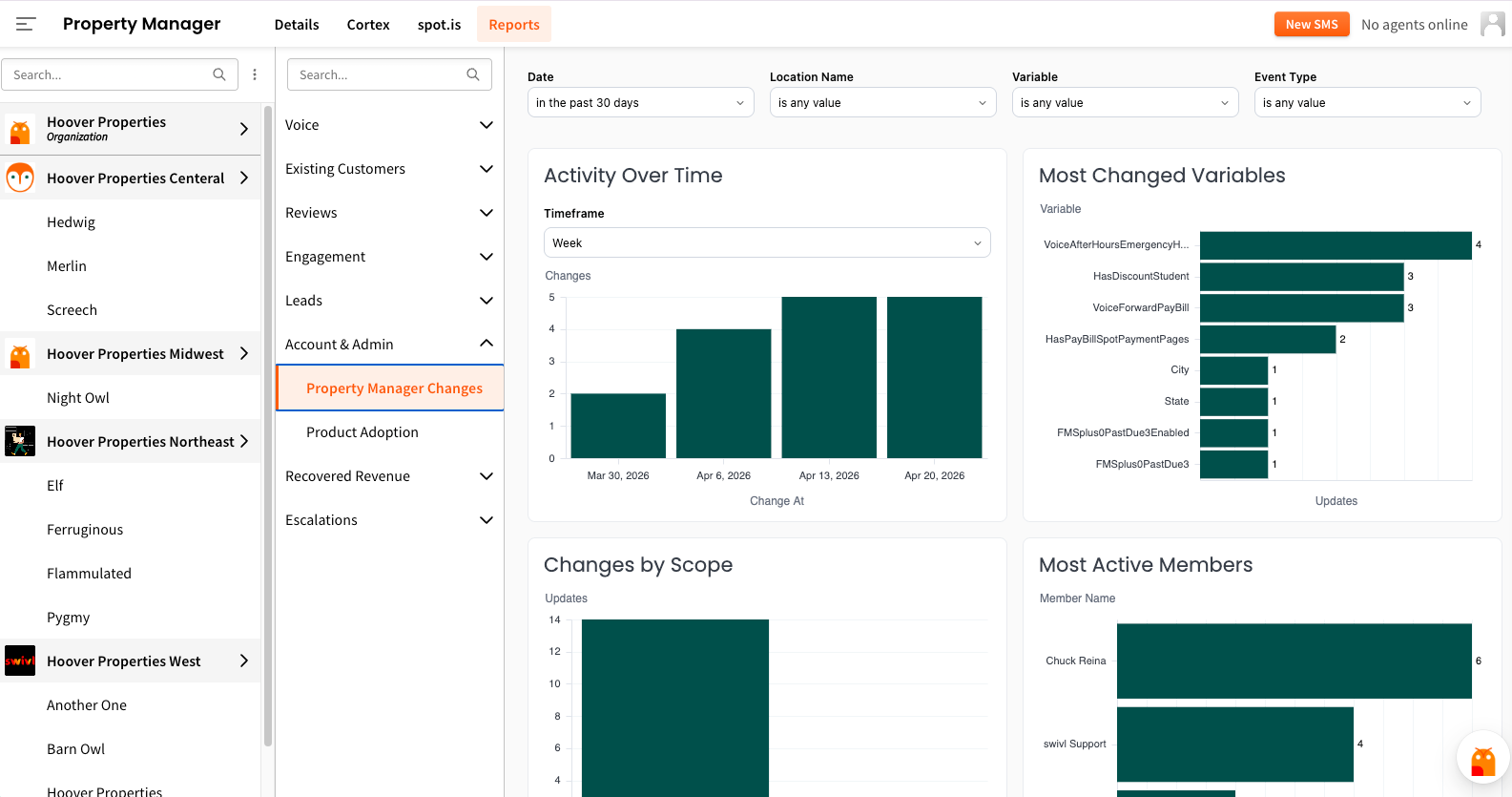
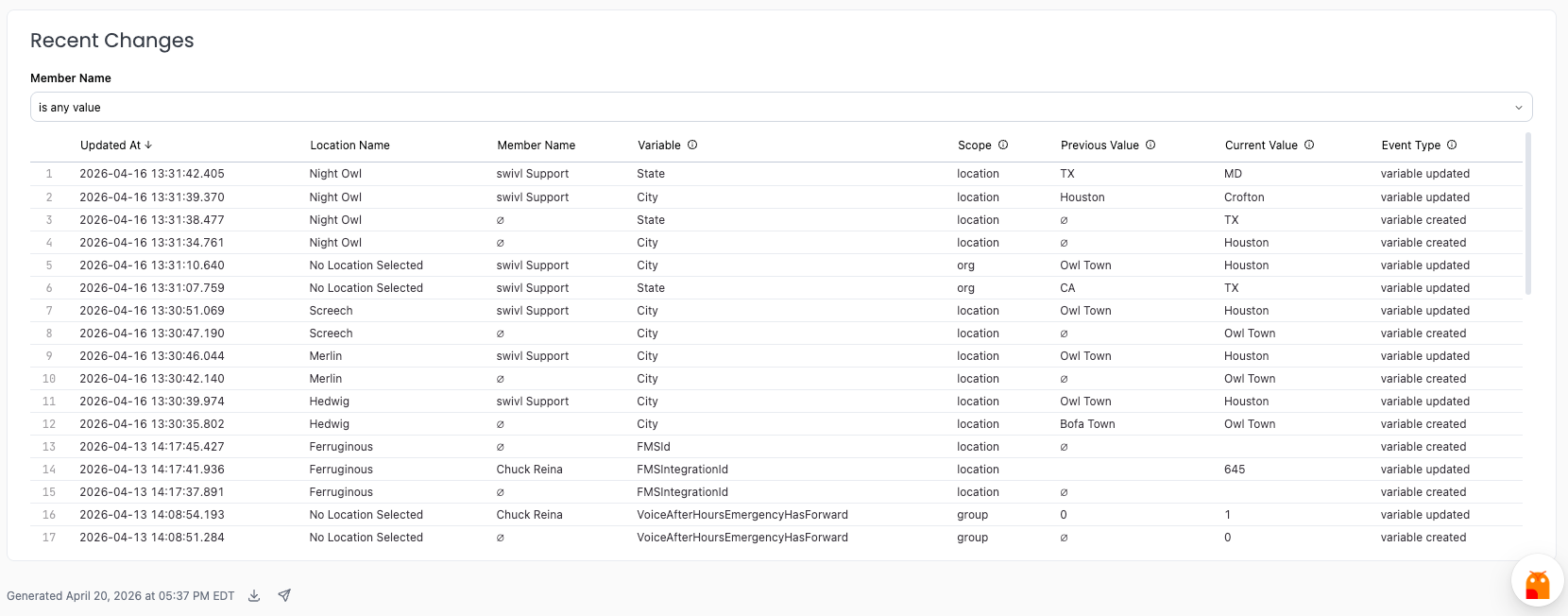
Two new reports - and a new section - are now available under Reports > Account & Admin, giving you better visibility into how your account is set up and how your team is using swivl.
Tip: You can dig deeper into any chart by clicking directly on the data bars, or use the ⋮ menu on any card to explore additional options and drilldowns.
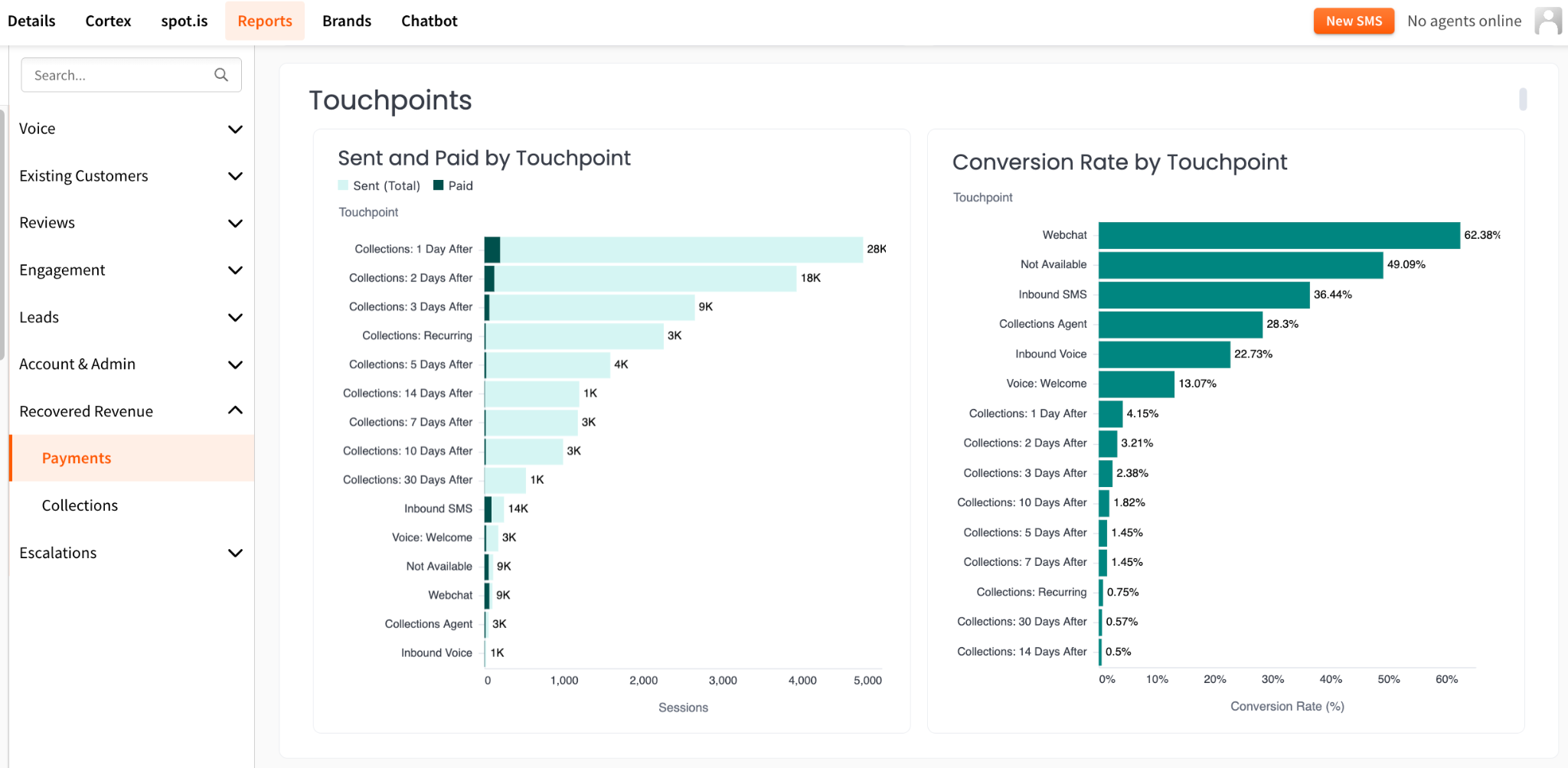
The Payments report now breaks down your Paid Touchpoints by both volume and conversion rate (%) - so you can see not just how many payment links were sent, but which touchpoints are actually getting tenants to pay.
This makes it easy to spot which messages in your collections sequence are driving results and where there's room to optimize timing or copy.
👉 Find it in Reports > Recovered Revenue > Payments
If your SMS reviews use a 1–5 star rating scale, you may have noticed your Reports were showing an unusually high number of Detractors - even for positive ratings.
That's been fixed. Your SMS Reviews report will now accurately reflect ratings based on the correct scale, so your NPS scores and review stats can be trusted again.
Curious about what rating scale you're currently using? Check it out (and make changes) in Property Manager > Cortex > Pricing > Review Solicitation.

