Sitelink operators can now follow up with all prospects from Lead to Lease via SMS, email, and/or voice - not just the ones who chatted with swivl. Every lead that enters your pipeline deserves a follow-up, and now none of them slip through the cracks.
Pair this with the same-day outreach window announced last month, and you can reach all of your leads within 30 minutes of their visit to your site.
👉 Head to Cortex > Sequences > Abandoned Cart and enable the Follow up with all leads in Lead to Lease toggle to take advantage for your Sitelink locations.
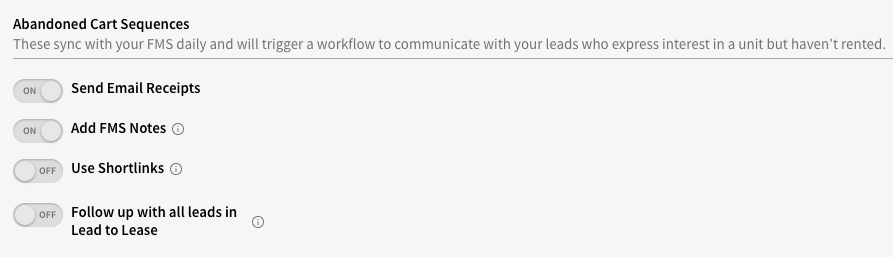
Note: If you're a Sitelink operator and don't yet see this option, reach out to support@tryswivl.com - a short activation step may be needed on your account.
For SSM operators, tenants who have transitioned into auction, lien, or overlock status are typically filtered out of swivl's collections reminders. That means your later-stage delinquencies were going silent - no texts, no calls, no emails - even if you still want to reach those tenants.
You now have the ability to opt those tenants back into your sequences, keeping the pressure on all the way through the collections process.
👉 Navigate to Cortex > Sequences > Past Due Payments and enable one or both of the options below:
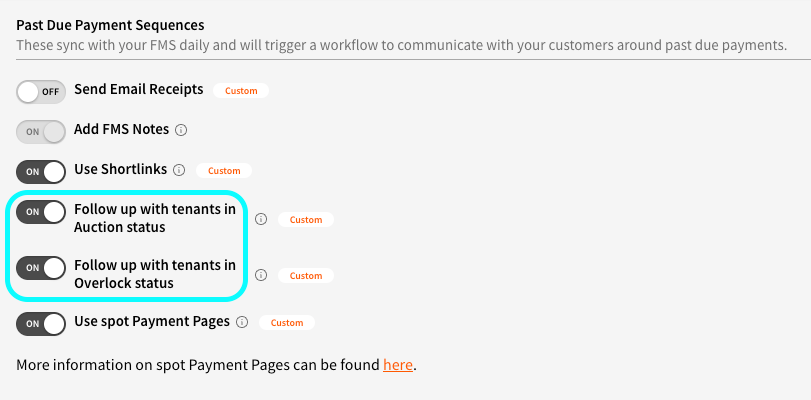
Note: If you're an SSM operator and don't yet see this option, reach out to support@tryswivl.com - a short activation step may be needed on your account.
Not taking advantage of spot payments yet? It's one of the fastest ways to collect from tenants without them having to log in - swivl sends a personalized payment link directly via SMS or email, and the tenant pays in seconds. Learn how to get set up.
Previously, tenants who landed on an expired payment link didn’t have direction on what to do next - leading to unnecessary calls and contacts to your team. The expired link page now shows clear instructions for getting a fresh link depending on how the tenant received it.
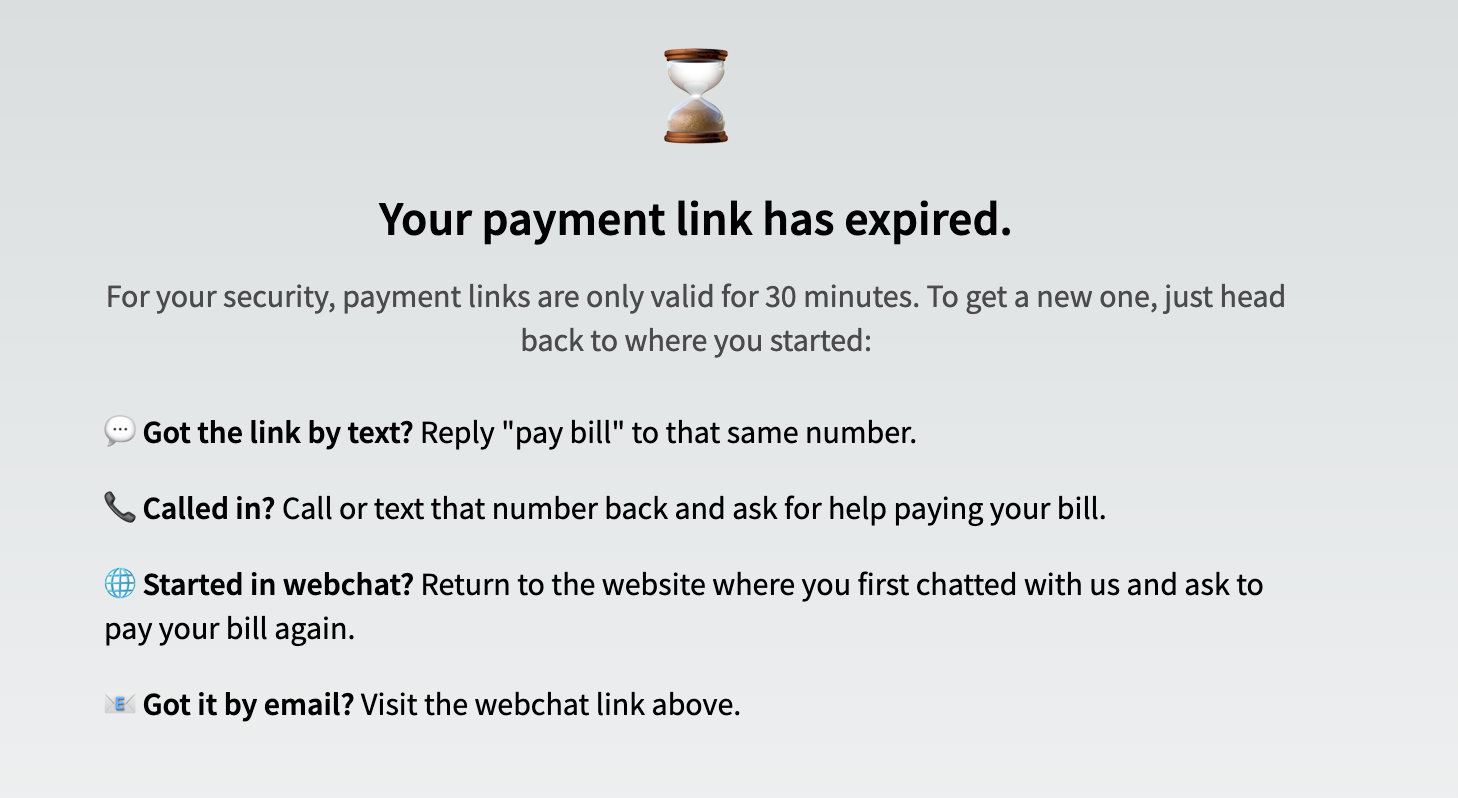
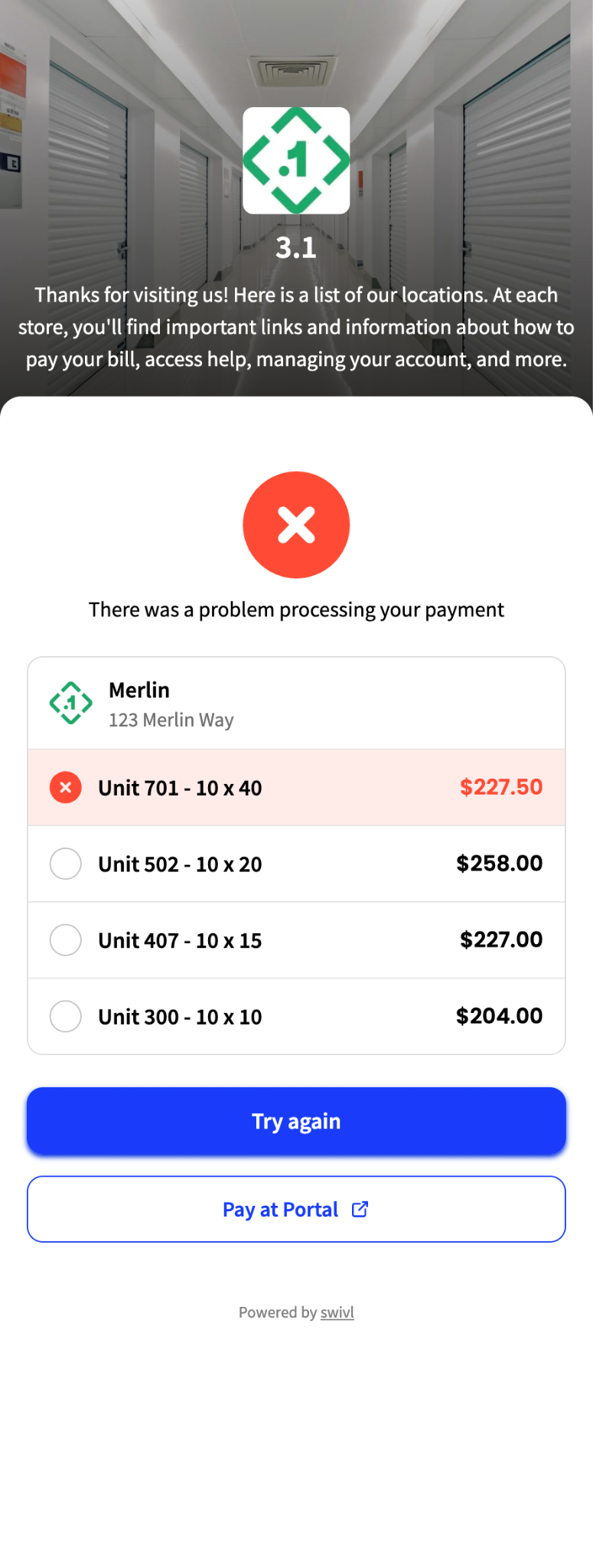
If a spot payment attempt fails for any reason, tenants now see a button to route directly to your payment portal page, so there's always a path to complete their payment even when something goes wrong.
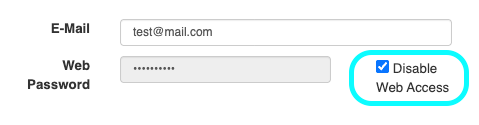
Payment links will no longer be generated for Sitelink tenants flagged with the "Disable Web Access" checkmark enabled on their account, honoring the online access restriction including payments.
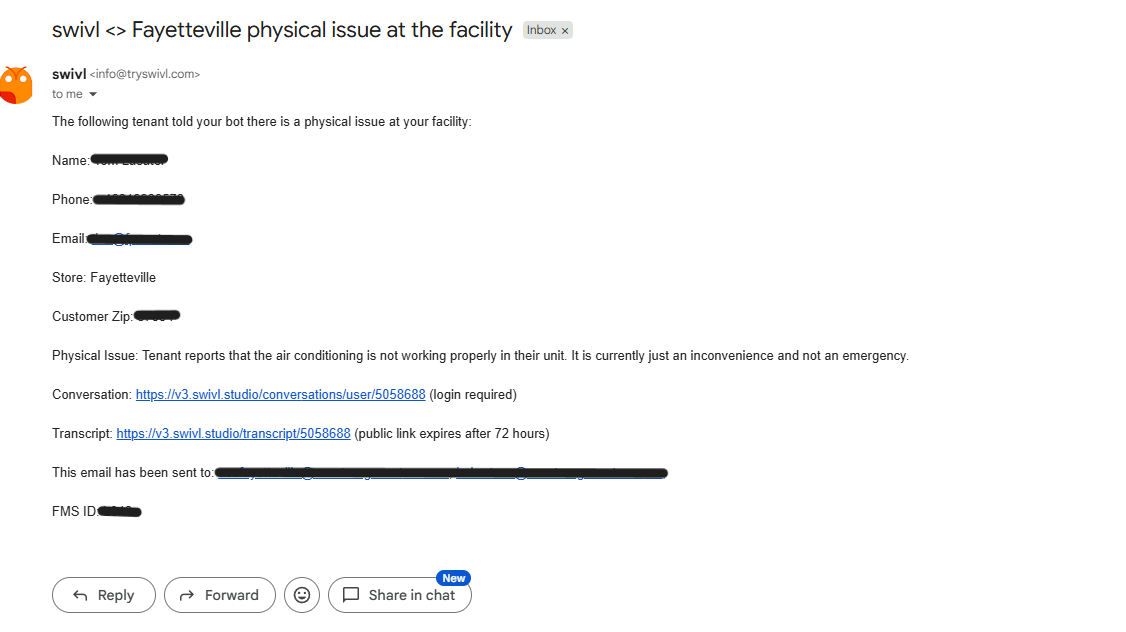
When someone reports a non-emergency facility problem - a broken light, a maintenance issue, a concern that needs a human's attention - swivl now automatically sends an email to the facility with a summary of what was reported.
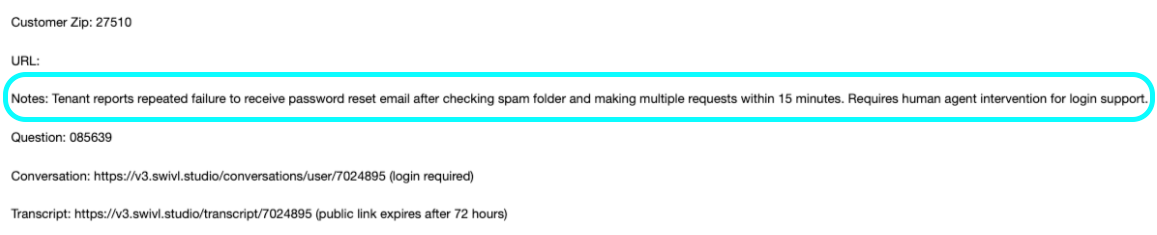
swivl now includes a Notes section in most email receipts, so your team can see at a glance what the user needed without having to review the whole transcript.
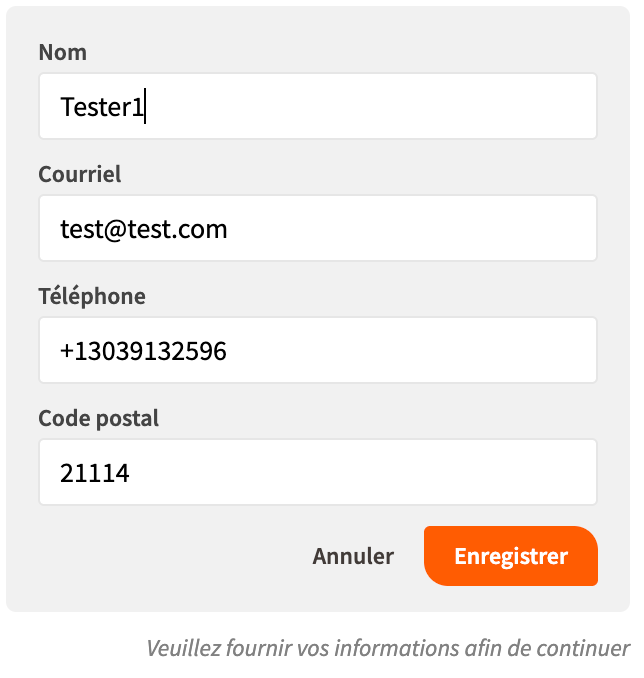
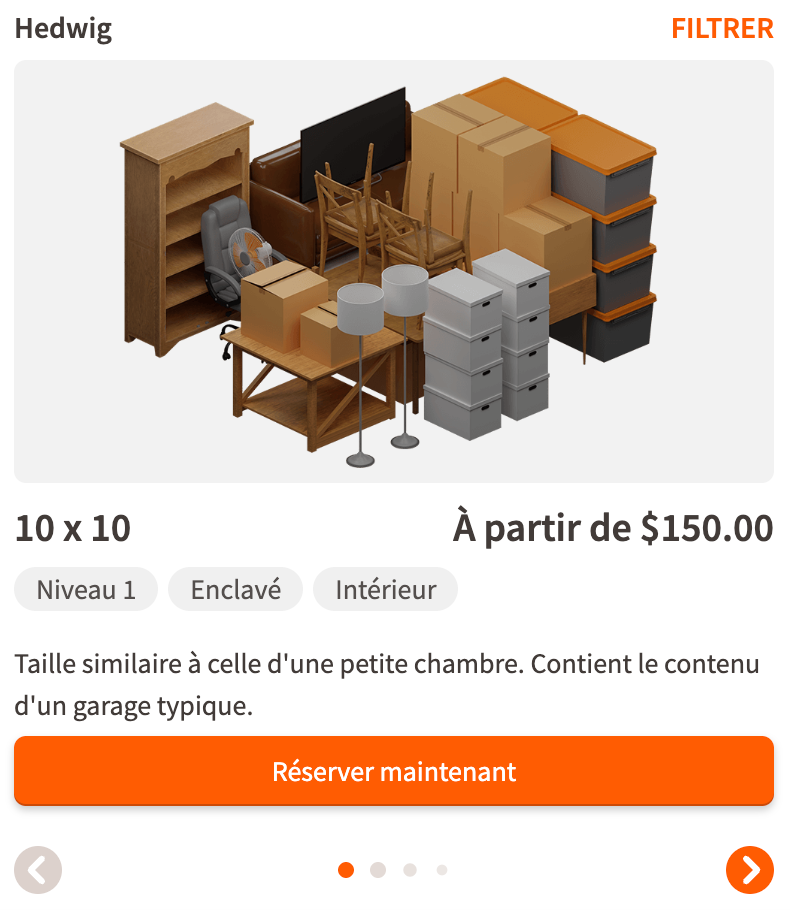
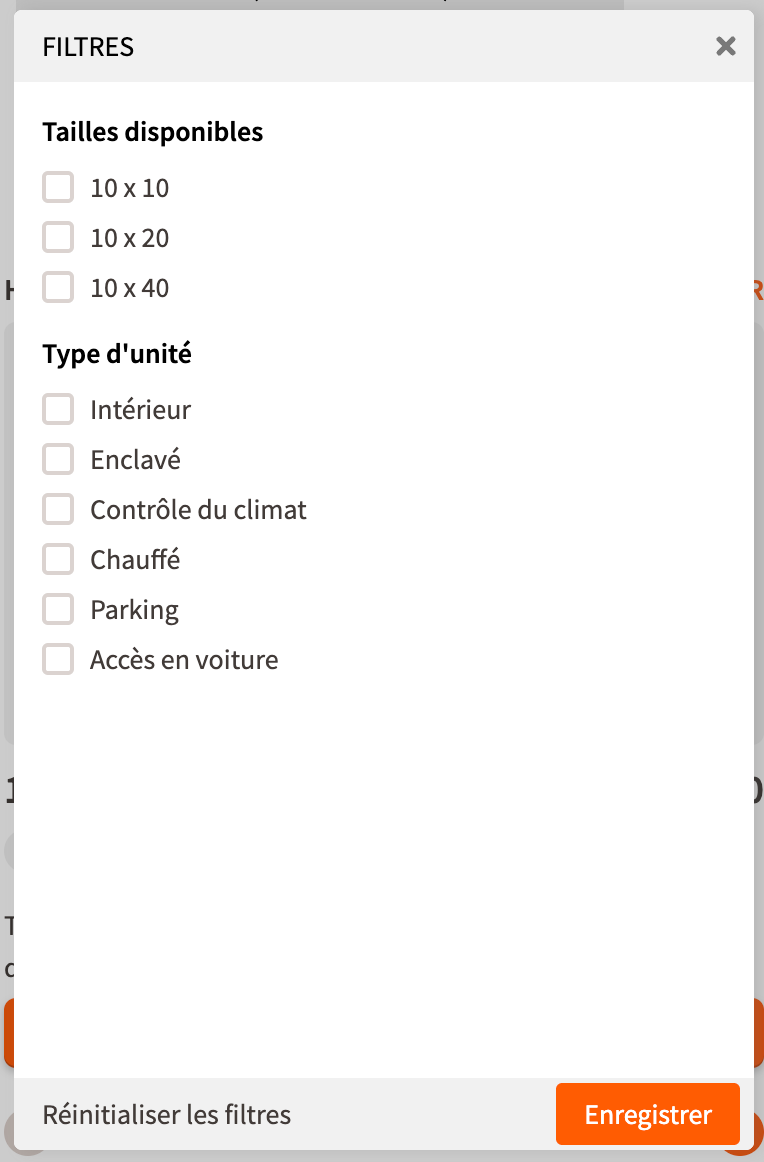
If you serve a multilingual tenant base, this one's for you. swivl has supported Spanish and French conversations for a while - but now the entire chat interface goes multilingual too.
swivl detects the user's browser language and automatically renders every element they see in that language - from unit descriptions and filters to forms and more. No configuration needed on your end, and no friction for your tenants.
👉 To enable Spanish and/or French for your locations, head to Property Manager > Details > Localization.
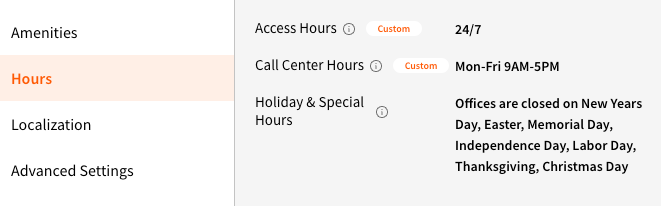
When a user asks for your hours, swivl now includes the Holiday & Special Hours you've configured in Property Manager - so tenants always get an accurate answer, even on the 4th of July.
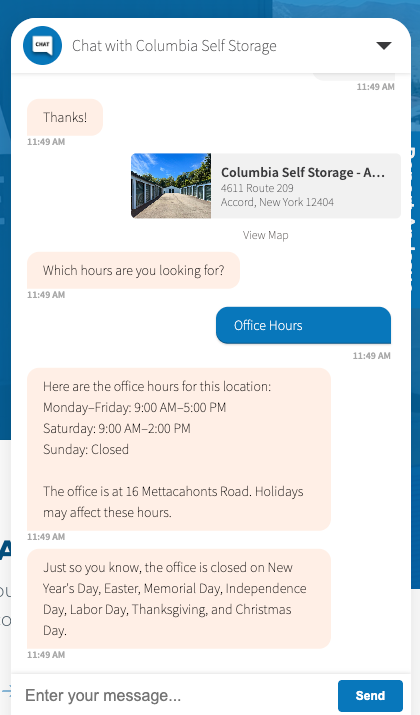
👉 To make sure your hours are configured, head to Property Manager > Details > Hours.
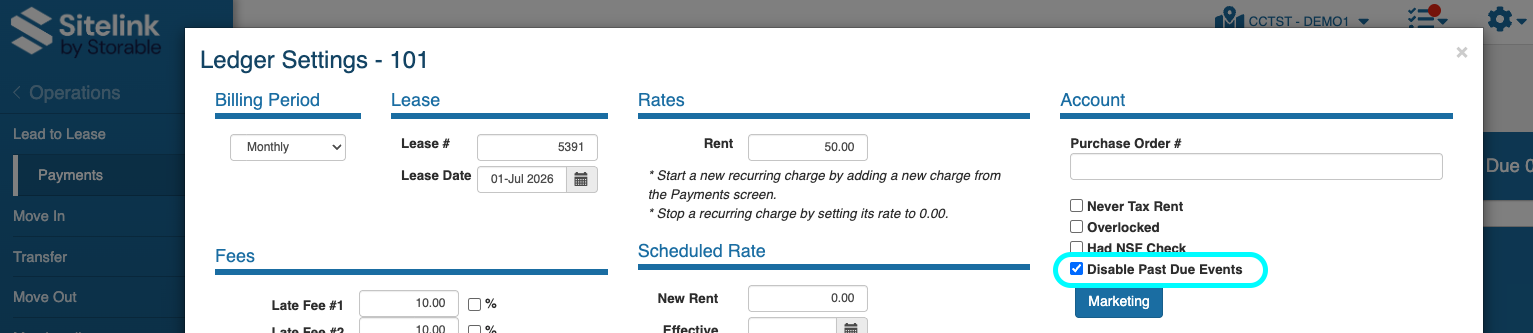
Sitelink includes a tenant-level flag designed for accounts that should never receive past due communications. Sending collections messages to these tenants isn't just unhelpful, it can create compliance exposure.
swivl now honors this fully - no texts, emails, or calls will go out to tenants with this flag enabled.
No action needed on your end. If you're using this flag in Sitelink, it will be respected automatically.
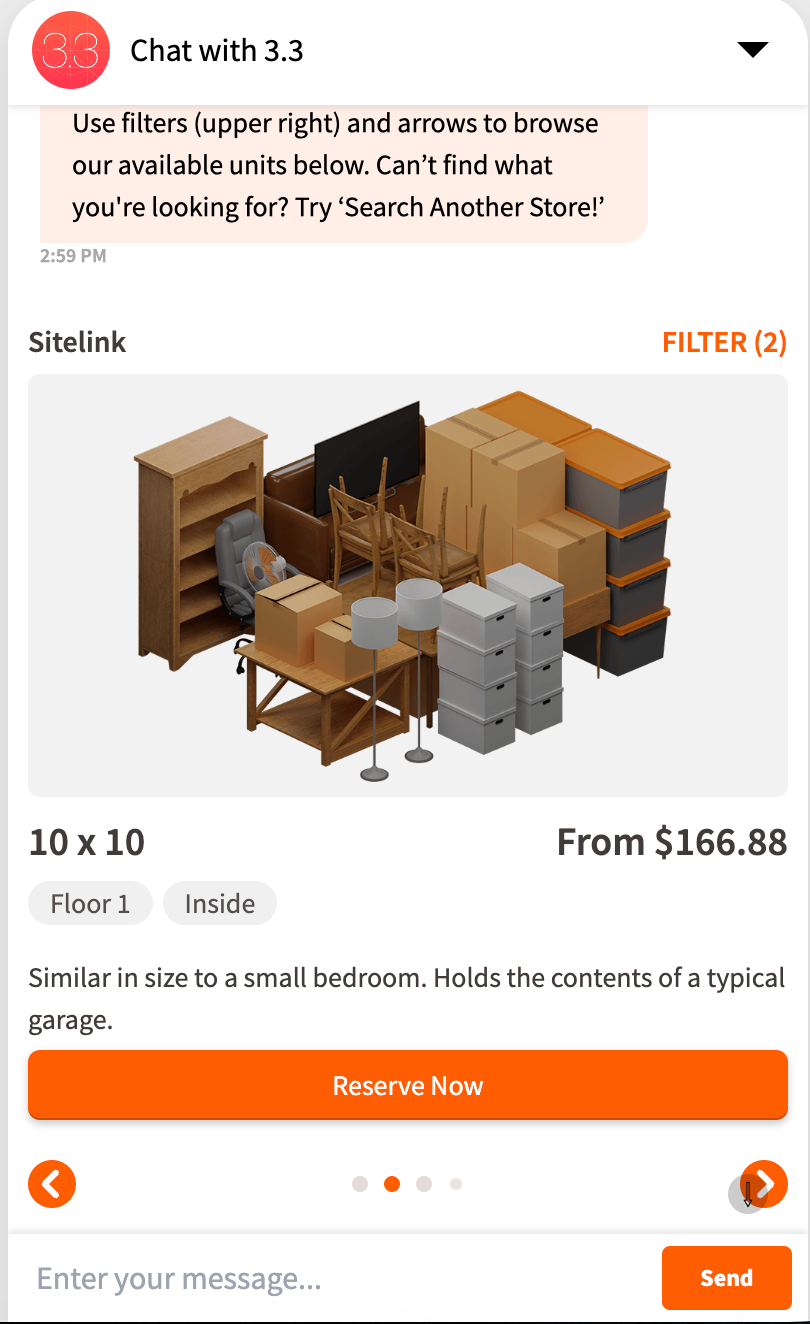
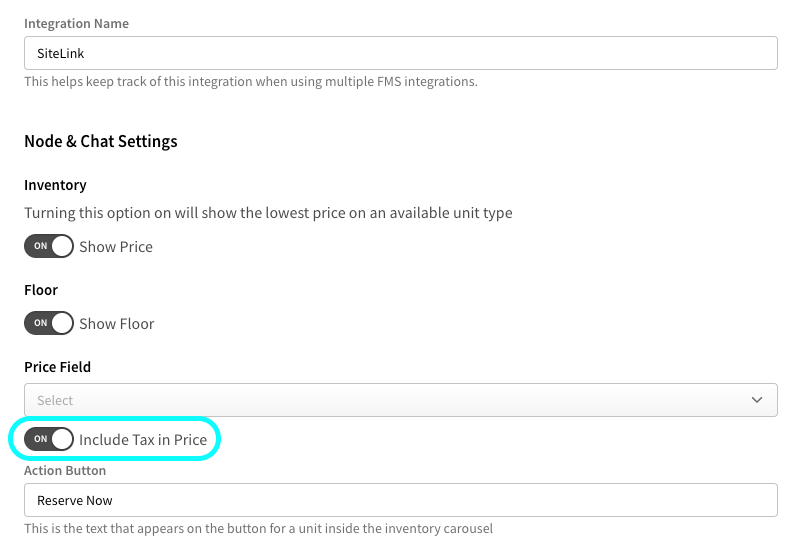
If swivl's prices aren't matching what's listed on your website, it might be because tax isn't being factored in. This is now a setting you can enable directly from swivlStudio.
👉 Go to Settings > FMS Integrations > select a Sitelink integration > enable the Include Tax in Price toggle.
If your bot is fielding questions about moving trucks and you don't want those interactions generating leads in your FMS, you can now turn that off directly in swivl.
👉 Head to Cortex > Features & Amenities > Moving Truck to turn the toggle off.
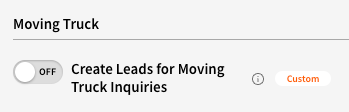
Note: If a tenant asks about a moving truck and expresses interest in renting a unit, swivl will still create the lead.
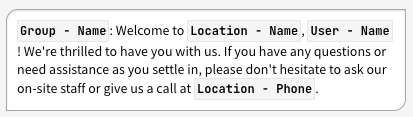
When using variables in Property Manager, each one now displays as Group - Name (e.g. Location - Name, User - Name) instead of just Name. Previously, multiple variables with the same display name were indistinguishable from each other in the message composer - making it easy to accidentally insert the wrong one.
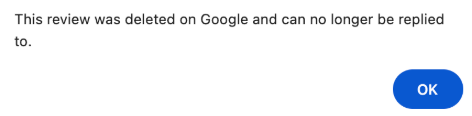
When you attempt to reply to a Google Review that has since been removed from Google, swivl now surfaces a clear, descriptive error message and automatically archives the review so it doesn't linger in your queue. No more guessing why a reply didn't go through.
If you aren’t replying to your Google Reviews from swivl, you should be. It's one of the easiest ways to stay on top of your online reputation without jumping between platforms. Learn how to get set up.
Street addresses were being read aloud as cardinal numbers ("six thousand five hundred ninety Main Street" instead of "sixty-five ninety Main Street"). Voice now reads addresses the way a person would say them.
Not using swivl Voice yet? It's your facility's 24/7 phone agent - handles after-hours calls, qualifies leads, takes payments, and routes urgent issues to your team automatically. Learn more about Voice.
For organizations with multiple brands sharing a swivl account, conversations are now correctly filtered against each member's permissions before being shown.
A bug was causing variables like #*Location:Name*# to appear as raw text in outgoing emails instead of substituting correctly. What this means for you? Fewer emails may have been reaching your team than expected. The issue is resolved, so email volume should be back to normal.
Your sequences are now listed in day order - 1 Day Past Due, then 2 Days Past Due, and so on - instead of sorting by when they were created. Much easier to review your full outreach cadence at a glance.
👉 Pop over to Settings > Sequences to check it out.
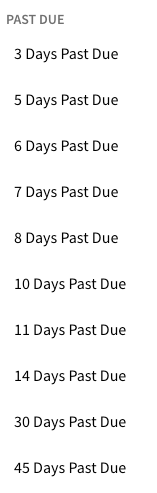
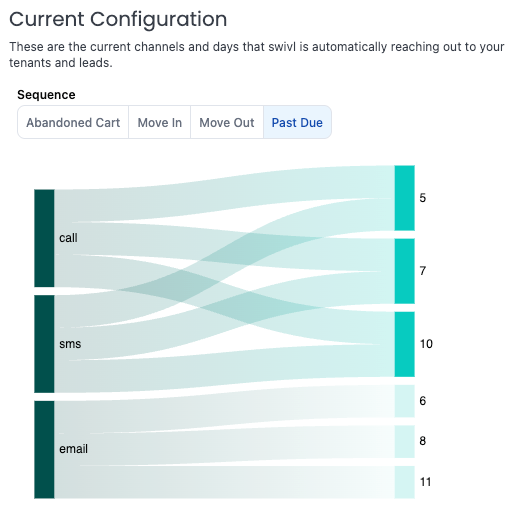
💡 Pro tip: Use the Automated Outreach report to view these in an even more intuitive way. The Current Configuration chart makes it easy to see which days, locations, and channels are currently enabled.