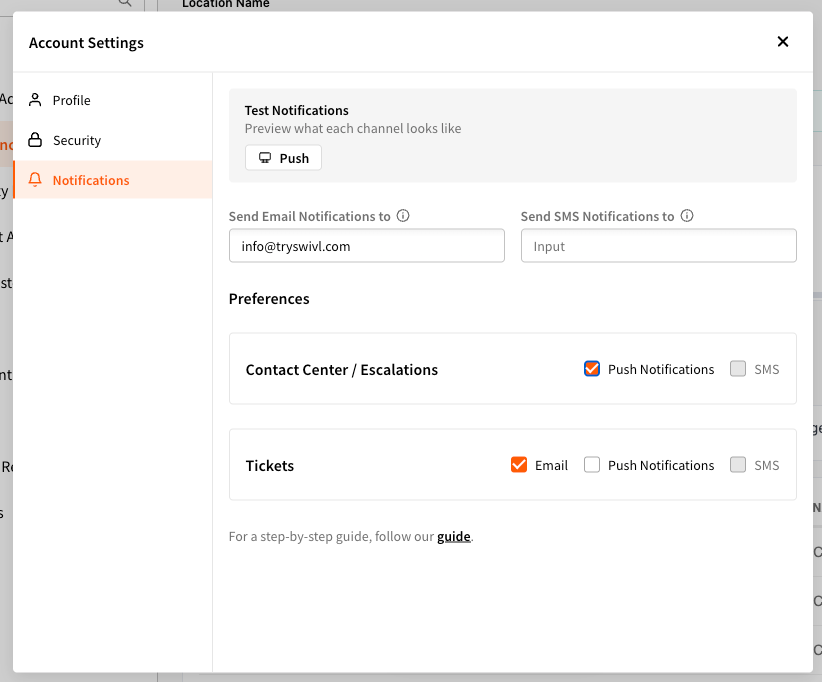
Push notification settings and controls have been improved, giving you more reliable management of how and when your team receives alerts. And to make it even better, these settings are accessible from any page within swivlStudio under the avatar drop down menu > Account Settings > Notifications.
👉 Check out the updated knowledge base article to make sure your settings are configured correctly.
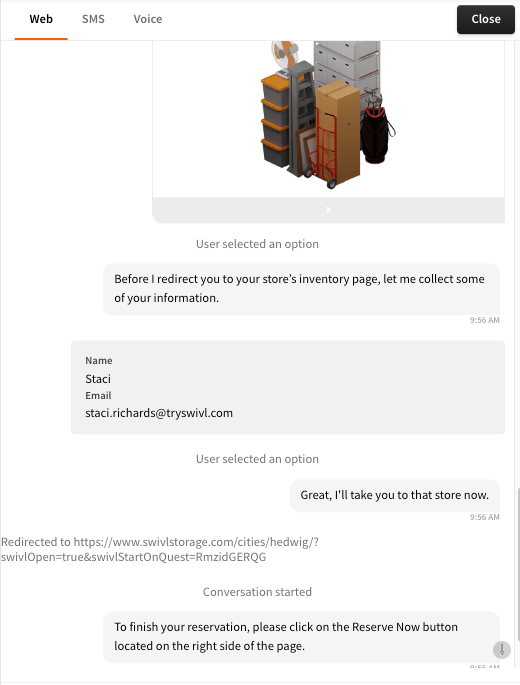
Key system events - like button clicks and redirects - now appear inline within chat transcripts, giving you a clearer, more complete picture of what a tenant actually experienced during a conversation. Previously these actions were happening behind the scenes but hidden from the transcript view, creating gaps that made it harder to accurately review sessions. Now everything is surfaced in one place, in the order it happened.
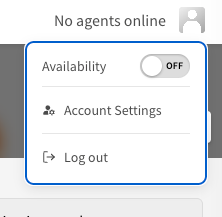
You can now log out of swivlStudio directly from the avatar dropdown menu in the top navigation bar - no more hunting through settings to sign out.
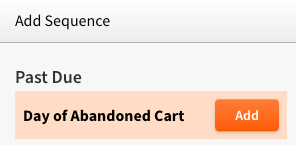
When a tenant tells swivl via Voice that they plan to make a payment on a specific day, swivl will now automatically push that information directly into your FMS as a note on their profile. Your team gets full visibility into payment intentions without having to manually log anything, keeping your FMS records accurate and your collections workflow moving smoothly.
*currently available on SSM Cloud, SiteLink, StorEdge and QuikStor
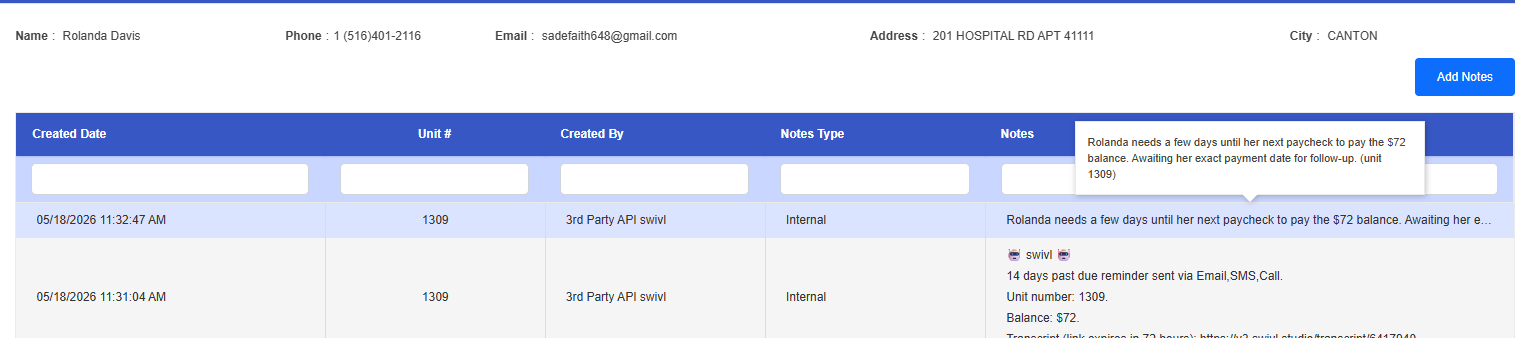
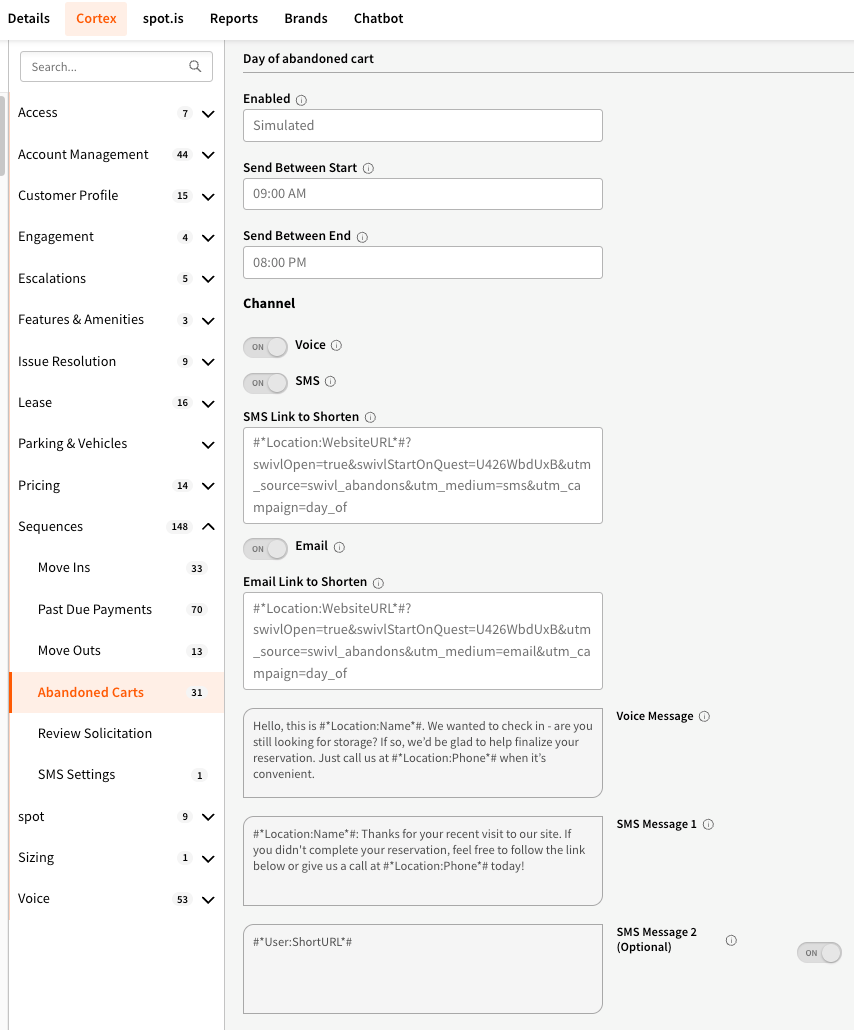
Abandoned cart sequences can now be configured to reach out to prospects the same day they browse your inventory - within as little as 30 minutes. Previously, the earliest follow-up option was one day after the lead was created. The new “Day of” option means you can strike while interest is highest, catching prospects before they move on or book elsewhere. To add same-day outreach to your abandoned cart sequence, first add it to your Sequences under Settings > Sequences, then configure and enable it under Cortex > Sequences > Abandoned Cart.
SiteLink was previously only syncing a tenant's primary phone number, which caused some tenants to go unrecognized by the bot when they reached out from a different number. swivl now syncs all phone numbers on file for each tenant - including mobile - so tenant recognition is more accurate and complete.
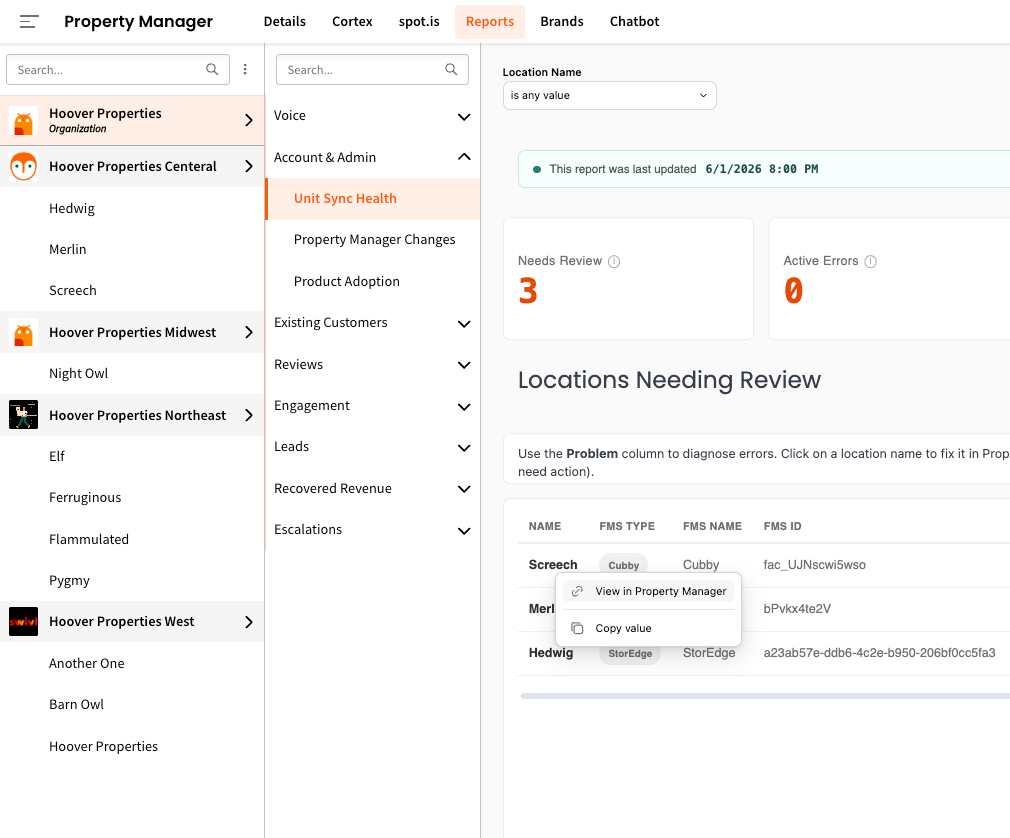
A Unit Sync Health report is now available under Reports > Account & Admin, giving your team a centralized view of FMS sync status across all locations.
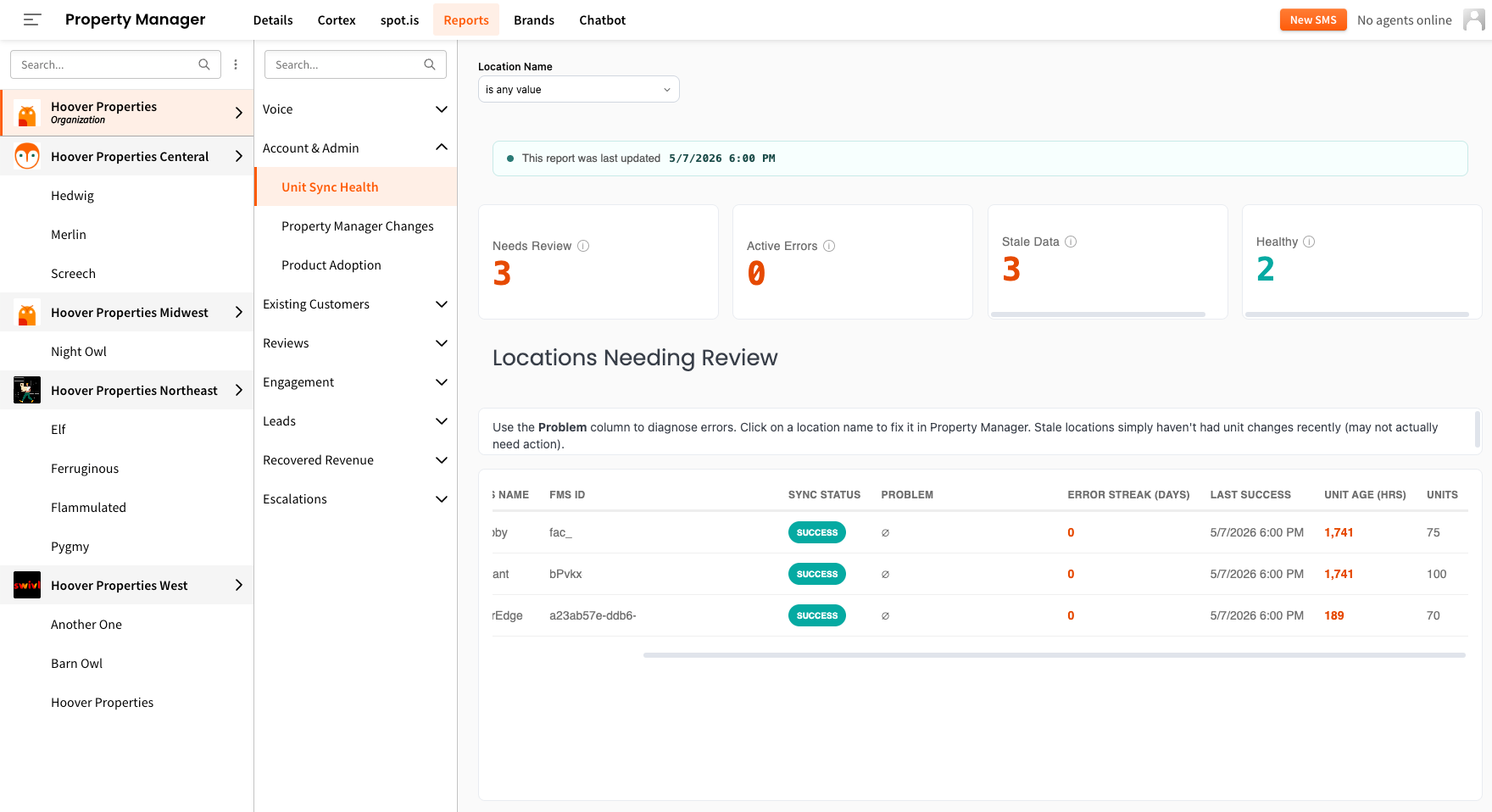
💡Click on any location name in the report and “View in Property Manager” to quickly access it in swivlStudio:
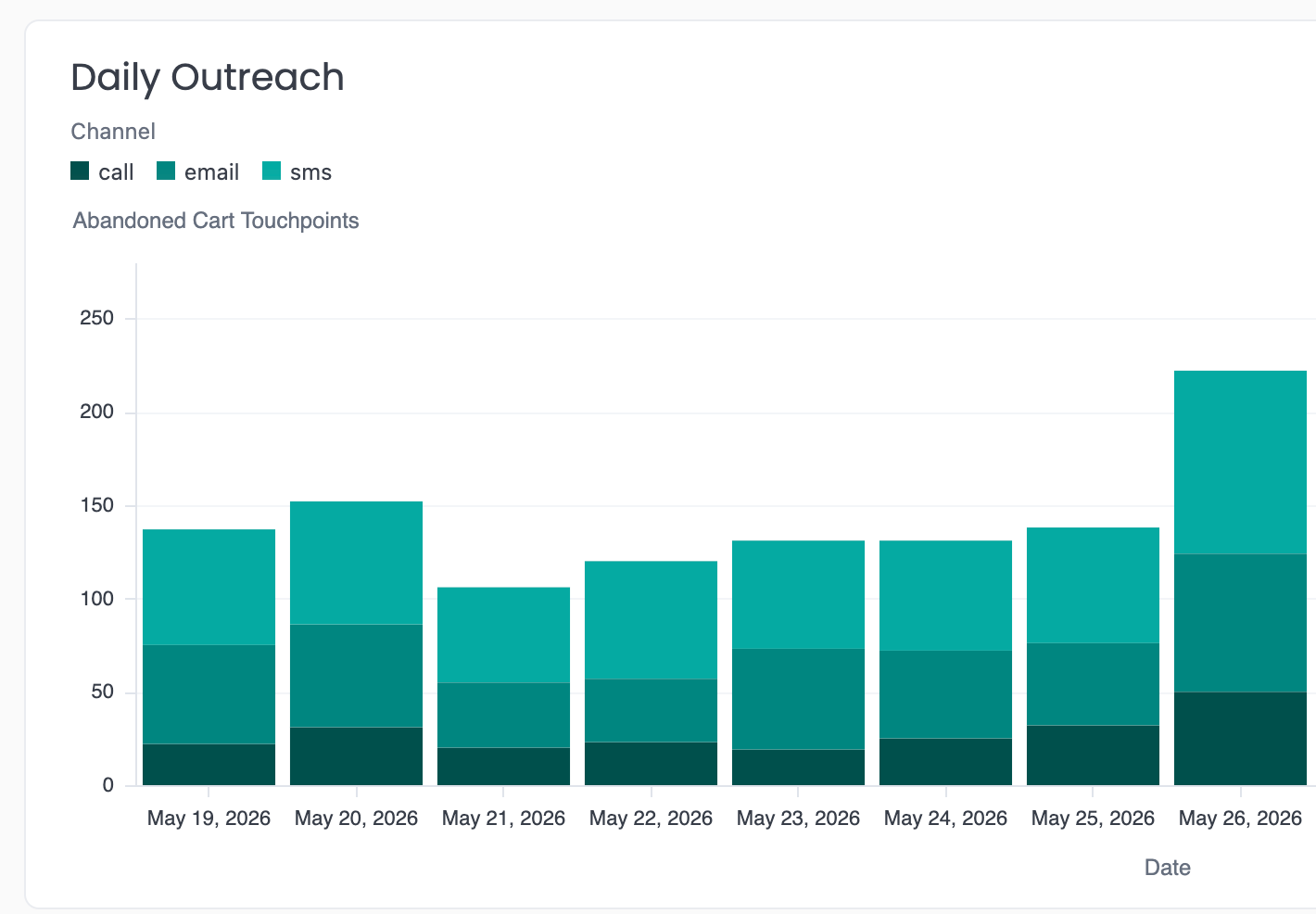
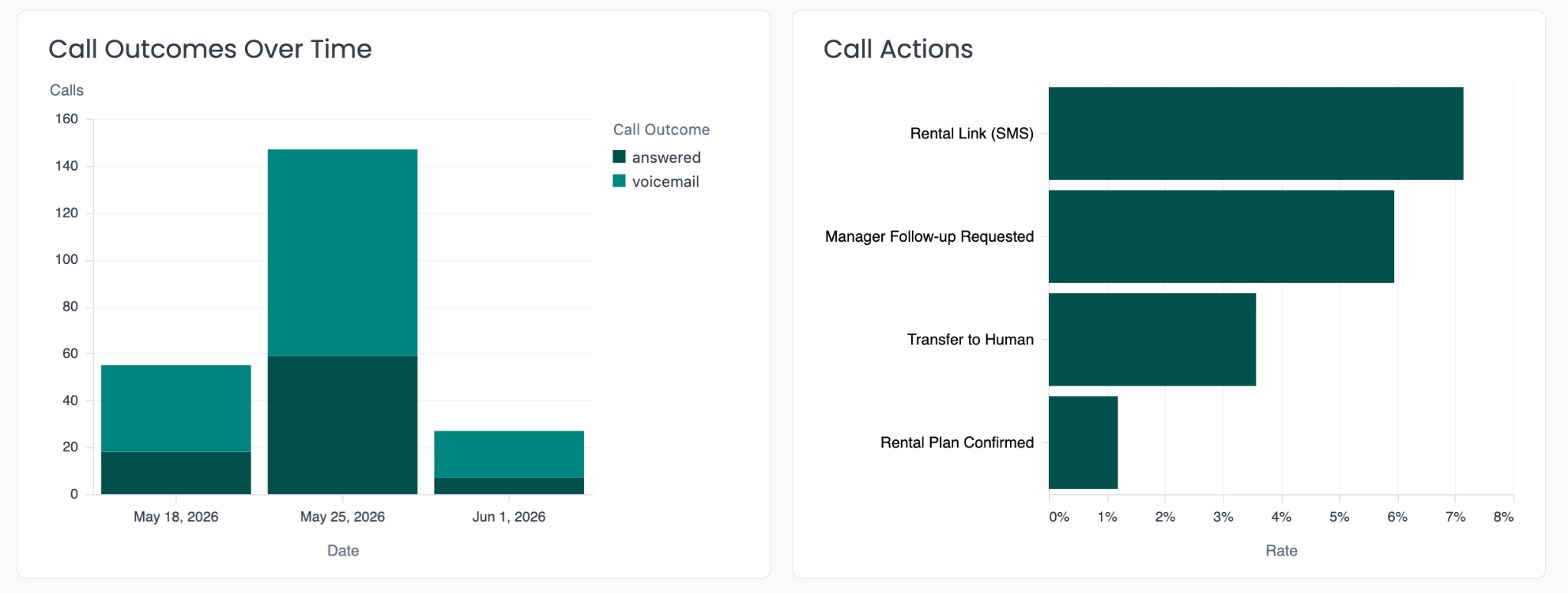
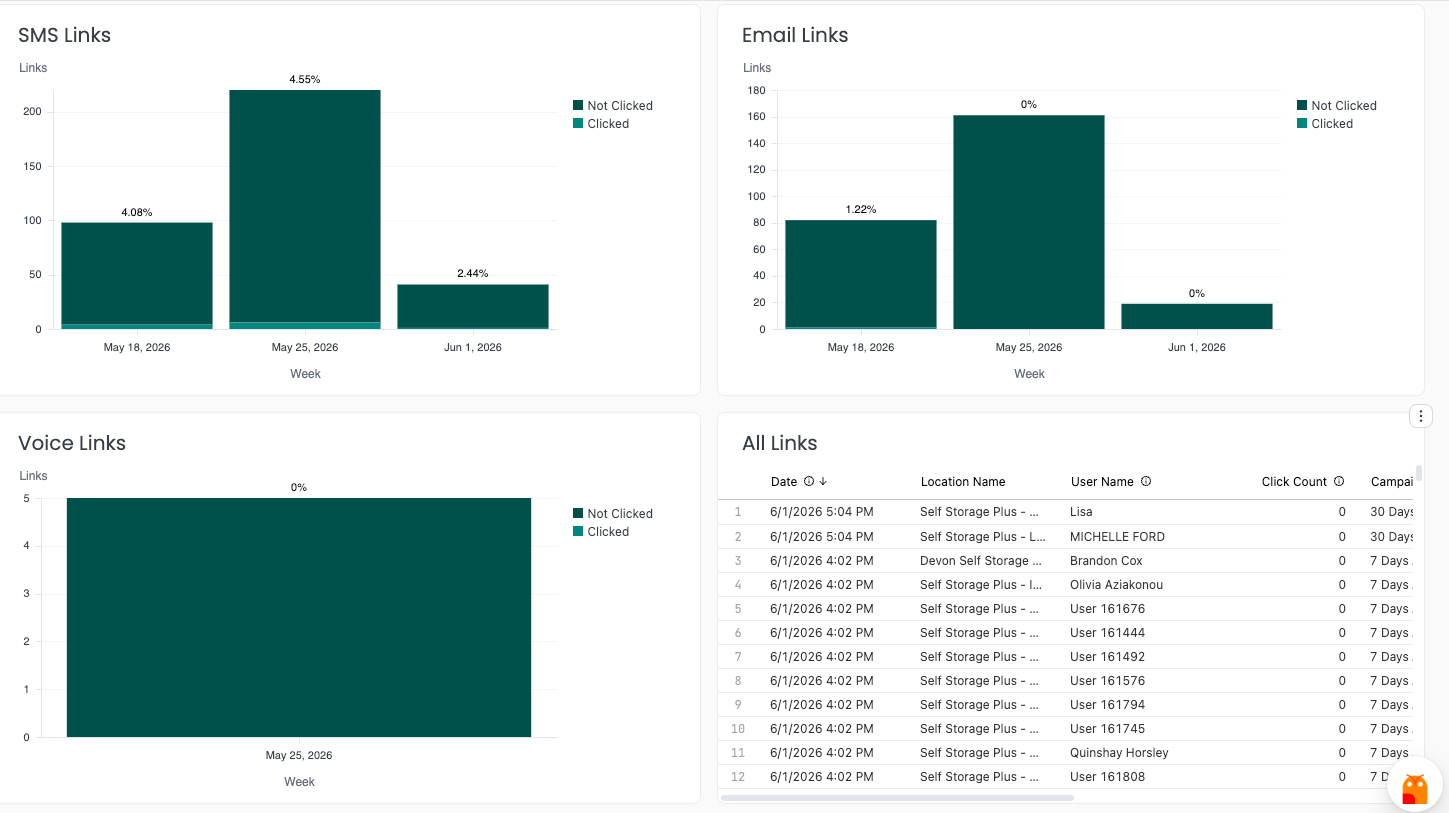
swivlStudio's reports are now giving you a dedicated place to track the performance of swivl's abandoned cart outreach. In the Abandoned Cart Report, you can see - at a glance - daily followup volume, link engagement broken down by channel, and agent performance for this sequence. Now you can always be in-the know on how your re-engagement efforts are paying off.
Find it under Property Manager > Reports > Leads > Abandoned Cart.
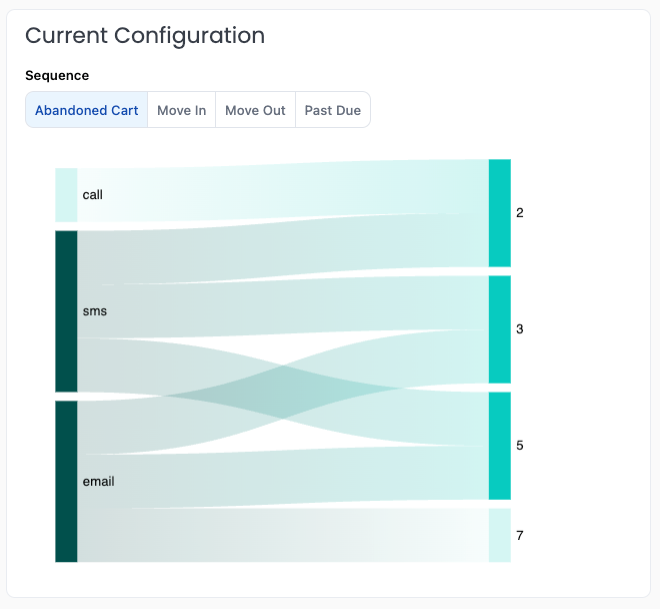
The Current Configuration view gives you an at-a-glance summary of exactly how swivl is contacting your tenants across each sequence type - including which channels are being used, which days outreach is scheduled, and any custom days your team has configured. No more digging through individual sequence settings to understand your setup - it's all laid out in one place.
See yours under Property Manager > Reports > Existing Customers > Automated Outreach (Sequences).
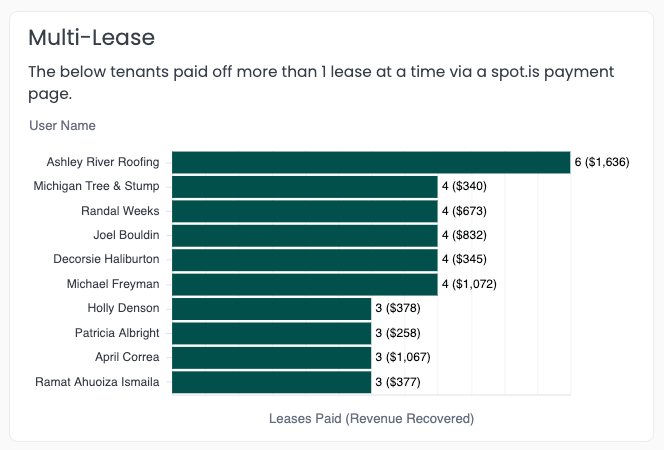
A new chart now surfaces tenants who paid off more than one lease at a time using spot.is payment links - so you can see the full impact of streamlined multi-lease payments at a glance.
🔍 View it nested under Reports > Recovered Revenue > Payments.
Don’t yet have spot.is payment pages set up? See our doc on how to do it here!
Any swivl report can now be embedded directly into your internal dashboards or web pages - no swivl login required to view it, and the embedded report remains fully interactive. Want to display your swivl reporting data outside of Studio? Reach out to support@tryswivl.com and we'll provide you with an embeddable code snippet for any report you'd like!
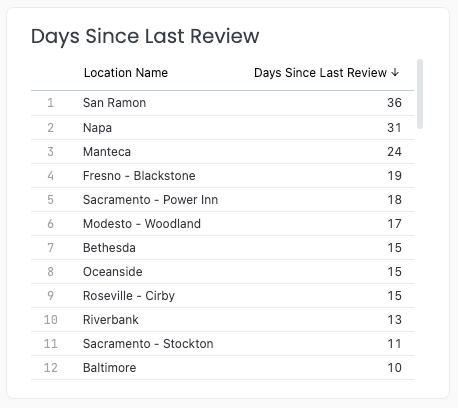
Continuing to enhance Google review reporting, swivlStudio now shows how many days have passed since each of your locations last received a review in the platform. Use it to quickly spot locations that may have a review ingestion issue, or identify facilities where a little extra marketing attention could help drive more fresh feedback.
💡 If a location hasn't received a review in a while, it might make sense to send a targeted SMS Campaign from the Contact Center with a Google review link to that location's tenants to jumpstart the activity.