👉 View knowledge base article here.
swivl's payment functionality has expanded to two more FMS platforms - Sitelink and SSM!
Operators can now send tenants a payment link directly through swivl, allowing them to pay their balance without a phone call or a trip to the office.
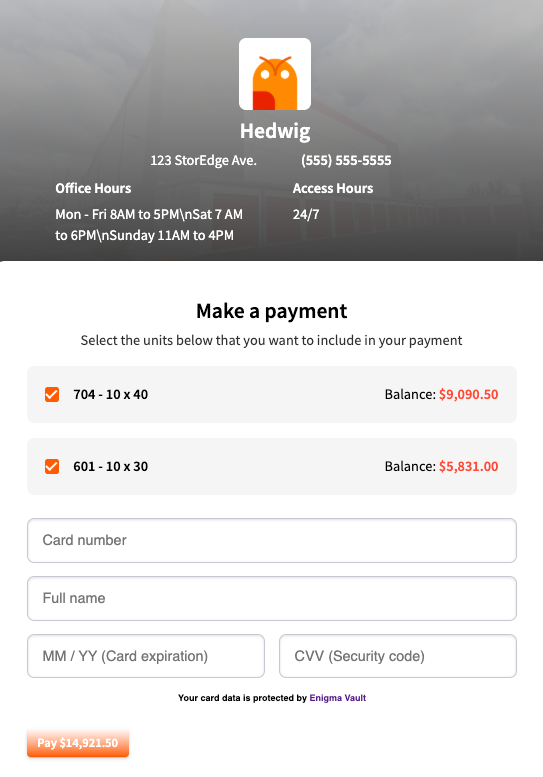
This brings Sitelink and SSM in line with StorEdge, which already supported payments through spot.is. When a tenant has an outstanding balance, your bot can generate and send a payment link on the spot - across webchat, SMS, or voice.
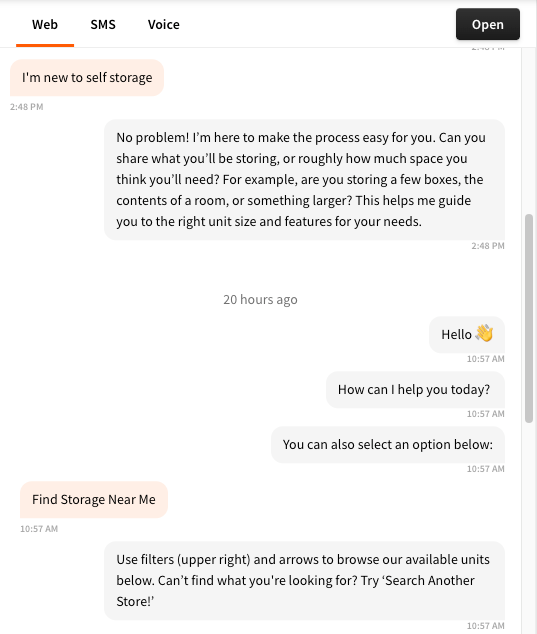
You can now see exactly when each message was sent - in both your Conversations view and the webchat widget your tenants interact with.
Timestamps now appear on individual messages in the Conversations tab, so your team has full context on the timing of every interaction.
Why it matters: No more guessing when a conversation happened or how quickly your bot responded. Timestamps give your team the clarity to review interactions, coach on response times, and understand the full picture of every tenant touchpoint.
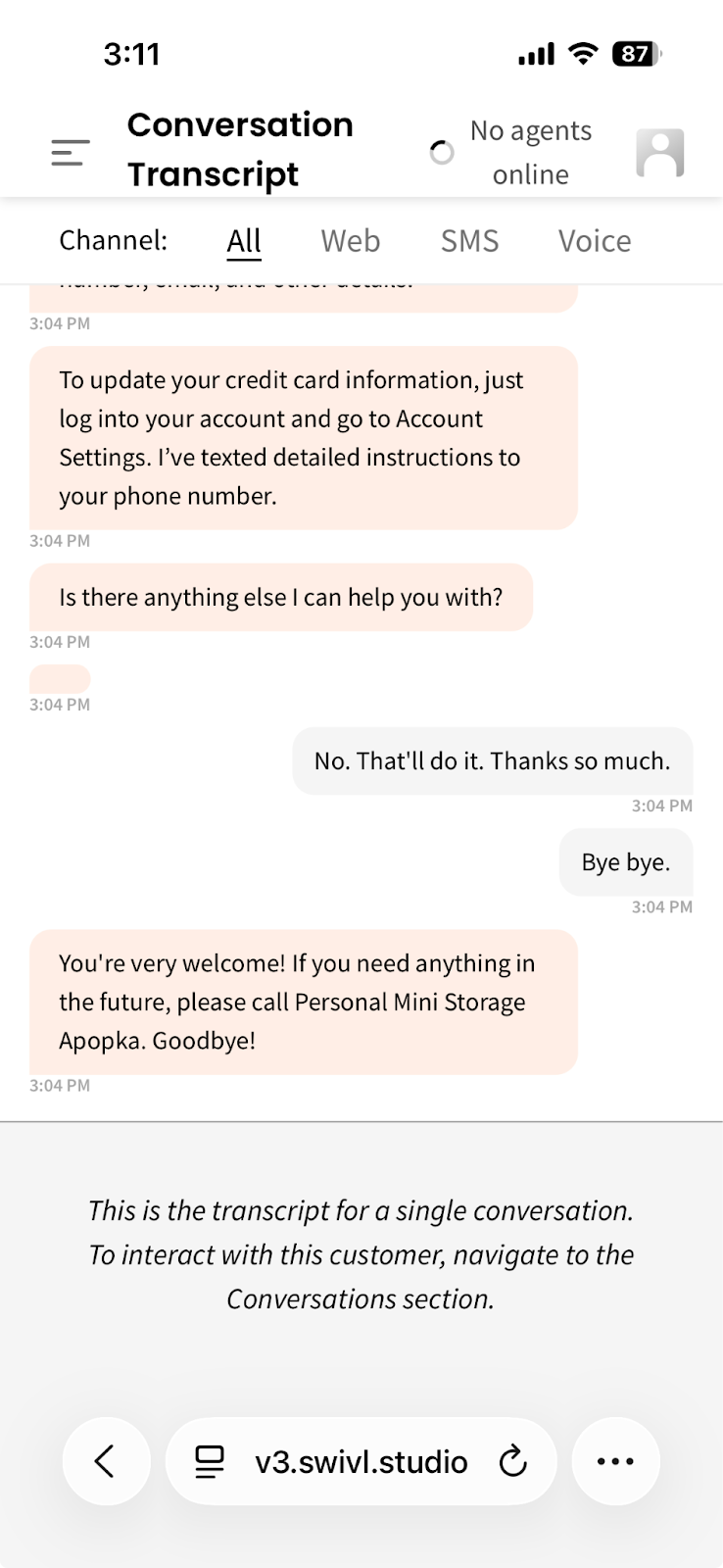
Transcript links now display cleanly on any device. No more squinting at a tiny, squeezed-down conversation on your phone screen.
We've added helpful tooltips across Property Manager and Cortex so you always know what a setting does before you change it.
Hover over any field or setting with a tooltip icon and you'll get a plain-language explanation of what it controls and how it affects your bot or account. No more guessing what a toggle does or digging through documentation to understand a configuration option.
This is a small addition that makes a big difference, especially for new team members getting up to speed.

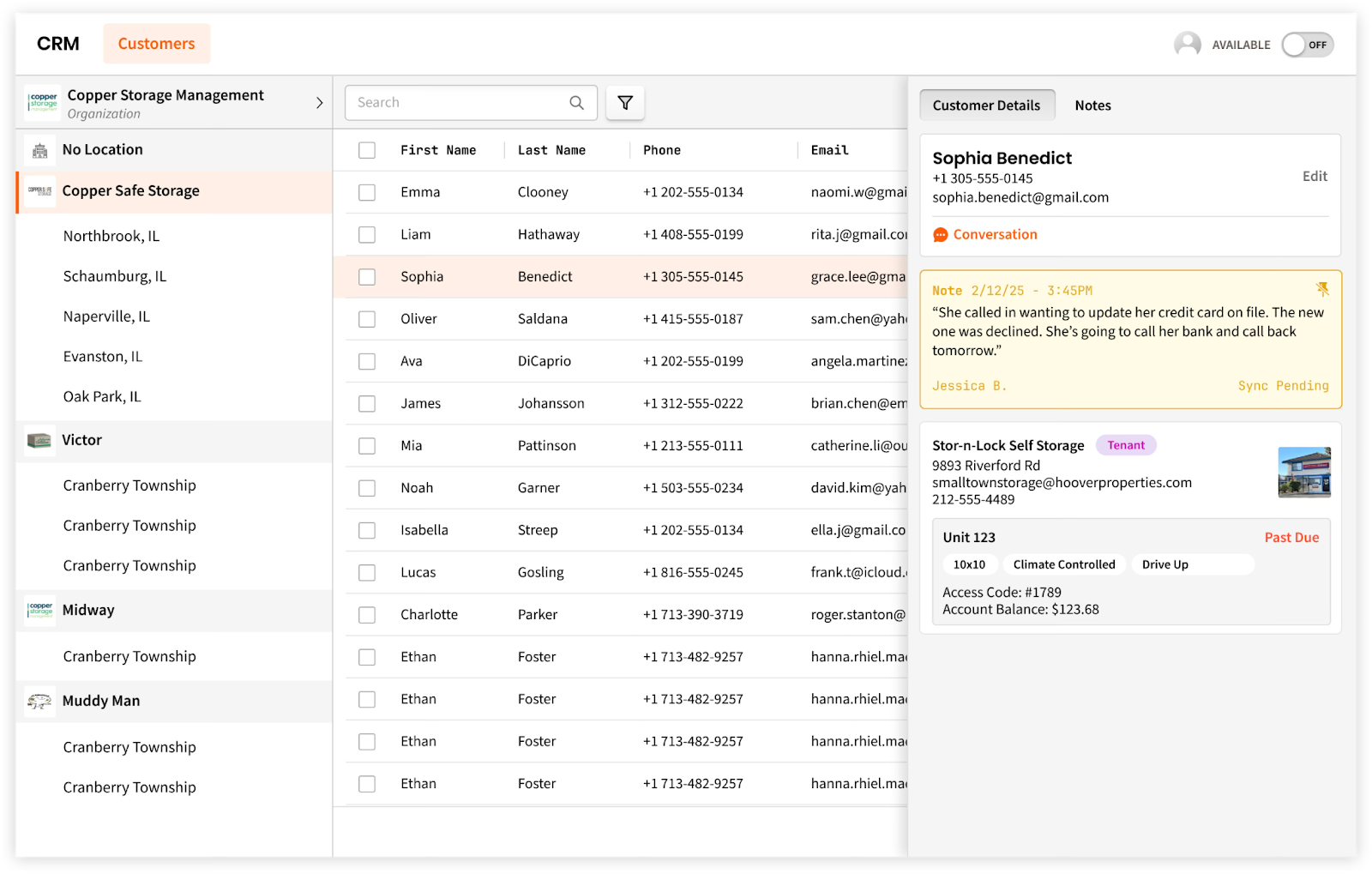
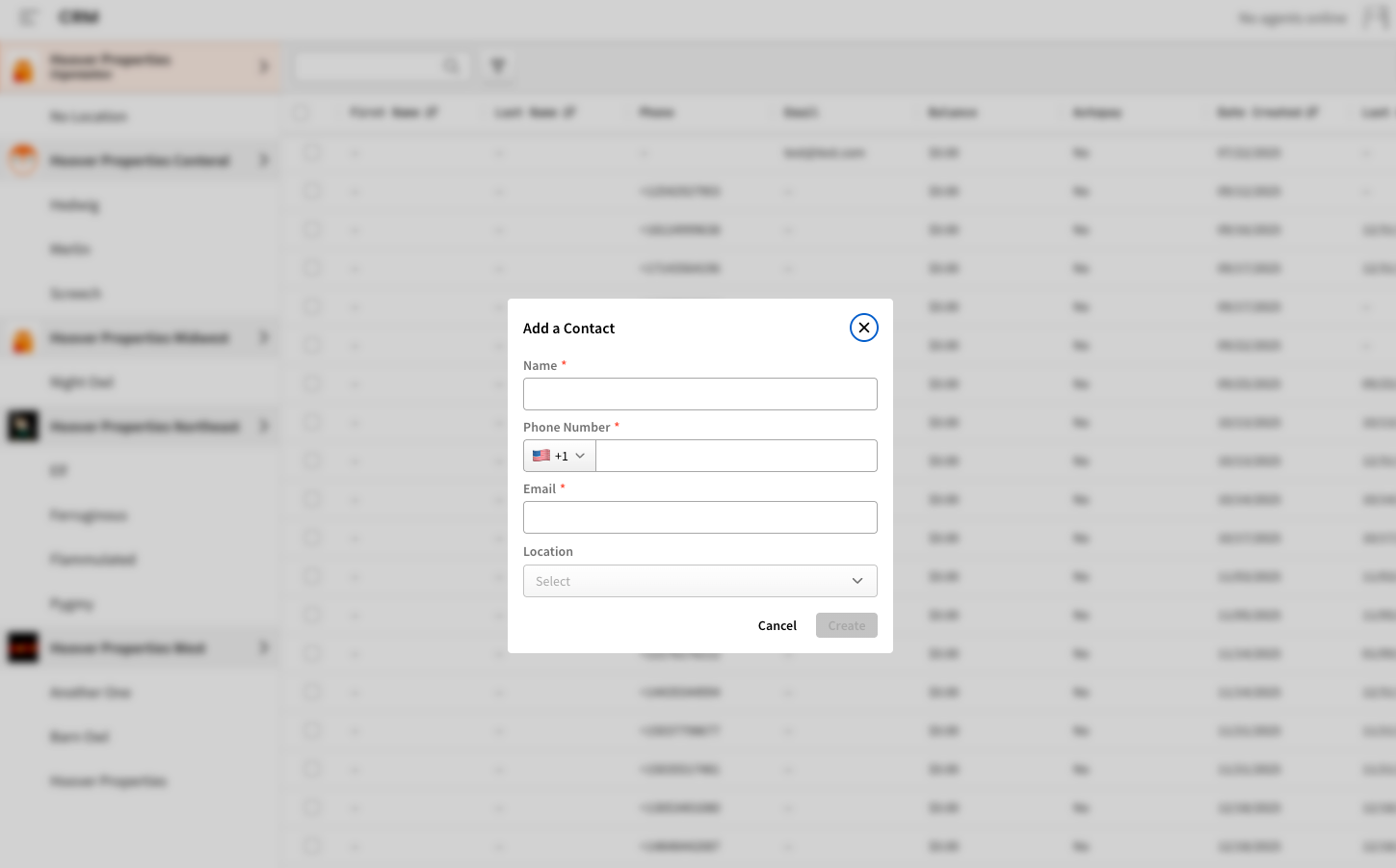
The swivl CRM is here. Every contact your chatbot has ever talked to - tenants, prospects, leads - is now organized in one searchable, filterable table right inside swivlStudio.
What you can do:
Why it matters:
Your data was already flowing through swivl - now you can more clearly see it, act on it, and manage relationships from the same place you run your conversations. No more bouncing between tools to figure out who talked to your bot and what happened next.
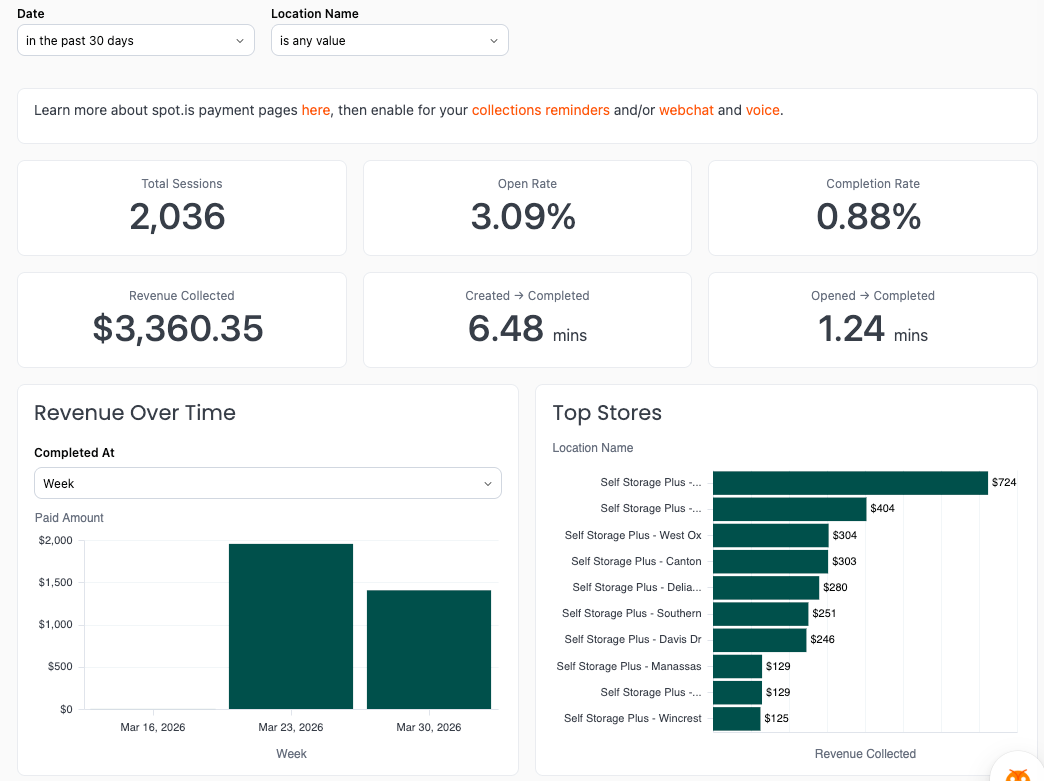
There's a new Recovered Revenue folder in Reports built around one question: how much money is swivl actually getting back for you?
It includes two reports:
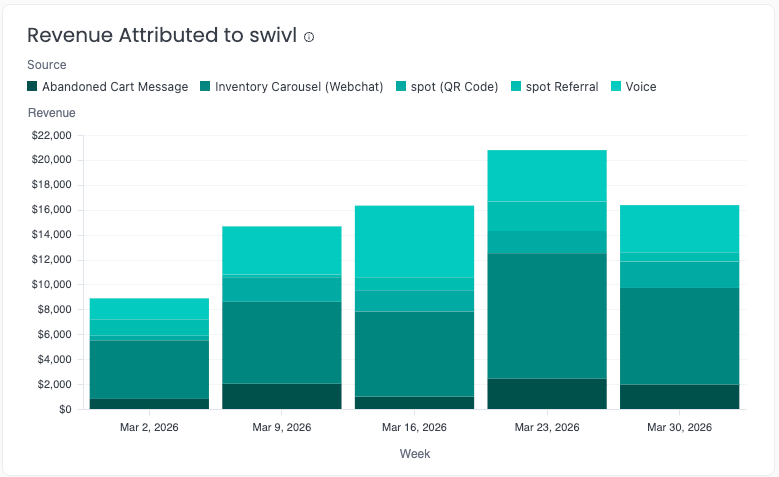
The Payments report tracks revenue collected through spot.is payment pages - so when a past due tenant clicks your payment link and pays, that shows up as real, attributed revenue, not just potential.
Link Engagement (inside the Collections report) shows how tenants are interacting with the spot.is shortlinks your bot sends during collections outreach - who clicked, when, and what happened next.
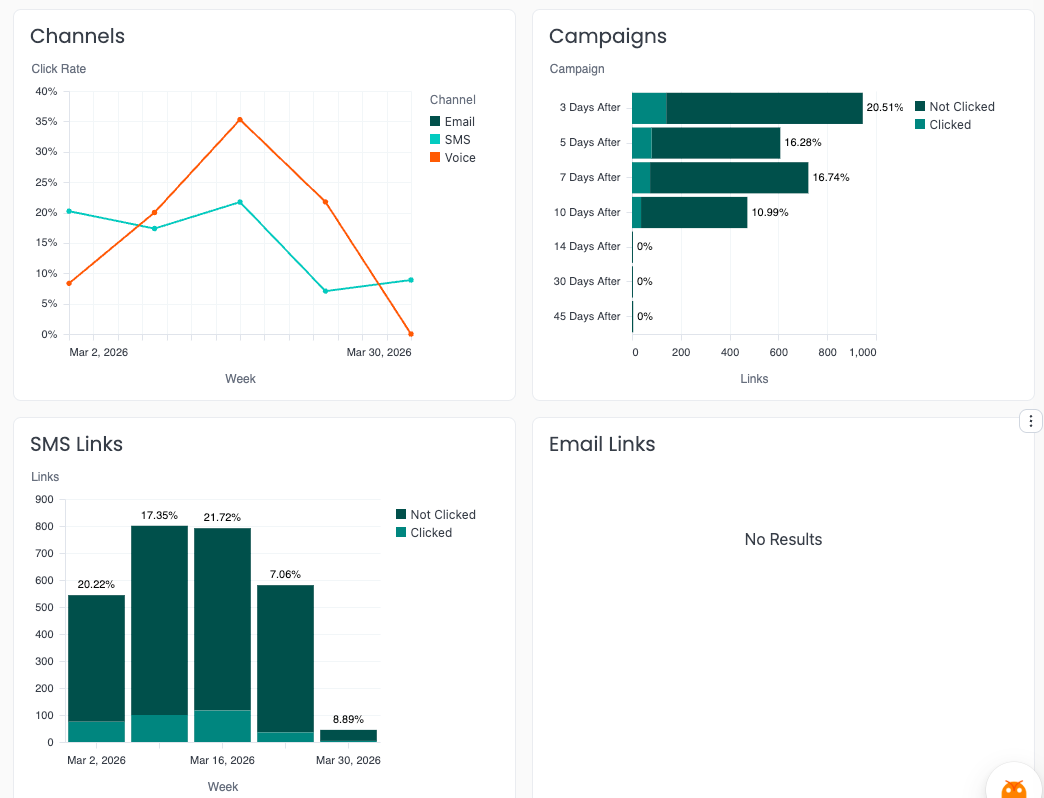
Together, these give you a clear picture of your collections ROI, from messages sent to payments made.
Your Google Reviews report now includes a chart that shows a breakdown of Google reviews received over time - and you're in control of how you slice it.
Choose from daily, weekly, monthly, or quarterly views to spot trends, track the impact of your Review Agent, or see how a specific campaign or operational change affected your reputation over time.
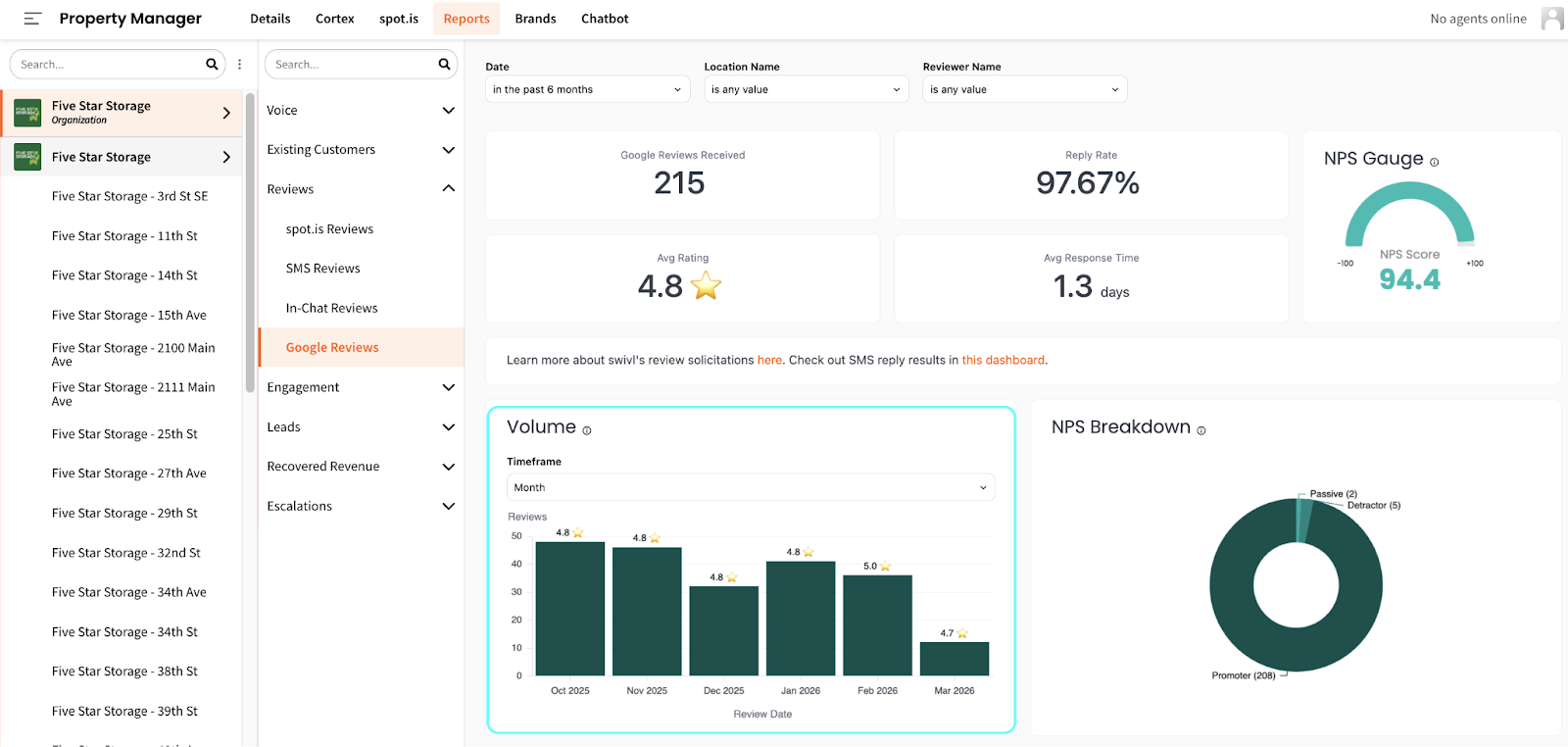
Additionally, the Reviews section now includes an AI summary that does the analysis for you - no more manually reading through dozens of reviews to figure out what's going on.
Each summary covers:
Filter by date range and location, and the summary updates to match - making it easy to spot trends over time or zero in on a specific facility.

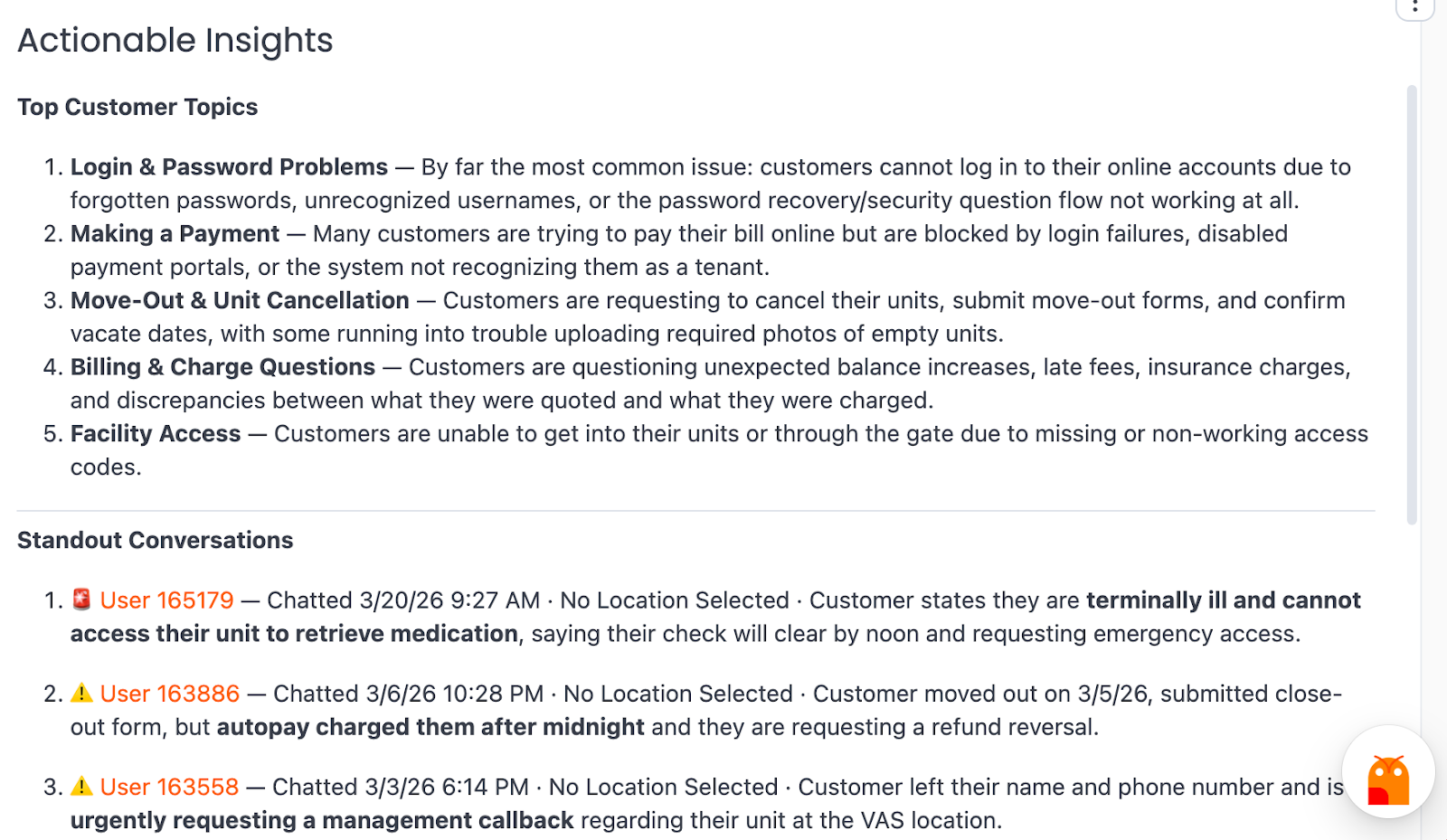
Your Interactions report (under Engagement) now does more than show you data - it tells you what to pay attention to and lets you ask follow-up questions on the spot.
Actionable Insights surface conversations worth your attention, flagging interactions that could use a follow-up or review alongside standout positive exchanges. No more scrolling through raw data to find what matters.
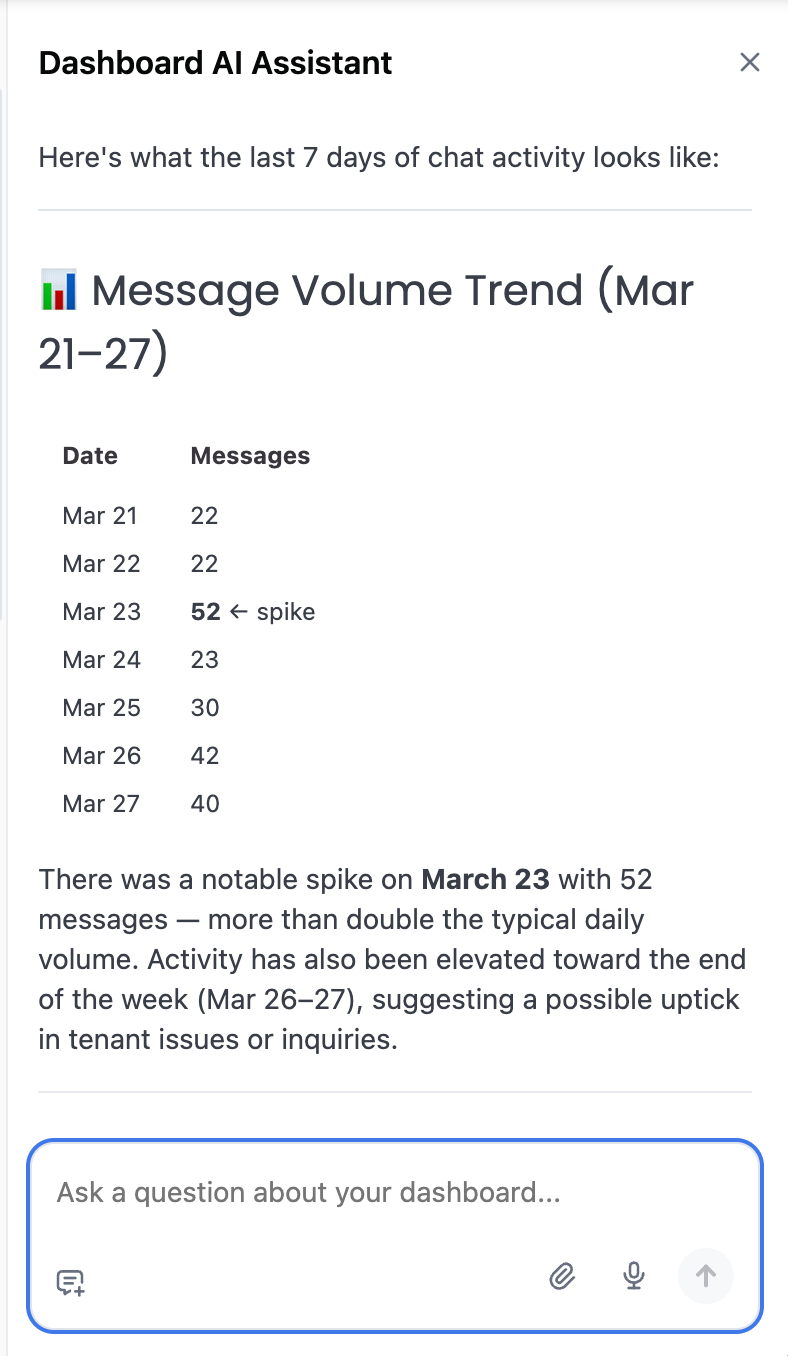
Chat with your data - you can now ask Hoover questions directly inside the Interactions report. Ask something like "Any trends worth mentioning from the last 7 days of chats? Any facilitiesI should alert of issues?" and get a plain-language answer pulled from your actual data - no export or deep dive required.
The Conversions report has four meaningful additions that give you a clearer, more accurate picture of how swivl is driving move ins.
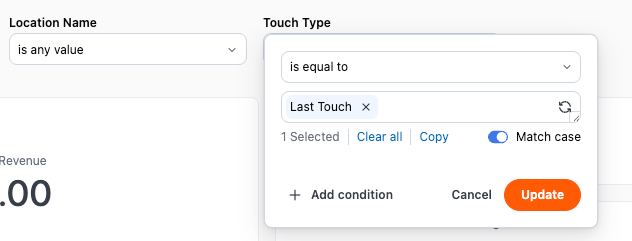
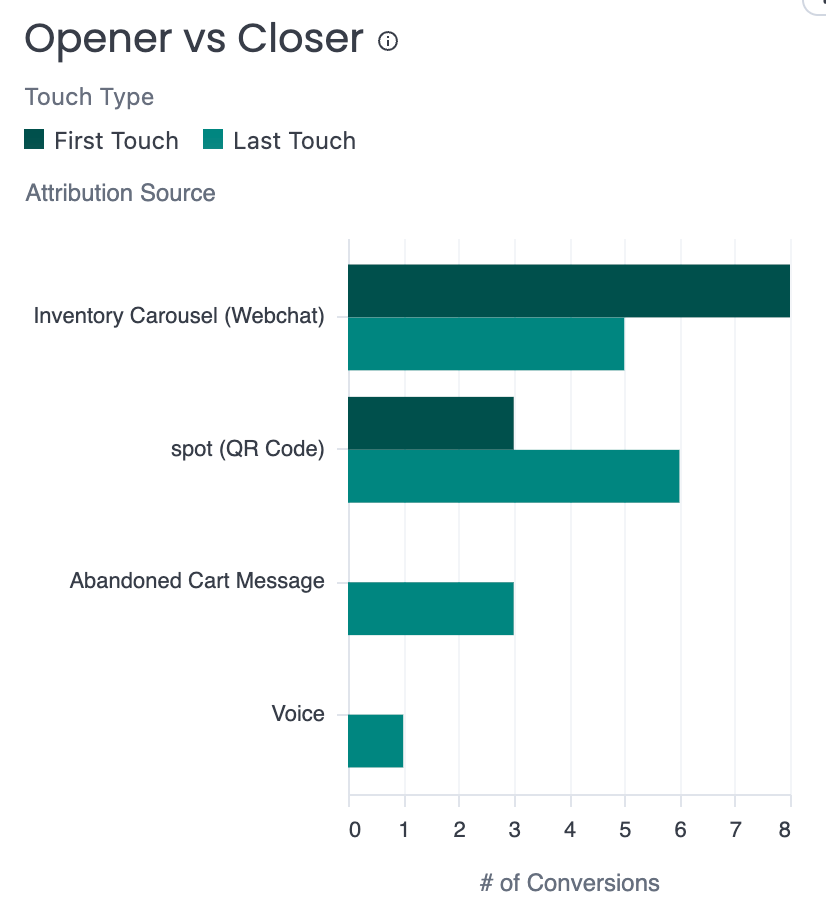
Touch Type filter (First Touch / Last Touch) - tenants often interact with multiple swivl channels before renting. Now you can choose how to view that journey. Switch to First Touch to see what started the conversation, or Last Touch to see what closed the deal. Remove the filter entirely to see all touchpoints across the journey.
Opener vs. Closer chart - a side-by-side view of which channels are starting rental journeys versus which ones are finishing them. You might be surprised to see that the channel bringing people in isn't always the one getting them over the finish line.
Multi-Touch Rate - a new KPI showing what percentage of conversions involved more than one swivl touchpoint. A high number here means swivl is working across multiple stages of the tenant journey - a strong signal of how deeply embedded the platform is in your operations.

Voice Agent Conversions - move ins attributed to swivl's Voice agent now appear as their own source in the dashboard, so you can track voice's impact alongside webchat and other channels as it grows.
swivl now integrates with Monument - expanding our FMS support for operators managing their facilities on Monument's platform.
With the integration live, swivl can sync tenant data, pull unit availability, retrieve leads, and display gate access codes - the same core functionality Monument operators expect from their facility management system, now connected to swivl's AI agents and contact center.
To get connected, Monument will send your API credentials directly to swivl - no paperwork required on your end.
We resolved an issue where the escalation notification sound (the "hoot") would continue playing on loop even after an agent had already accepted the conversation and was actively chatting with the tenant.
This has been fixed - the alert now stops as expected the moment an agent accepts.
If you're still experiencing this, please reach out to support@tryswivl.com and include the conversation link, the date and time it occurred, and the name of the agent who was affected.
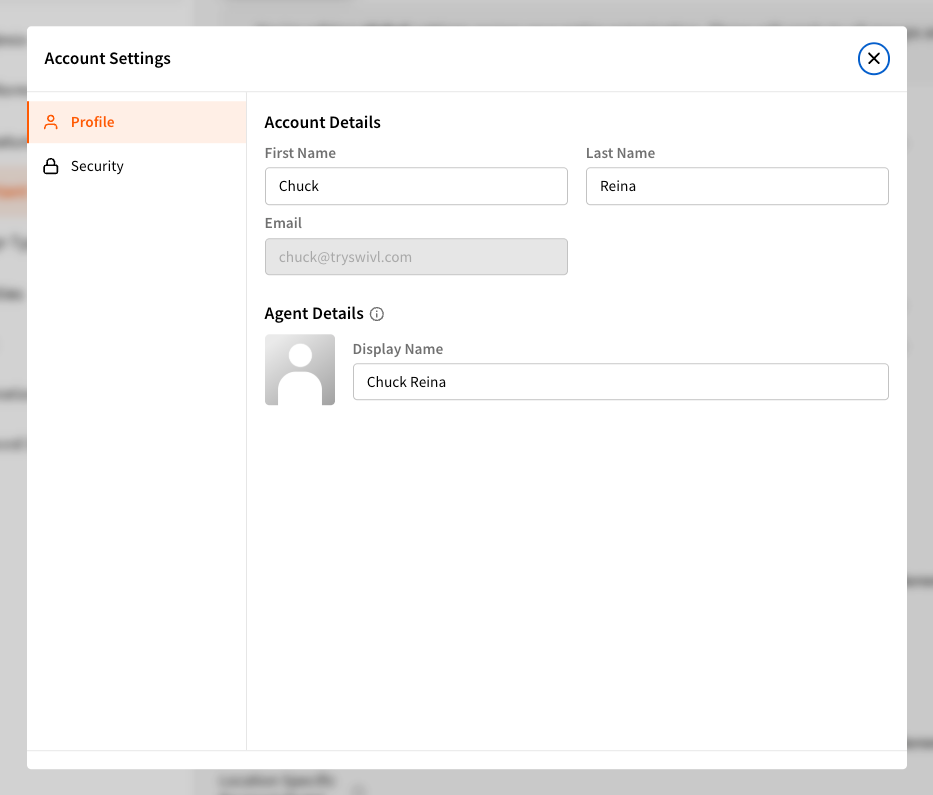
Account Settings have moved. Instead of navigating to a fixed section in the Settings menu, you can now access your settings from anywhere in the platform by clicking your avatar → Account Settings.
From there, you can update your name, display name shown in conversations, and password.
Coming soon: Agents will be able to manage notification preferences (desktop and SMS) for conversations and tickets, as well as configure working hours - all from the same spot.