QA, training, and dispute resolution just got way easier. Managers can review any call, spot coaching opportunities, and resolve disputes with the full audio record at their fingertips.
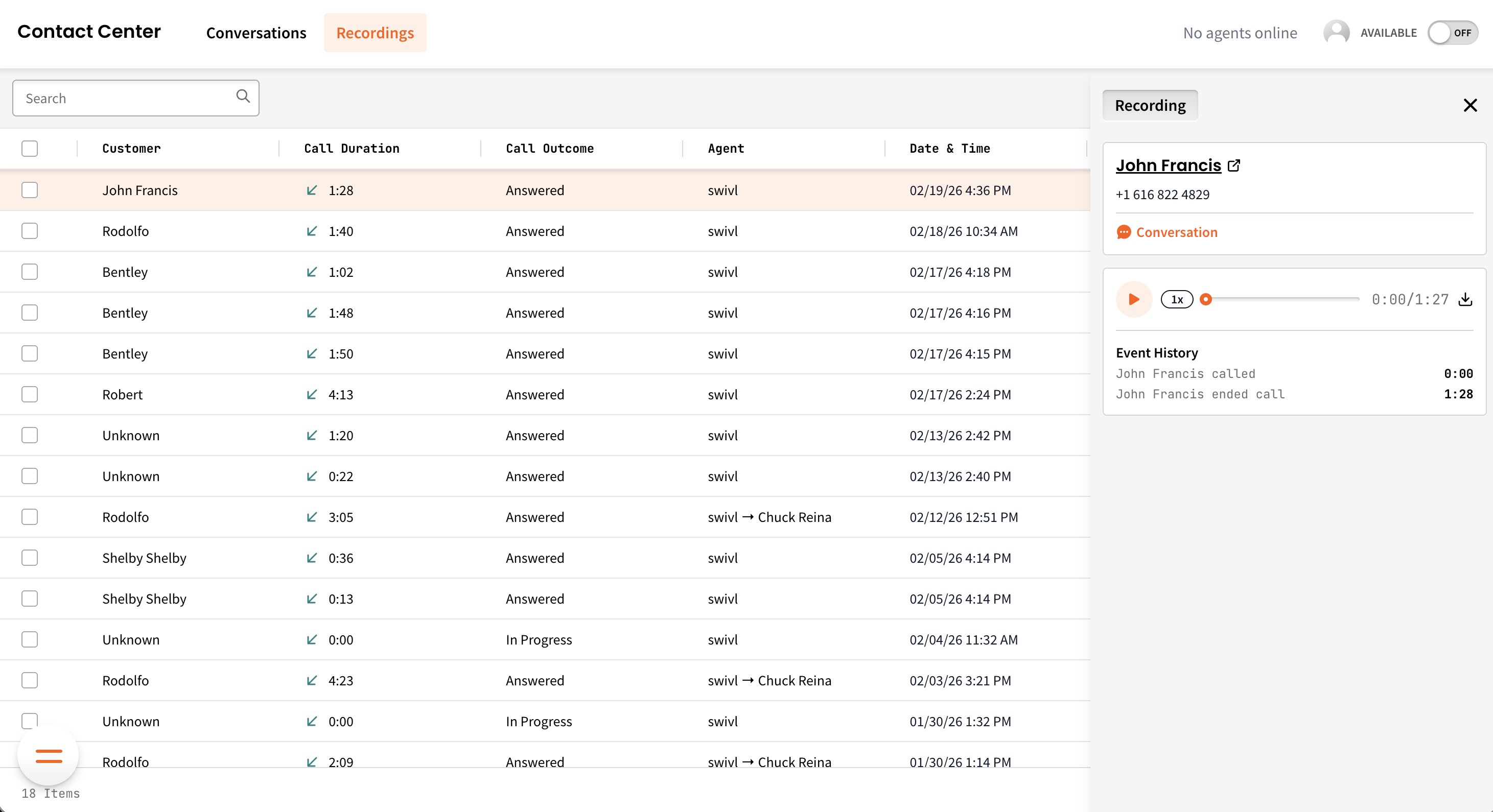
Recordings is a dedicated home for every phone call in your Contact Center. Browse, search, play, and download - all in one place, with the full story behind every recording.

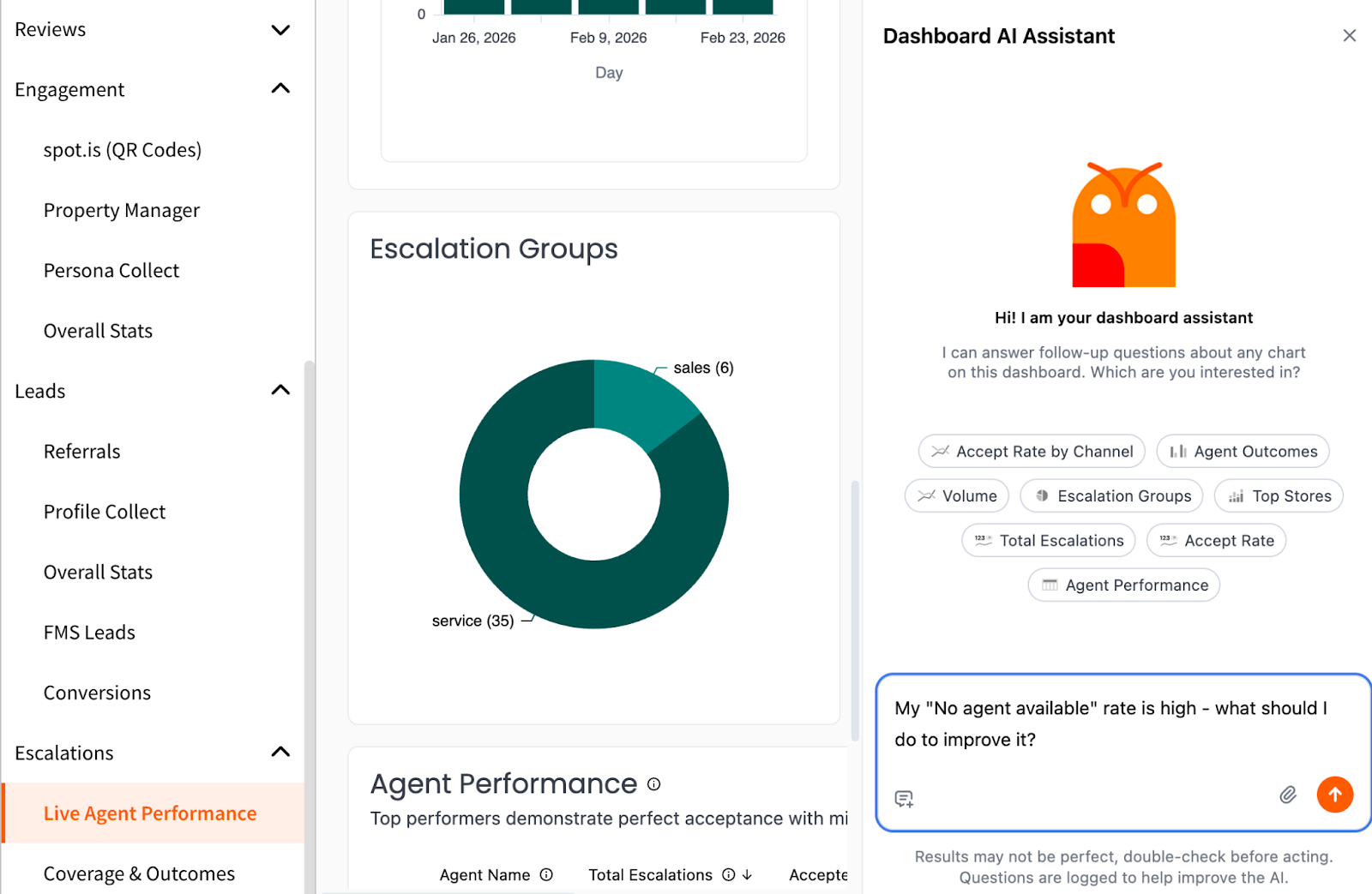
Don’t forget - Hoover is live inside Reports, and he’s one of the most powerful (and underused) tools available to owners and operators.
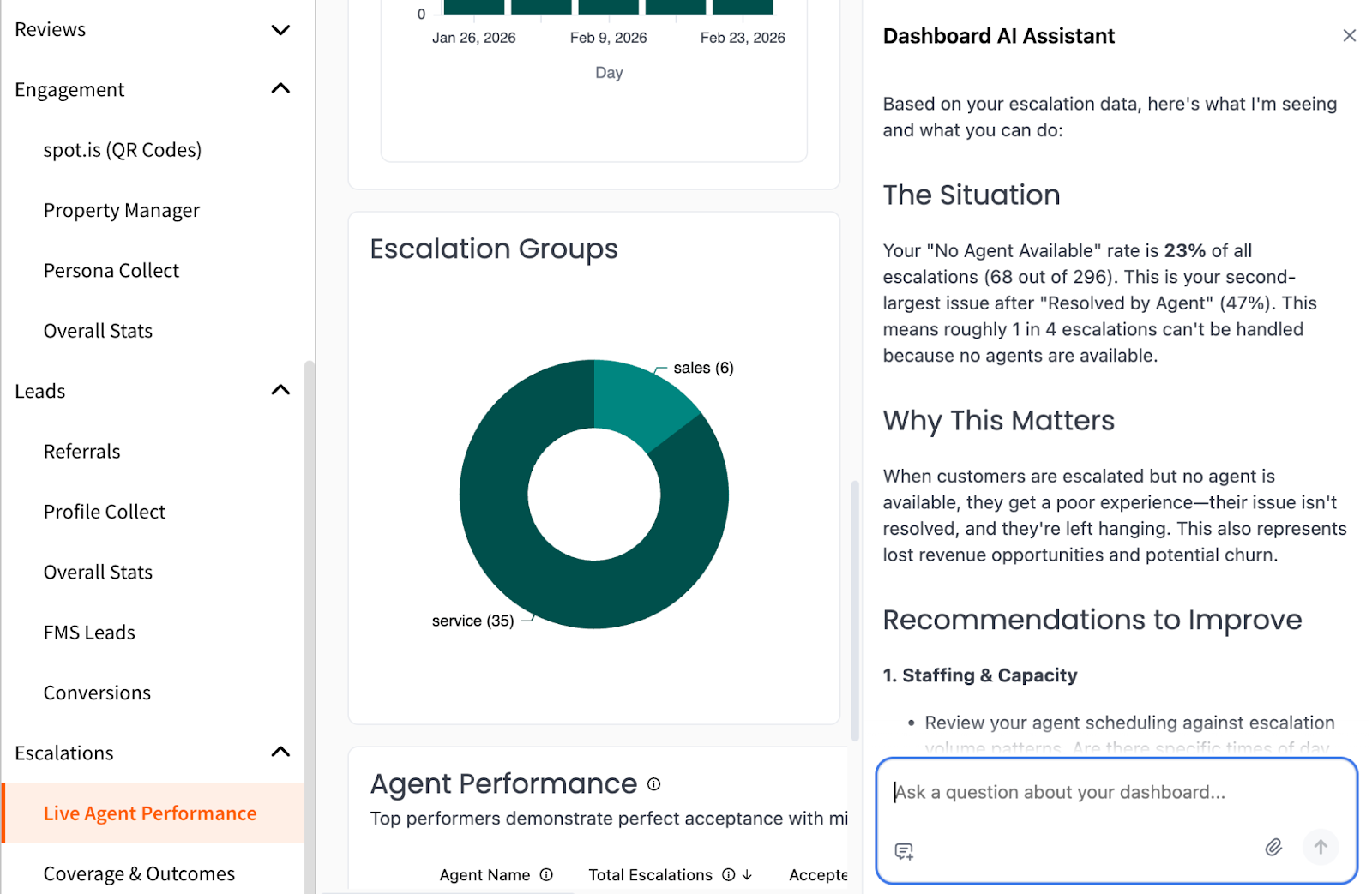
Instead of just viewing dashboards and charts, you can also ask questions about your data and get contextual, actionable answers.
Hoover can:
For example:
Instead of just repeating numbers, Hoover analyzes related metrics on the reporting surface. It may highlight peak escalation times, staffing gaps, after-hours trends, or performance differences across locations - giving you insight into how to optimize staffing, improve responsiveness, and maximize ROI from swivl.
If you haven’t tried it yet, head into Reports and start asking questions. The more strategic the question, the more powerful the insight.
👉 View step-by-step setup instructions here (or reach out to support@tryswivl.com for assistance)
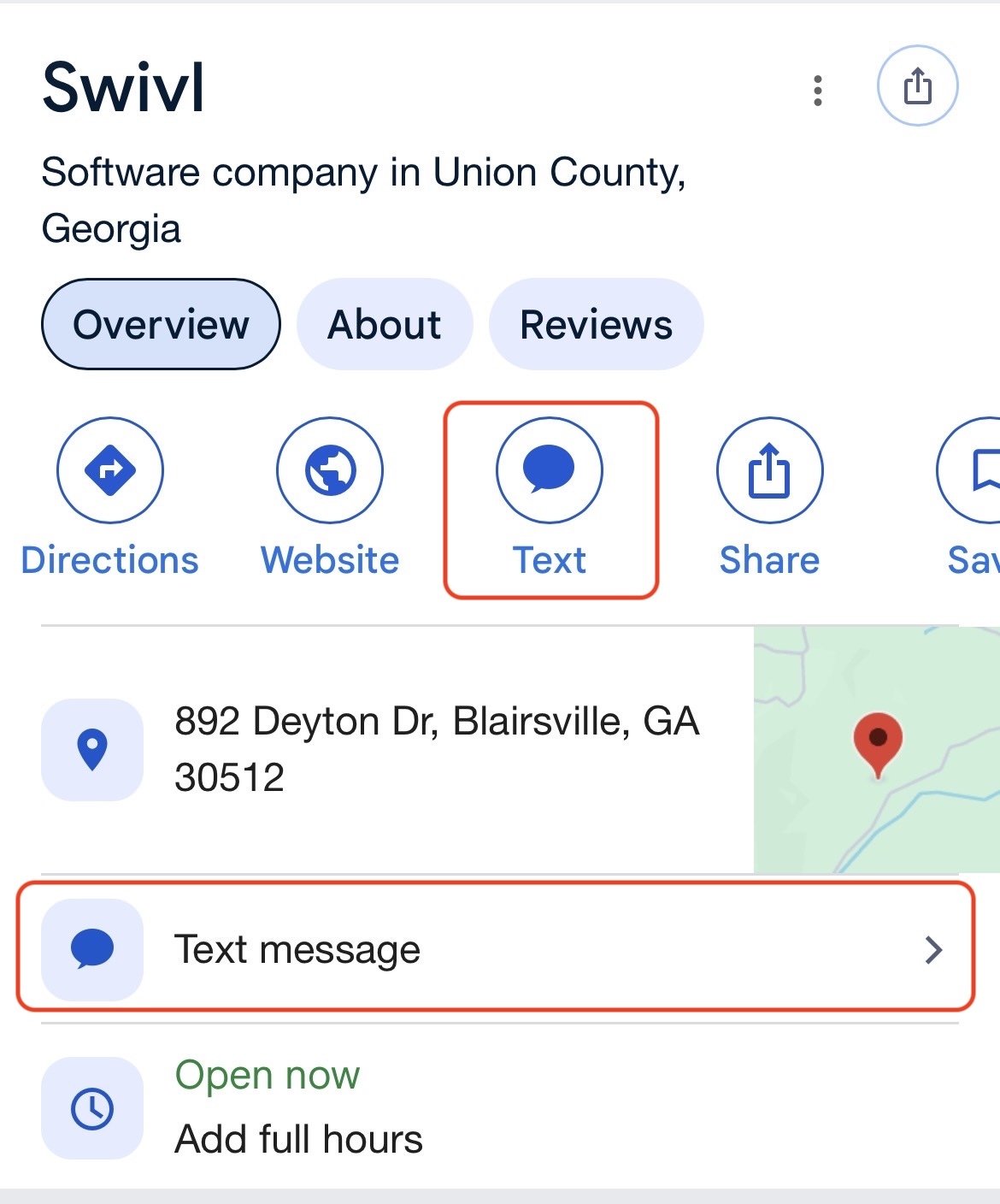
You can now add your swivl phone number to your Google Business Profile to enable the “Chat” button on mobile Google search results. When a customer taps Chat, their message routes directly into swivl as a standard SMS conversation, allowing you to capture and respond to inquiries directly from Google in your inbox.
This feature makes it even easier for prospective tenants browsing your Google listing to instantly connect with your team and learn more about your facility and availability.
We’ve made another enhancement to the bot to make conversations feel more natural and forgiving.
If a customer enters a city name instead of a zip code when prompted, the bot can now recognize the city and automatically pull the associated locations. It can even recognize some prominent buildings and landmarks! This helps reduce friction, keeps the conversation moving smoothly, and ensures prospects get the information they’re looking for - even if they don’t follow the prompt exactly.
No setup required - this improvement is already live.
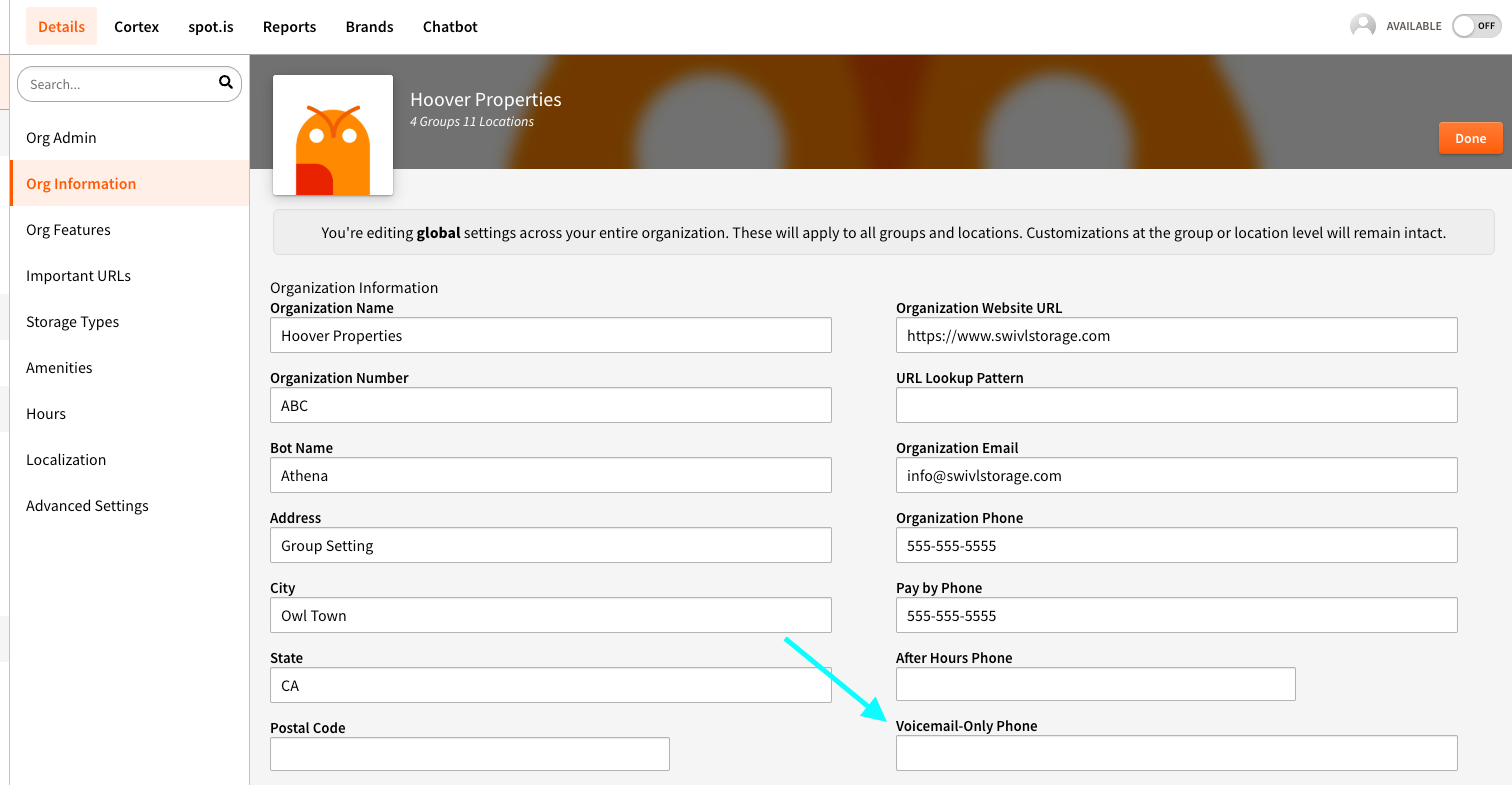
You can now configure your voice agent to escalate callers directly to a specific voicemail line when desired.
We’ve added a dedicated “Voicemail-Only Line” field within Property Manager > Details > Information, allowing you to input and manage these numbers directly inside swivl. This removes the need for backend configuration and makes it easier to support after-hours or voicemail-first workflows.
This update is especially helpful for locations that prefer missed calls to route through an after-hours phone flow or land in a monitored voicemail box instead of ringing a live line.
No support ticket required - you can now manage this directly within your location settings:
👉 Explore the docs by clicking each link below!
We’ve expanded the swivl learning library with new, dedicated documentation for our Voice agent - including how it works, how calls are routed, what it knows, and how to configure it successfully.
You can now find guides for:
Across these articles, you’ll find details like agent capabilities, conversation flow, escalation to a human, configuration settings, what data/content the agent pulls from, and common troubleshooting steps.
Always on-brand, zero effort. Previously this required manual image creation or a support request. Now it takes seconds and always matches your color theme.
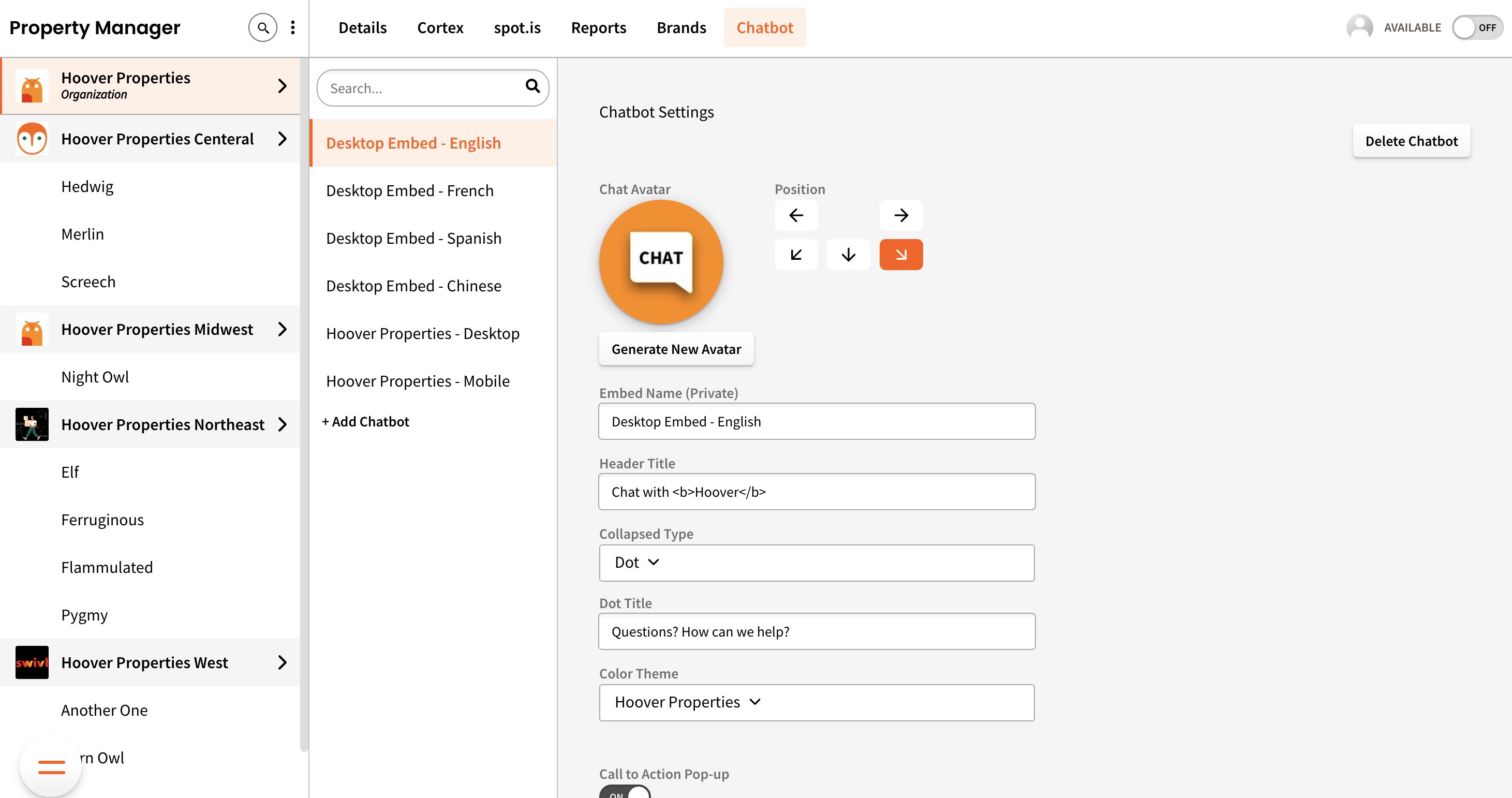
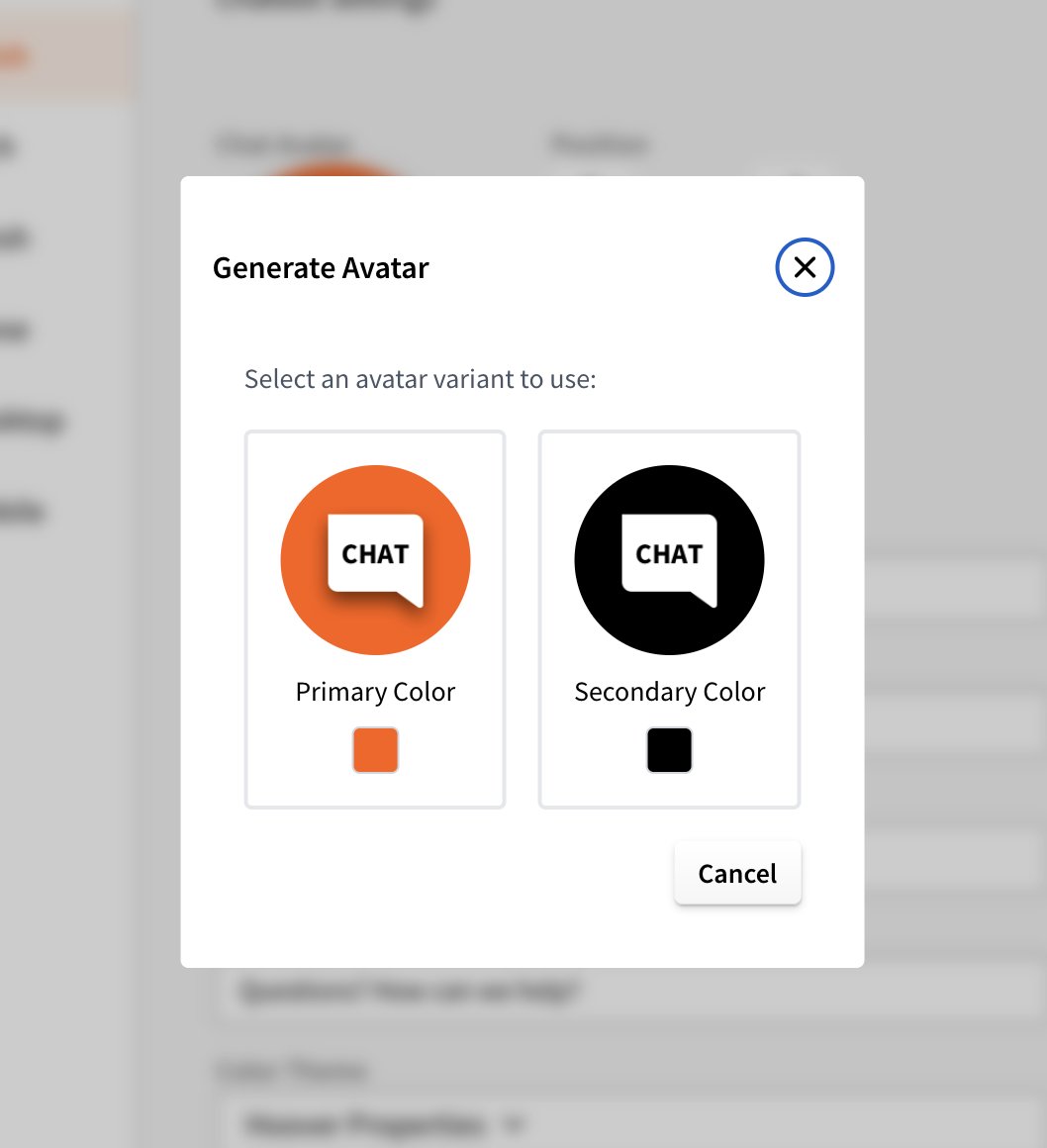
Generate a polished, on-brand chat avatar in seconds - no designer required. One click creates two options using the brand's primary and secondary colors. Pick the one you like and it's applied instantly.
1. Go to your chatbot settings and click "Generate New Avatar"
2. Two variants are generated using your primary and secondary brand colors
3. Pick the one you prefer - it's automatically uploaded and applied
Find exactly what you need, faster. When reviewing a customer's history, jump straight to just their SMS thread or just their voice call - no digging required.
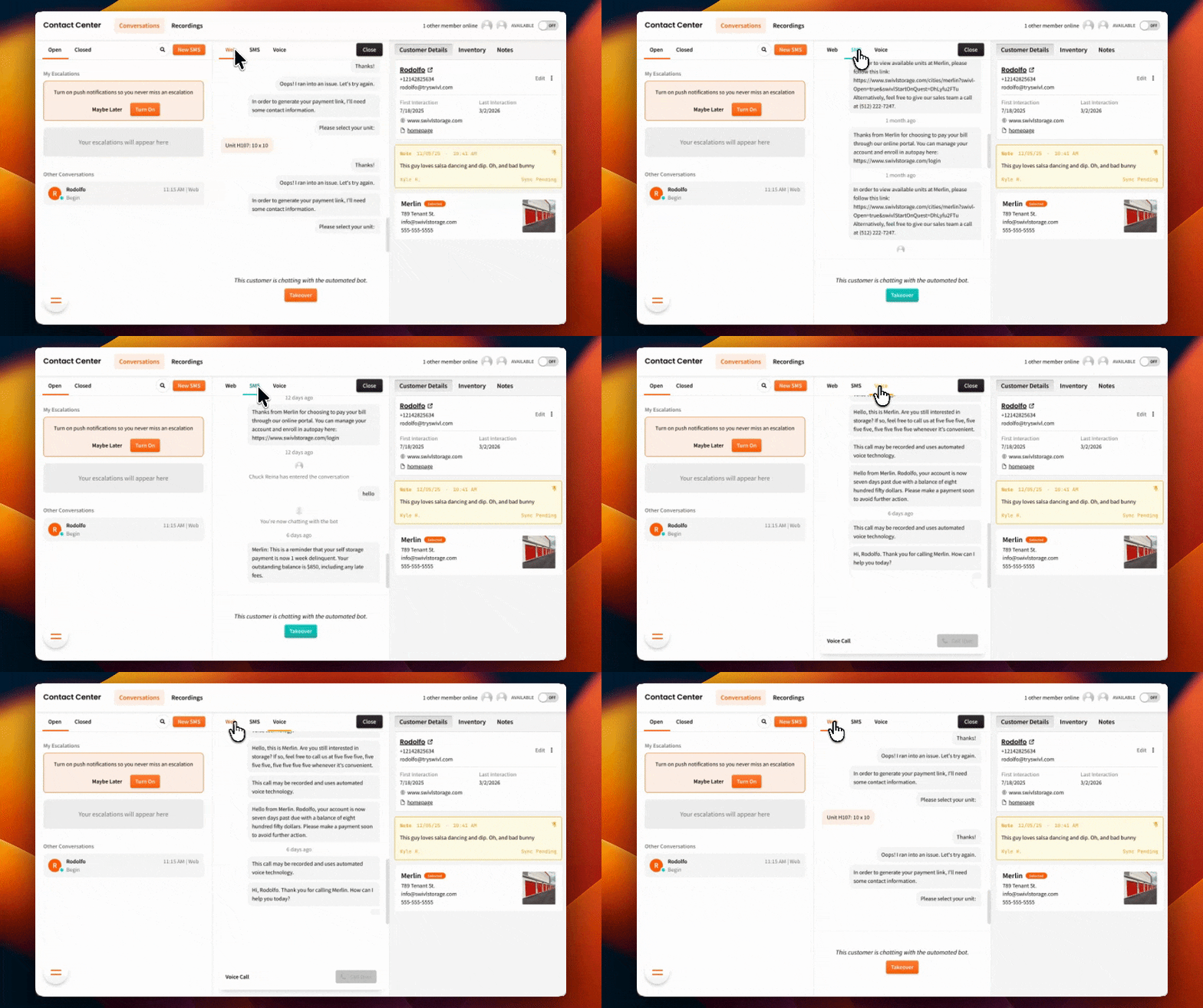
Conversation transcripts are now organized into dedicated tabs: Web, SMS, and Voice. View a single channel or flip to "All" to see everything at once.

swivl now fully integrates with QuikStor - one of the most popular facility management systems in self storage. QuikStor data syncs automatically so your AI agent has realtime access to everything it needs, with zero manual entry.
1. Go to Settings › FMS Integrations and find QuikStor
2. Enter your QuikStor credentials to authorize the connection
3. Your data begins syncing automatically - no ongoing setup required
👉 Open FMS integration settings

