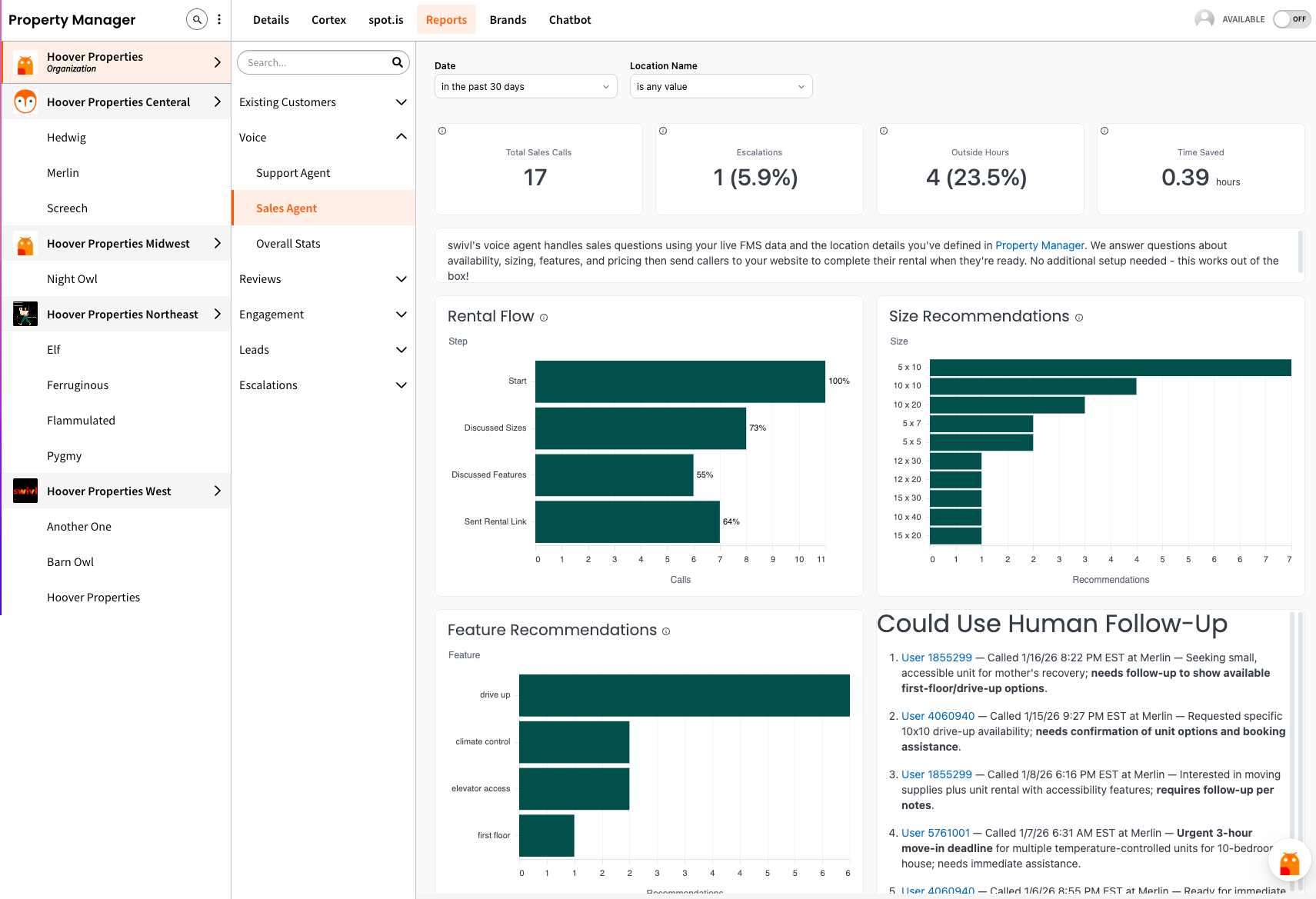
We’ve added a new Reports tab in Property Manager to make analytics easier to access and act on — so you can quickly understand what’s happening across your portfolio — from high-level trends to location-specific details.
In Reports, you can explore insights across areas like:
Plus, if you ever want help interpreting what you’re seeing, you can use the Dashboard AI Assistant (the widget in the bottom-right corner) to ask follow-up questions about charts and trends right from the dashboard!
Want a quick walkthrough? Check out our short Reports Overview video to see how teams are using the new tab in real time.
Tenants who rent more than one unit can now get gate codes and account balances for any of their units in a single call.
We automatically detect when a tenant has multiple units and asks which one they're calling about. Customers can respond by unit number ("unit 101"), size ("the 5 by 5"), or position ("the second one").
Curious? Listen to a general tenant request call or a past due voice call to see how our Voice agent navigates multiple leases in different scenarios.
The After Hours Emergency Voice worksheet is now live.
This update enables voice-only emergency handling outside of your defined business hours. When a caller reports a critical situation - such as a trapped tenant, robbery, fire, or flood - swivl automatically escalates the issue by sending realtime text and email notifications to facility managers that you assign. You can even forward the call to a dedicated number if preferred.
This ensures urgent situations are routed immediately to the right people, even when your office is closed, while reducing reliance on expensive third-party emergency services.
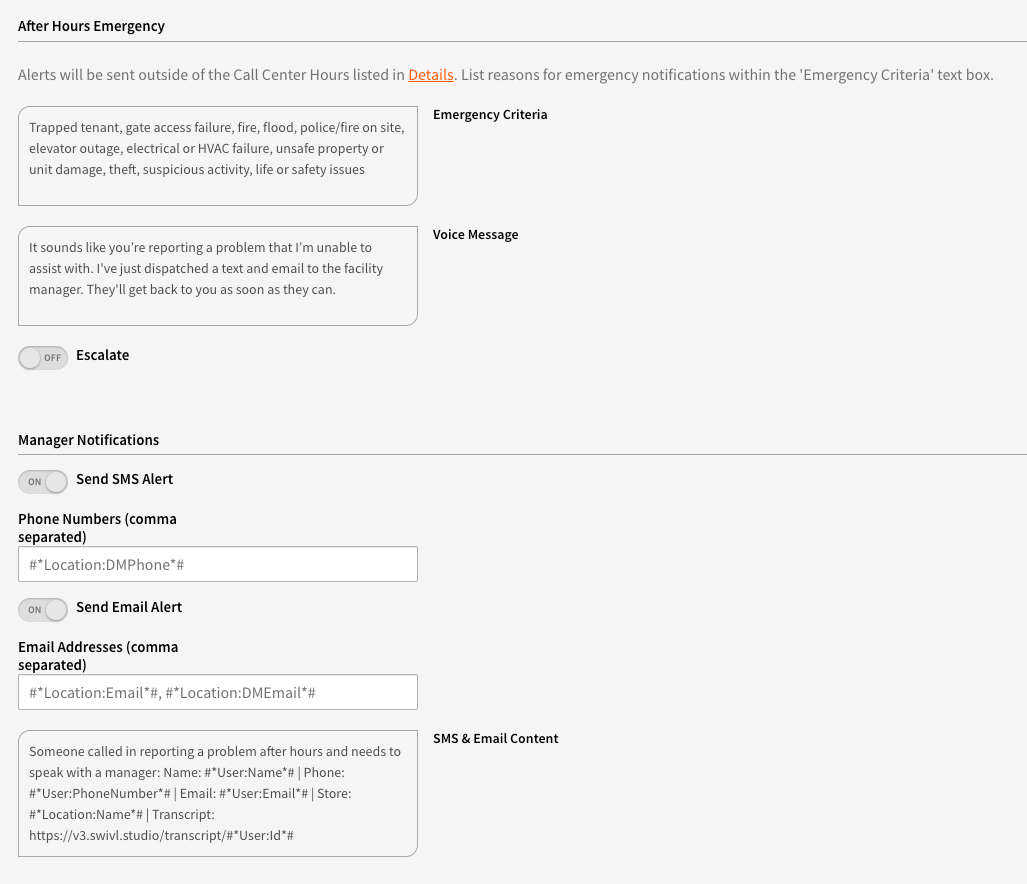
Escalations are directly connected to each location’s Call Center Hours, ensuring calls are routed appropriately based on when your team is actually available.
This relies on the Timezone configured for each location in swivl to determine whether an escalation should occur. To ensure escalations behave as expected - especially for after hours scenarios - we recommend reviewing and confirming that each location’s Timezone is setup correctly in Property Manager > Details:

Accurate hours help reduce incorrect escalations, improve call handling accuracy, and create a smoother experience for both tenants and staff.
We’ve rolled out major improvements to our Voice agents to make calls feel faster and more natural.
Voice responses now stream in real time, eliminating awkward pauses. Behind the scenes, tasks like sending SMS, emailing, and looking up tenants in the FMS now run in parallel - resulting in calls that are up to 5× faster and significantly smoother overall.
FMS notes are now supported for key automated sequences, including Move In, Move Out, Past Due, and Abandoned Cart workflows.
With this enhancement, swivl can automatically add transcripts directly back to your FMS, giving your team better visibility into tenant interactions without manual follow-up.
This feature is currently available for customers using StorEdge, Sitelink, SSM Cloud, and QuikStor. Notes are logged consistently across supported sequences, helping teams stay aligned, reducing duplicate work, and maintaining a clear record of tenant communications inside the FMS. No need to update - this feature will automatically default to “on”, but can be toggled off in each sequence if desired.
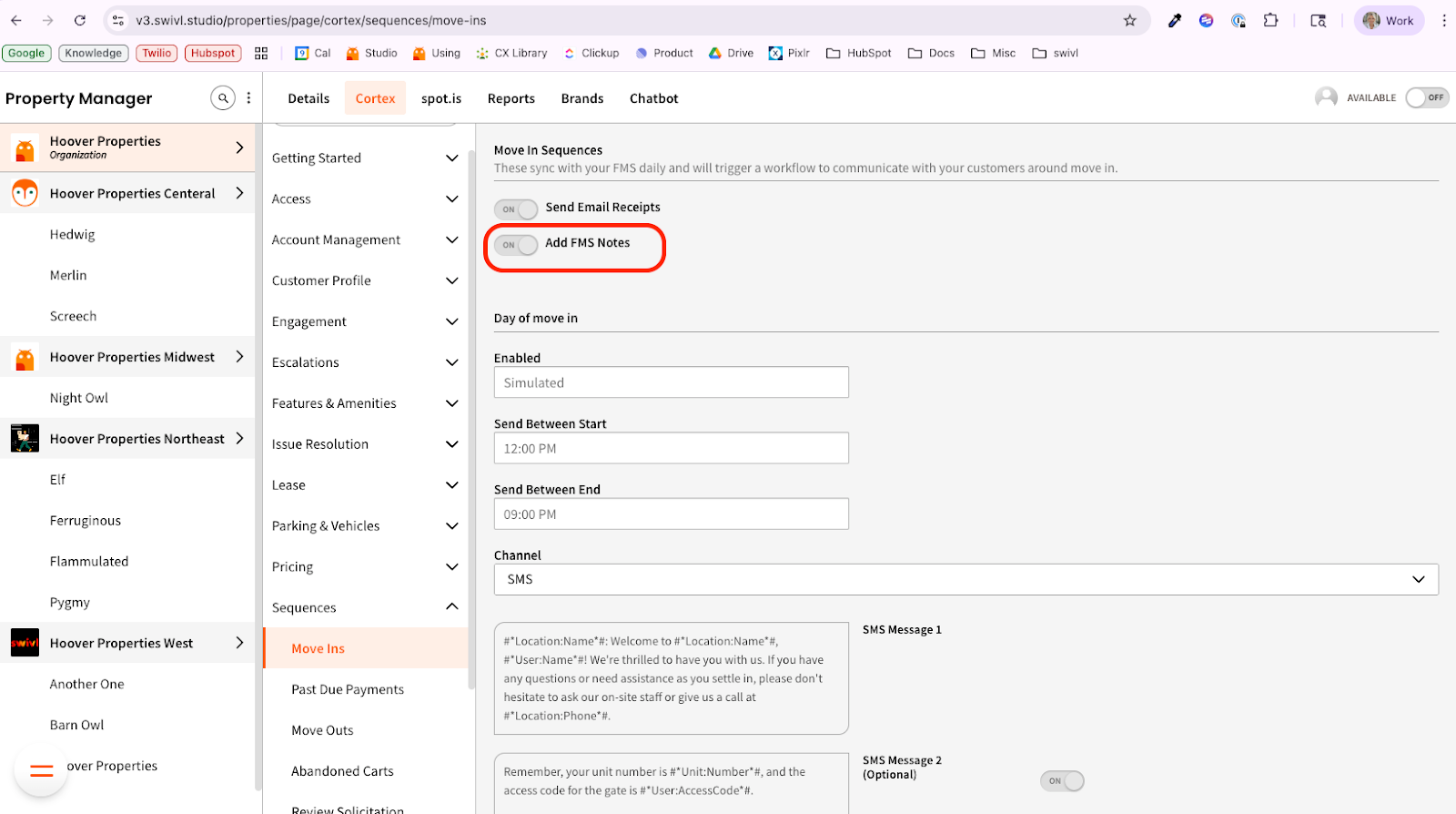
Here are some examples:




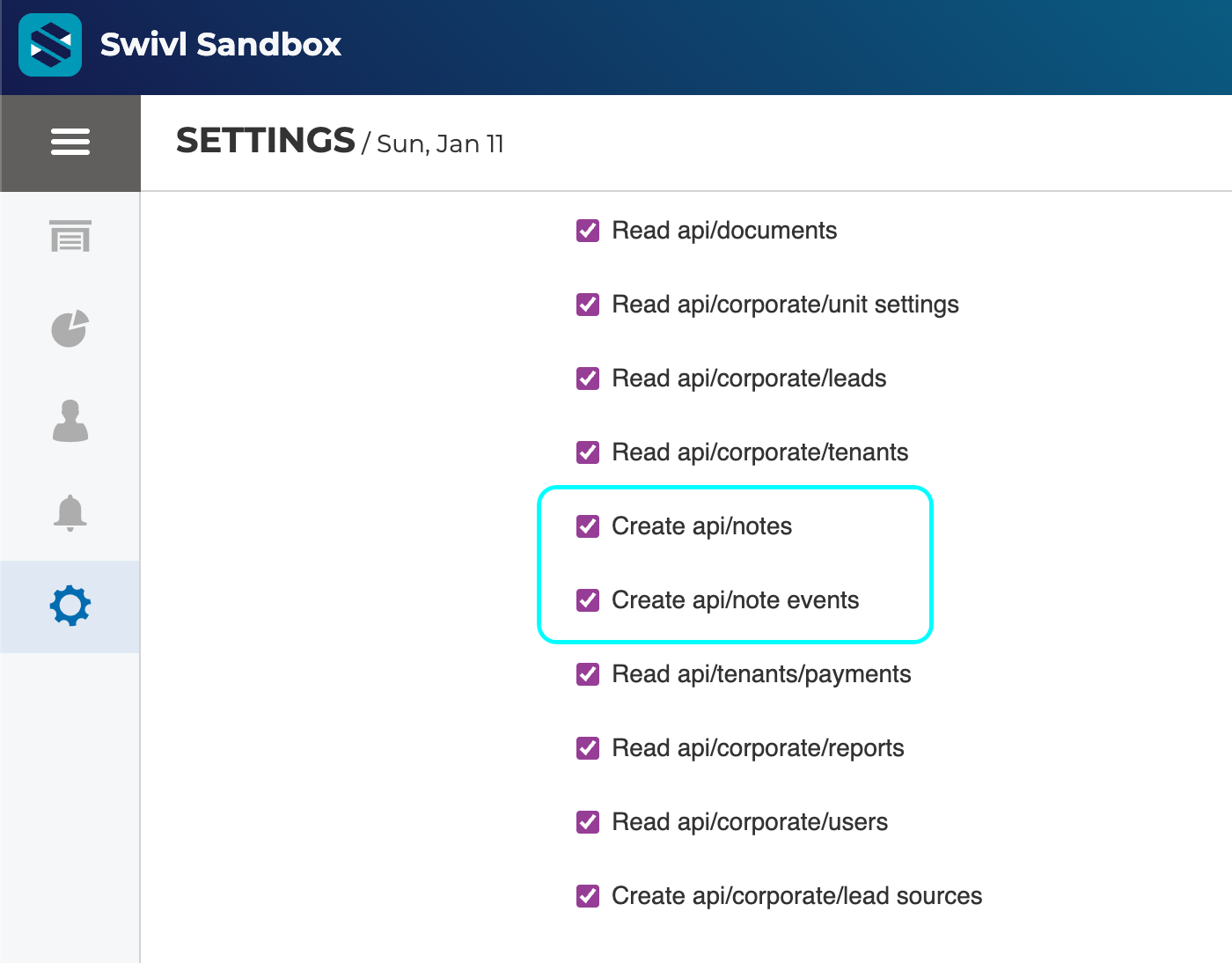
For StorEdge users - note that this does need to be set up by checking these settings in StorEdge’s corporate settings > API > Online Marketing Service - Swivl:
If you're on our Innovator and Disruptor tier, you can now automatically respond to Google reviews using swivl’s AI-powered auto-replies.
Once enabled, swivl will reply on your behalf to reviews that meet your chosen rating threshold — helping you stay engaged without manual effort.
How it works:
This is especially useful for teams managing reviews across multiple locations.
👉 Enable Google Review Auto-Replies

All users with an existing swivl.studio login can now sign in directly to v3.swivl.studio with no invitation required.
On first login, members will see a short overview video highlighting what’s new and what’s changed in v3.
Log in now to explore the new experience. Access to the previous swivl.studio platform will sunset 🌇 at the end of February. If you have questions, please reach out to support@tryswivl.com.
spot.is Payments let tenants pay their bill through a fast, secure, branded payment page - no portal login, no passwords, no friction. (Currently available for StorEdge users only)
Instead of sending tenants to a full tenant portal, swivl delivers a one-click payment experience that works across webchat, SMS, and Voice. Tenants authenticate using the phone number on their lease and complete payment in just a few steps.
Benefits
Tenants see a clean, branded payment experience with clear confirmation once their payment is complete. Click here to see a demo, and here to view an article on how to set this up in swivl.

